[Mega Thread]: Pictogram Reverse Engineering Challenge - Try along
-
I’ve always been fascinated by ornamental motifs because, despite the seeming complexity of execution, there was always a simple method. And I wanted to find out what that method was.
I took one of the ornaments from the Henman Pictogram font family and began to sort of undress it slowly.The motif was made of three elements. Five-fold, radially repeated, petal-like shape, radially repeated, four fleur-de-lis shapes (leaving out the top edge of the floral shape), and two more floral motifs along the top and bottom edge of the ornament.
At first glance, it appears like a simple radial symmetry.
But it is not.
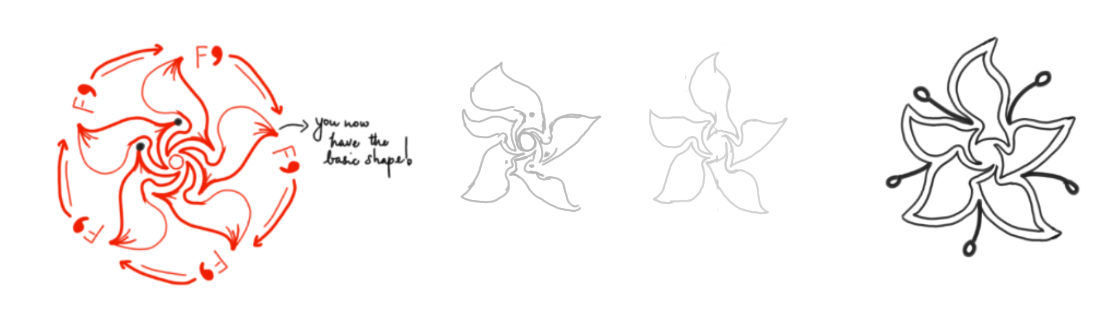
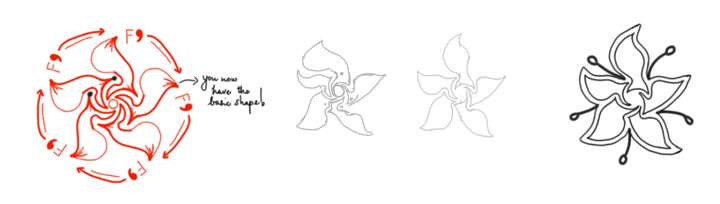
It is in fact a pseudo-symmetryThe effect is achieved by rotating an element around an apparent centre of the motif, but such that each element is slightly different in shape and size from the previous one. This creates an illusion of symmetry. Notice also that the inner floral motif is pentagonal (repeated five times), whereas there are six outer elements, which is yet another effective way to break the symmetry.
To recreate this motif, first draft a perfect floral pattern using the symmetry brush settings. Draw the outer contour first, then fill it with petal shapes. Now, you have the shape of the element that needs to be repeated.
You can now manually draw out the motif you want by varying the shape and size of the element around the centre. The result is an organic feeling shape, which is really not symmetrical, but gives the impression of symmetry.
Steps to create pseudo-symmetry:
-
Size: 5-15% larger or smaller than the template
-
Width/length ratio: Make some petals slightly narrower or wider
-
Curve intensity: Vary how much each petal curls or tapers
-
Rotation angle: Don't space them perfectly evenly—shift by 2-5 degrees
-
Detail placement: Move dots, flourishes, or decorative elements slightly off-center
@VectorStyler: Do you think Repeater could work here?
-
