VectorStyler
    • Categories
    • Unread
    • Recent
    • Tags
    • Popular
    • Register
    • Login

    Detail Optimizations for Version 1.3
    Scheduled Pinned Locked Moved Features and Ideas
    61 Posts 4 Posters 3.6k Views 3 Watching
    Loading More Posts
    • Oldest to Newest
    • Newest to Oldest
    • Most Votes
    Reply
    • Reply as topic
    Log in to reply
    This topic has been deleted. Only users with topic management privileges can see it.
    • M Offline
      monsterfox @VectorStyler
      last edited by

      @VectorStyler I understand that. Normally, I create new toolboxes for my frequently‑used tools. But sometimes I need to repeatedly use certain menu functions that are not everyday tools, so it would be unnecessary to make a dedicated toolbox for them. A temporary solution for this would be sufficient.

      1 Reply Last reply Reply Quote 0
      • S Offline
        Subpath @VectorStyler
        last edited by

        @VectorStyler

        In my opinion, the toolboxes in Vectorstyler would be
        somewhat more useful if they were more flexibly adjustable in size.

        Made a Video here how it works in Coreldraw

        Win 11
        CPU: AMD Ryzen 5 9600X, 6-core.
        GPU: Nvidia Geforce RTX 5070.

        VectorStylerV 1 Reply Last reply Reply Quote 1
        • VectorStylerV Offline
          VectorStyler @Subpath
          last edited by

          @Subpath said in Detail Optimizations for Version 1.3:

          more useful if they were more flexibly adjustable in size.

          I will add this to the features list

          M 2 Replies Last reply Reply Quote 1
          • M Offline
            monsterfox @VectorStyler
            last edited by

            @VectorStyler https://youtu.be/Cw55FX62hBY
            Can a feature be added, referencing the VectorCraft program shown in the video? When the pointer selects a canvas, the currently selected canvas gets a black border to indicate selection. This would make the effect more intuitive. Thank you.

            1 Reply Last reply Reply Quote 0
            • M Offline
              monsterfox @VectorStyler
              last edited by

              @VectorStyler https://github.com/storytold/vectorcraft

              This is the project address of the open-source software VectorCraft. The path simplification feature in VS is still not very usable at present. Please refer to their code and improve the equivalent feature in VS.Thank you.

              https://youtu.be/wYwcrMxgD8U

              VectorStylerV F 2 Replies Last reply Reply Quote 1
              • VectorStylerV Offline
                VectorStyler @monsterfox
                last edited by

                @monsterfox Can you send me the file with that shape (before simplification) so I can test it here also? Thanks!

                M 1 Reply Last reply Reply Quote 0
                • M Offline
                  monsterfox @VectorStyler
                  last edited by

                  @VectorStyler 未命名-2.vstyler

                  VectorStylerV 1 Reply Last reply Reply Quote 1
                  • VectorStylerV Offline
                    VectorStyler @monsterfox
                    last edited by

                    @monsterfox I tested with this example, but it is not clear where the simplification is broken in VS.
                    Can you post an example simplified in VS and one in VectorCraft (possibly with similar simplification parameters).

                    M 2 Replies Last reply Reply Quote 0
                    • M Offline
                      monsterfox @VectorStyler
                      last edited by

                      @VectorStyler https://youtu.be/3cWf5XqSvDY
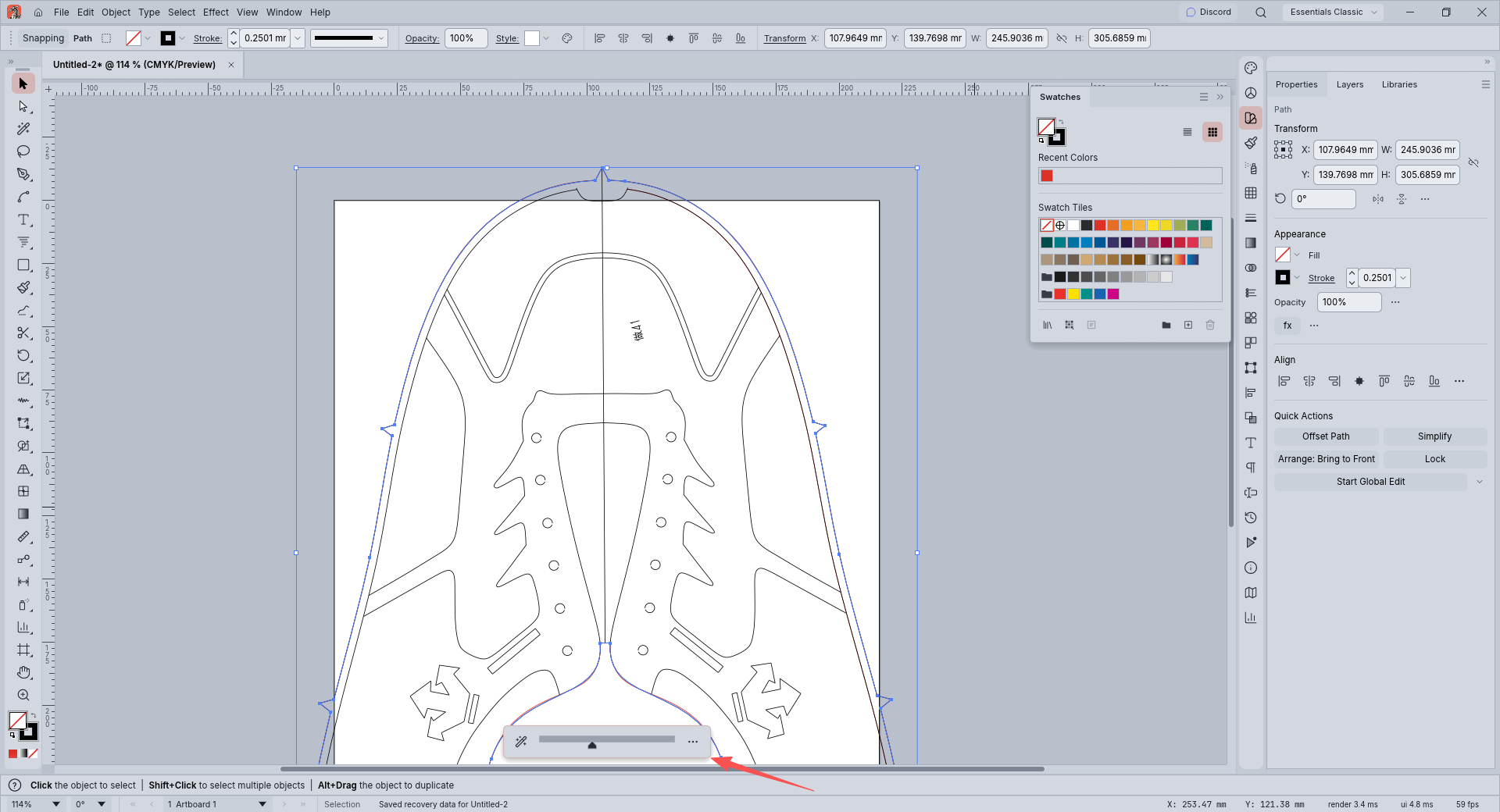
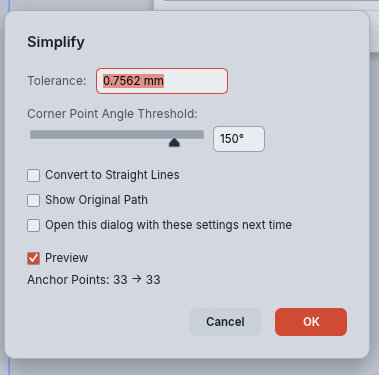
                      Pay attention to the areas marked with arrows where I operated in the middle. With VectorCraft, the operation preserves the shape of that section, and the overall simplification stays close to the original lines. However, the same operation in VS produces two issues:1.The shape at the arrow-marked section distorts during simplification.2.Even though I keep dragging the slider steadily during simplification, critical parts flicker constantly — appearing intact one moment and missing the next.
                      92d1e8eb-d611-455e-a33c-3cbc368dfe32-image.png
                      768846e1-d86f-47a1-9740-a179e167a744-image.png
                      Good simplification should only reduce nodes without altering the shape. VectorCraft has just two parameters: Tolerance and Corner Point Angle Threshold. This covers nearly all my workflow scenarios, and its default slider settings work great. Parameter tuning is only for adjusting node details based on personal needs. VS has two setting functions, neither of which works well.

                      1 Reply Last reply Reply Quote 1
                      • M Offline
                        monsterfox @VectorStyler
                        last edited by

                        @VectorStyler https://youtu.be/Ji7Z2vzEiNE

                        When using the Width Edit tool, regardless of the current color of the path, the panel defaults to white fill and transparent stroke. It would be more convenient if the initial settings inherited the fill and stroke style of the original shape.

                        VectorStylerV 1 Reply Last reply Reply Quote 1
                        • VectorStylerV Offline
                          VectorStyler @monsterfox
                          last edited by

                          @monsterfox said in Detail Optimizations for Version 1.3:

                          @VectorStyler https://youtu.be/Ji7Z2vzEiNE

                          When using the Width Edit tool, regardless of the current color of the path, the panel defaults to white fill and transparent stroke. It would be more convenient if the initial settings inherited the fill and stroke style of the original shape.

                          I will try to fix this

                          M 1 Reply Last reply Reply Quote 0
                          • M Offline
                            monsterfox @VectorStyler
                            last edited by

                            @VectorStyler https://youtu.be/G-L0nknAQEY
                            When adjusting the number of sides with the polygon tool, the polygon rotates as the side count changes and is never horizontal. Could this behavior be changed so the polygon stays level at all times? Also, if possible, please add a control handle on selected polygons to adjust the side count more conveniently. Thank you.

                            VectorStylerV 1 Reply Last reply Reply Quote 1
                            • VectorStylerV Offline
                              VectorStyler @monsterfox
                              last edited by

                              @monsterfox By default, a polygon at 0 angle has its first corner on the X axis. Increasing the sides and not changing the angle will keep this corner at 0 angle.

                              Unfortunately, this cannot be changed now (would mean a different interpretation of polygon parameters).

                              M 3 Replies Last reply Reply Quote 0
                              • M Offline
                                monsterfox @VectorStyler
                                last edited by

                                @VectorStyler Could you please add this feature first: keep the selection bounding box visible when an object is hidden. Also add an option in the settings to hide this selection bounding box. Thank you.

                                1 Reply Last reply Reply Quote 1
                                • F Offline
                                  fde101 Global Moderator @monsterfox
                                  last edited by

                                  @monsterfox said in Detail Optimizations for Version 1.3:

                                  @VectorStyler https://github.com/storytold/vectorcraft

                                  This is the project address of the open-source software VectorCraft. The path simplification feature in VS is still not very usable at present. Please refer to their code and improve the equivalent feature in VS.Thank you.

                                  Please be VERY careful around the VectorCraft (and related) application code right now. That project was large-scale ML-generated with specific parameters to rip off the Adobe user interface. There are suspicions that it likely violates Adobe design patents (among other things) and the manner in which the code was generated falls into a gray area of emerging legal doctrine which might be considered unethical even if it is not illegal depending on factors that I don't think are entirely clear at this time.

                                  There might not be a legal issue with this, but I don't think anyone really knows that for sure right now, so play it safe...

                                  M 1 Reply Last reply Reply Quote 1
                                  • M Offline
                                    monsterfox @fde101
                                    last edited by monsterfox

                                    @fde101 VectorCraft and VectorStyler are written in different programming languages. Second, from what I know, the author of VectorStyler is also very cautious. He does not copy code outright; he only refers to the logic of the tools and rewrites the code from scratch. In any case, there should be no copyright conflict with them.

                                    1 Reply Last reply Reply Quote 1
                                    • M Offline
                                      monsterfox @VectorStyler
                                      last edited by

                                      @VectorStyler ba58a10b-87fc-4f49-9024-780662d6ab93-image.png
                                      3236a15c-2a9f-4b4b-9ace-552b208d3598-image.png
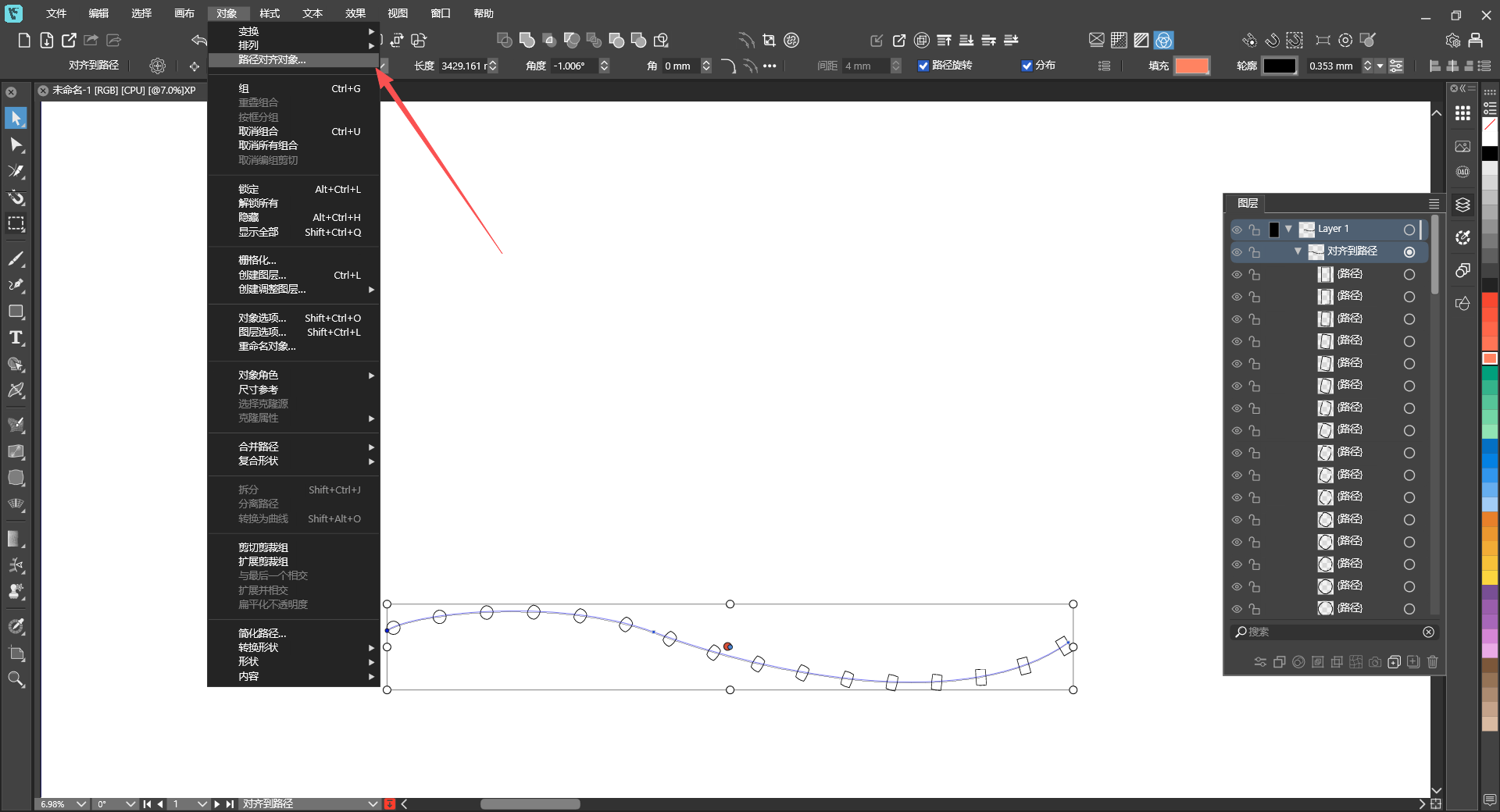
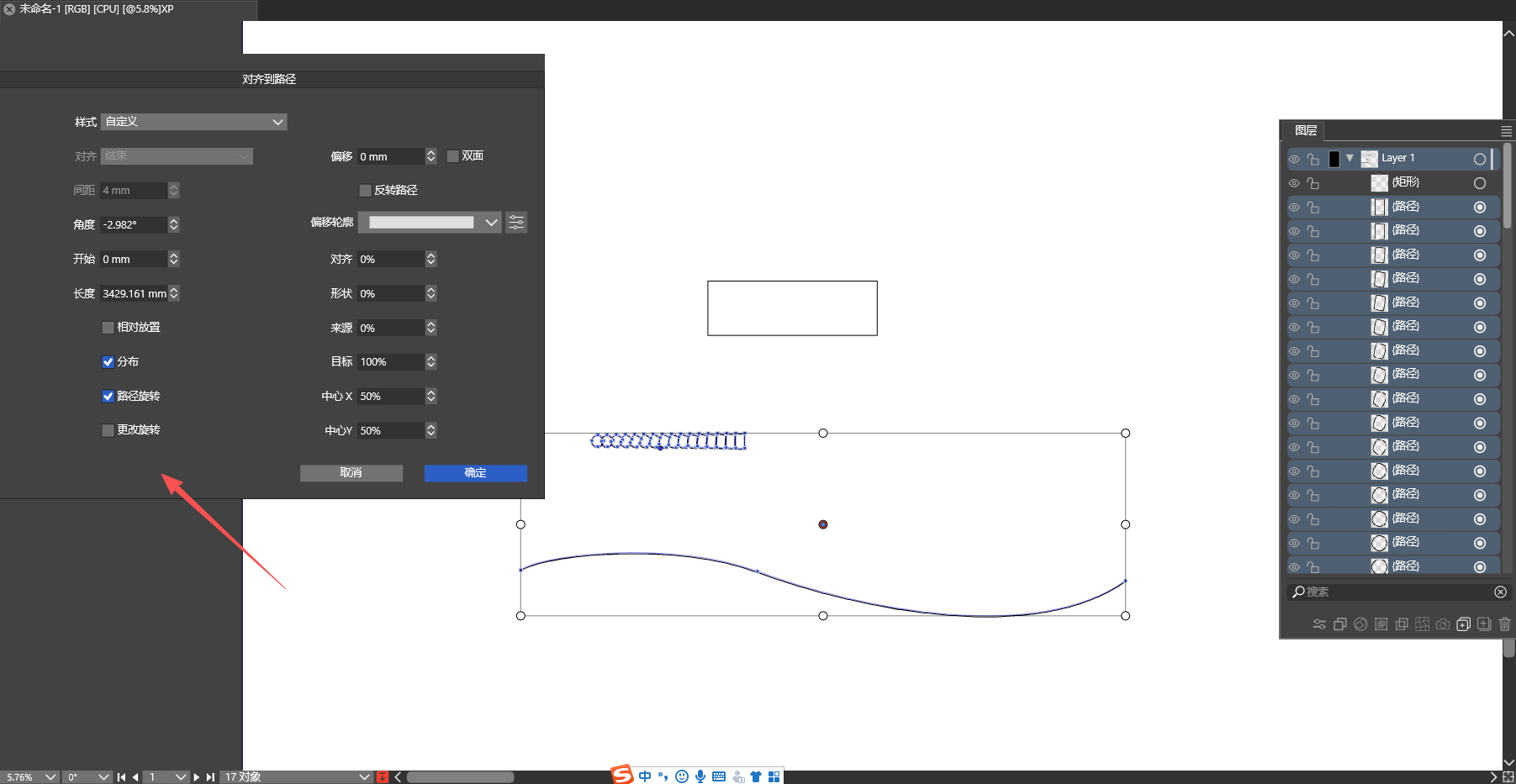
                                      This Chinese translation is flawed; it should be translated as (沿路径对齐对象).
                                      eb095870-45b0-40d1-8148-412b0dc744a8-image.png
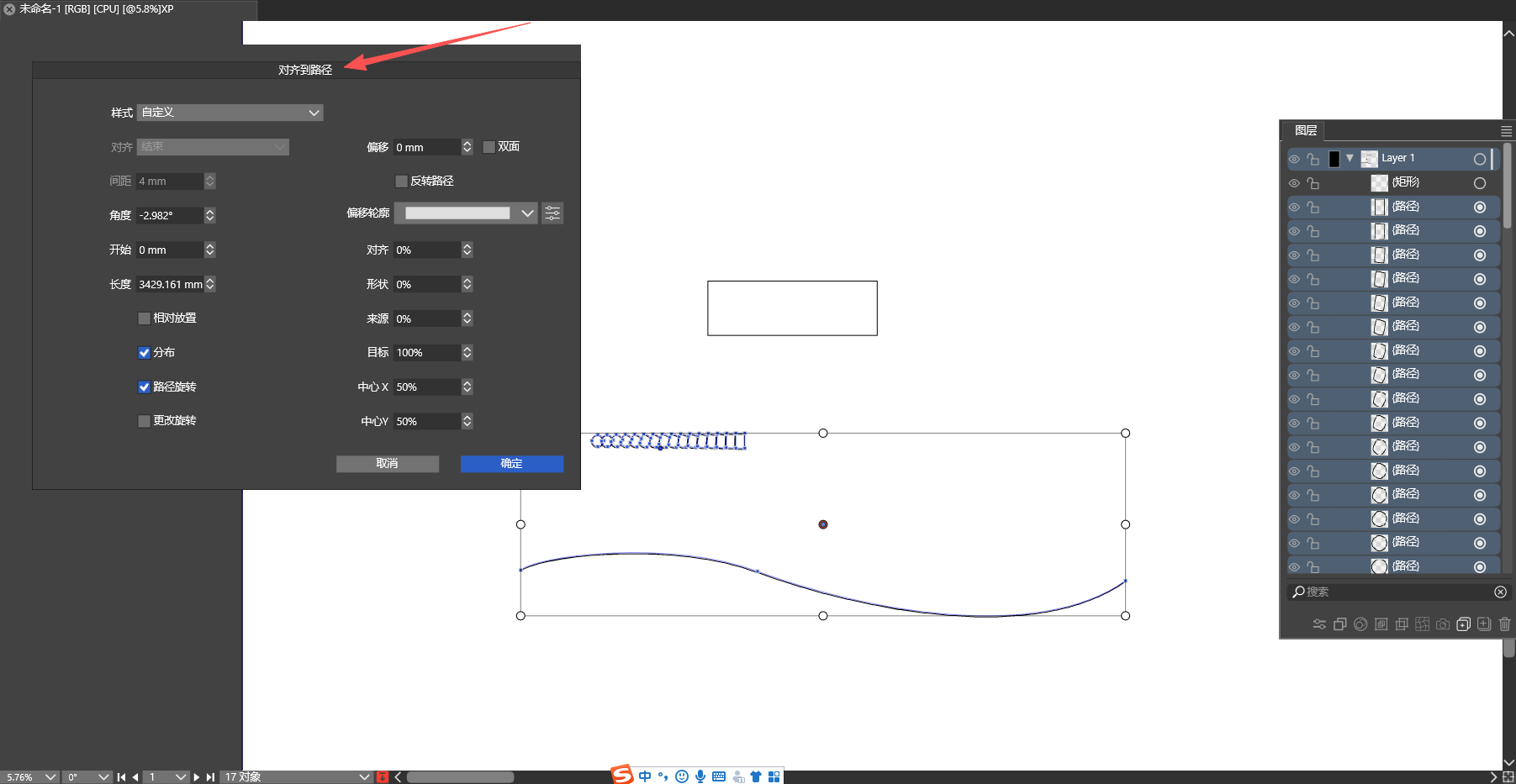
                                      Please add a preview option in this dialog.

                                      1 Reply Last reply Reply Quote 1
                                      • M Offline
                                        monsterfox @VectorStyler
                                        last edited by

                                        @VectorStyler f27143fa-1e3c-4877-9d78-ae4c05d4607e-image.png
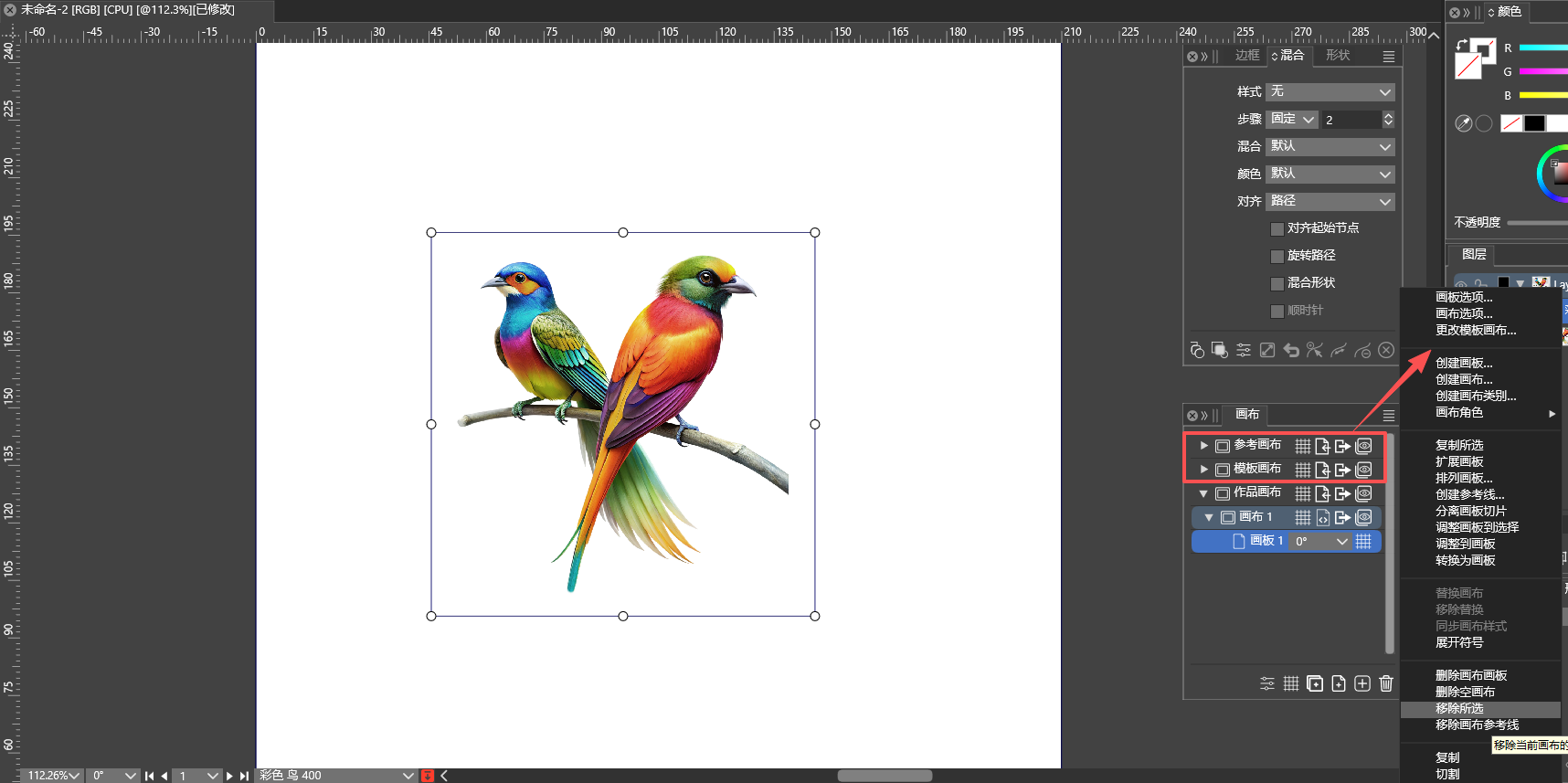
                                        These two canvases negatively impact the visual experience and are prone to accidental operations under normal workflow. Most users do not need them, except for special tasks. Could you add an option in the panel menu to hide these two canvases?
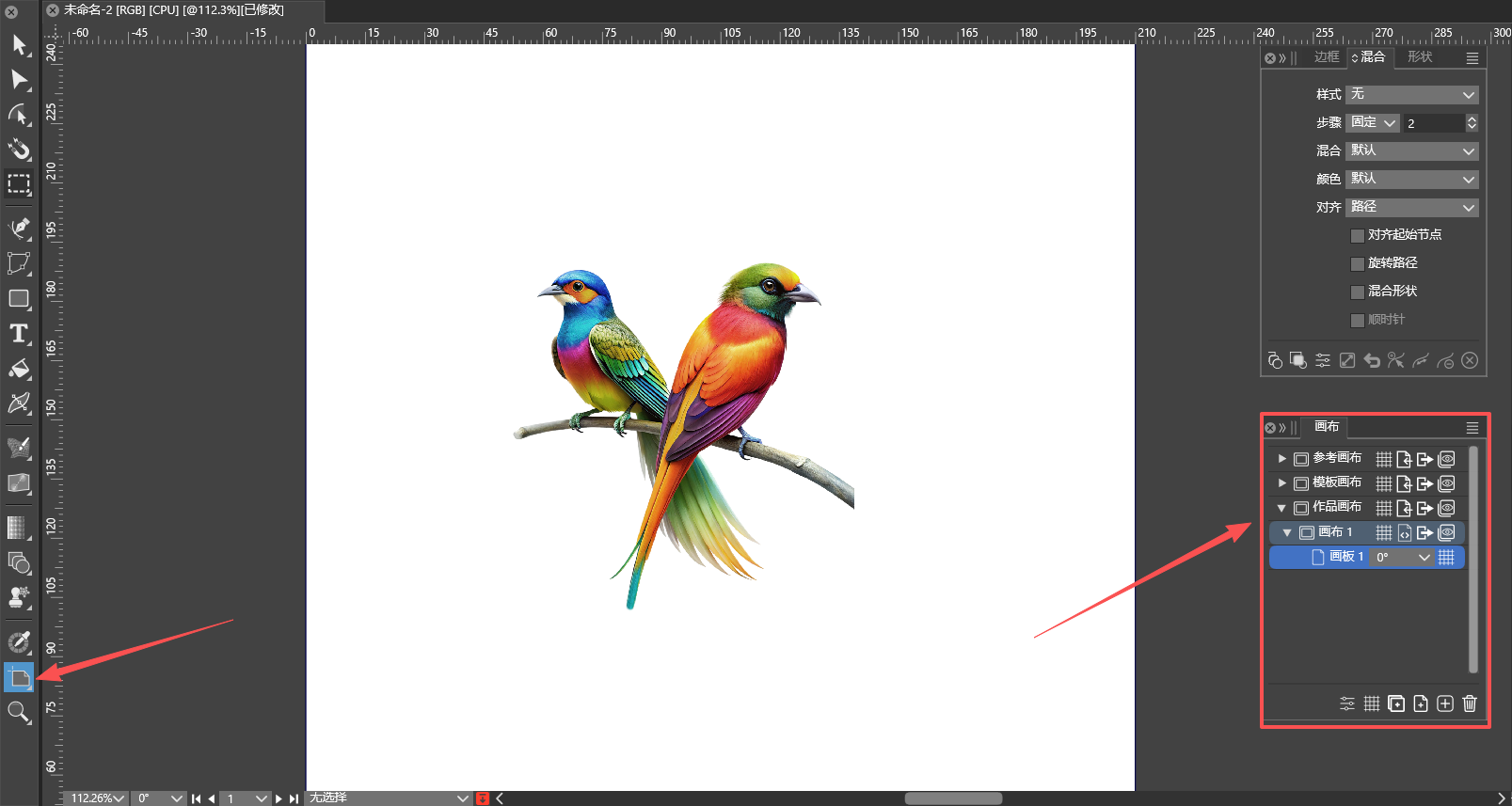
                                        328a3c7a-c4dc-4b23-a732-9c28421cacb4-image.png
                                        Double-clicking this tool does not open the panel. Could you add this functionality?

                                        VectorStylerV 1 Reply Last reply Reply Quote 1
                                        • VectorStylerV Offline
                                          VectorStyler @monsterfox
                                          last edited by

                                          @monsterfox I added this to the backlog

                                          M 2 Replies Last reply Reply Quote 0
                                          • M Offline
                                            monsterfox @VectorStyler
                                            last edited by

                                            @VectorStyler
                                            1:f8b7f39c-4db2-4b9e-af1b-338ab23544e2-image.png
                                            There are flawed Chinese translations in the Repeater - Adjust section. The same translated text appears twice for different effects. Suggested translations: (Adjust Tones - 调整影调), (Remove Tones - 去除影调).
                                            2:3668b058-dd1e-4960-a9e4-e3beb9f336c3-image.png
                                            A preview selection box needs to be added to the halftone panel functions.

                                            1 Reply Last reply Reply Quote 1
                                            • First post
                                              Last post