Detail Optimizations for Version 1.3
-
-
@monsterfox I tested with this example, but it is not clear where the simplification is broken in VS.
Can you post an example simplified in VS and one in VectorCraft (possibly with similar simplification parameters). -
@VectorStyler https://youtu.be/3cWf5XqSvDY
Pay attention to the areas marked with arrows where I operated in the middle. With VectorCraft, the operation preserves the shape of that section, and the overall simplification stays close to the original lines. However, the same operation in VS produces two issues:1.The shape at the arrow-marked section distorts during simplification.2.Even though I keep dragging the slider steadily during simplification, critical parts flicker constantly — appearing intact one moment and missing the next.
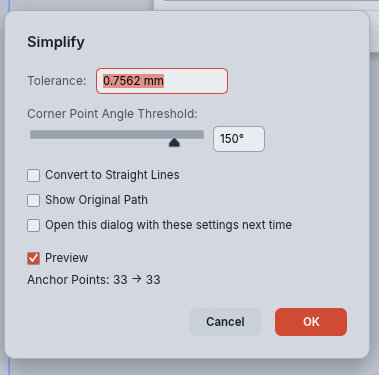
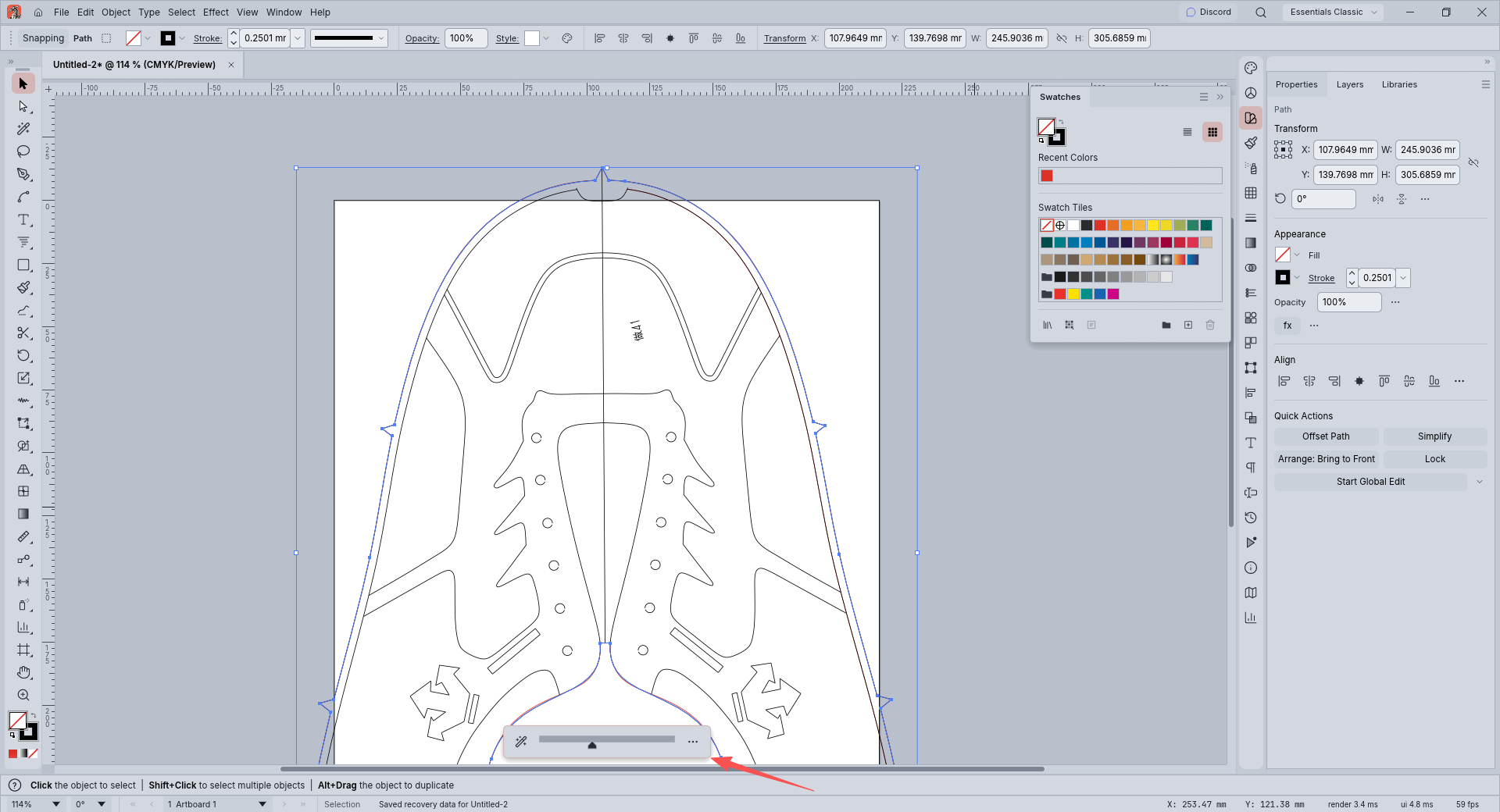
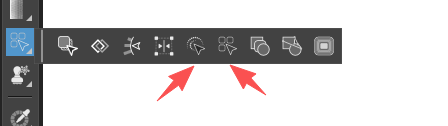
Good simplification should only reduce nodes without altering the shape. VectorCraft has just two parameters: Tolerance and Corner Point Angle Threshold. This covers nearly all my workflow scenarios, and its default slider settings work great. Parameter tuning is only for adjusting node details based on personal needs. VS has two setting functions, neither of which works well. -
@VectorStyler https://youtu.be/Ji7Z2vzEiNE
When using the Width Edit tool, regardless of the current color of the path, the panel defaults to white fill and transparent stroke. It would be more convenient if the initial settings inherited the fill and stroke style of the original shape.
-
@monsterfox said in Detail Optimizations for Version 1.3:
@VectorStyler https://youtu.be/Ji7Z2vzEiNE
When using the Width Edit tool, regardless of the current color of the path, the panel defaults to white fill and transparent stroke. It would be more convenient if the initial settings inherited the fill and stroke style of the original shape.
I will try to fix this
-
@VectorStyler https://youtu.be/G-L0nknAQEY
When adjusting the number of sides with the polygon tool, the polygon rotates as the side count changes and is never horizontal. Could this behavior be changed so the polygon stays level at all times? Also, if possible, please add a control handle on selected polygons to adjust the side count more conveniently. Thank you. -
@monsterfox By default, a polygon at 0 angle has its first corner on the X axis. Increasing the sides and not changing the angle will keep this corner at 0 angle.
Unfortunately, this cannot be changed now (would mean a different interpretation of polygon parameters).
-
@VectorStyler Could you please add this feature first: keep the selection bounding box visible when an object is hidden. Also add an option in the settings to hide this selection bounding box. Thank you.
-
@monsterfox said in Detail Optimizations for Version 1.3:
@VectorStyler https://github.com/storytold/vectorcraft
This is the project address of the open-source software VectorCraft. The path simplification feature in VS is still not very usable at present. Please refer to their code and improve the equivalent feature in VS.Thank you.
Please be VERY careful around the VectorCraft (and related) application code right now. That project was large-scale ML-generated with specific parameters to rip off the Adobe user interface. There are suspicions that it likely violates Adobe design patents (among other things) and the manner in which the code was generated falls into a gray area of emerging legal doctrine which might be considered unethical even if it is not illegal depending on factors that I don't think are entirely clear at this time.
There might not be a legal issue with this, but I don't think anyone really knows that for sure right now, so play it safe...
-
@fde101 VectorCraft and VectorStyler are written in different programming languages. Second, from what I know, the author of VectorStyler is also very cautious. He does not copy code outright; he only refers to the logic of the tools and rewrites the code from scratch. In any case, there should be no copyright conflict with them.