VectorStyler
    • Categories
    • Unread
    • Recent
    • Tags
    • Popular
    • Register
    • Login

    IMport svg produves rasterized image
    Scheduled Pinned Locked Moved Questions and Support
    3 Posts 3 Posters 638 Views 3 Watching
    Loading More Posts
    • Oldest to Newest
    • Newest to Oldest
    • Most Votes
    Reply
    • Reply as topic
    Log in to reply
    This topic has been deleted. Only users with topic management privileges can see it.
    • G Offline
      gentle
      last edited by

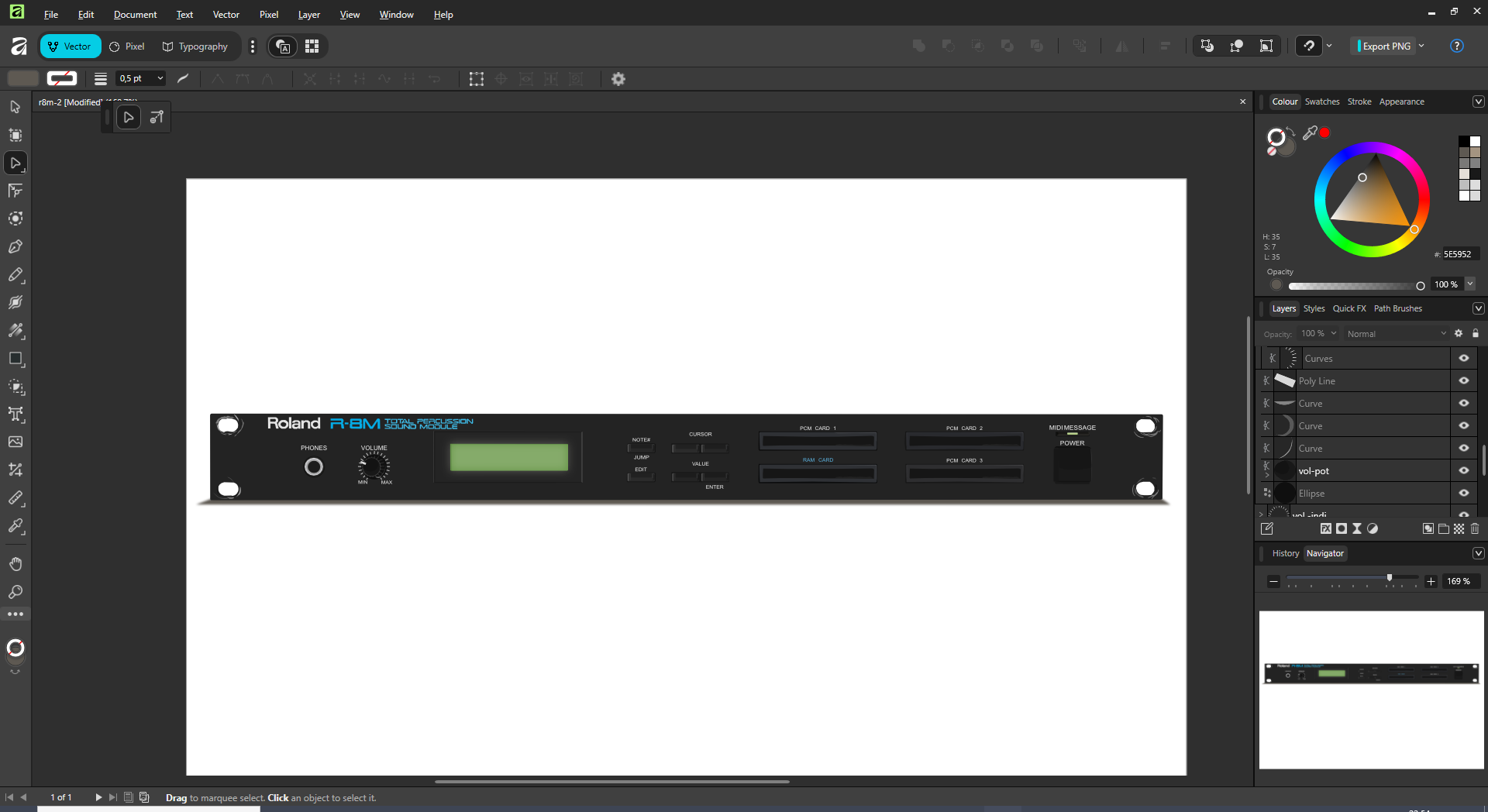
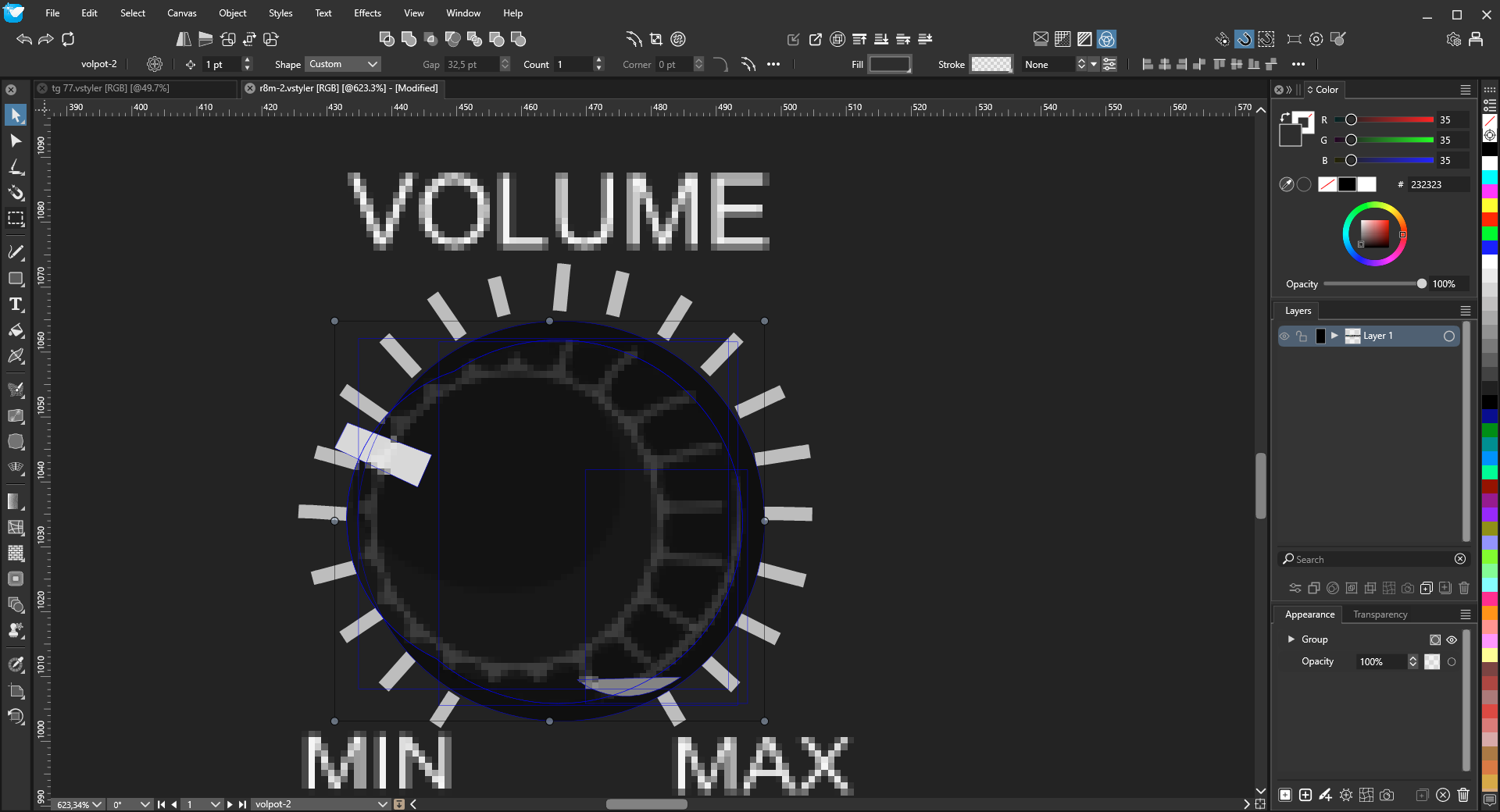
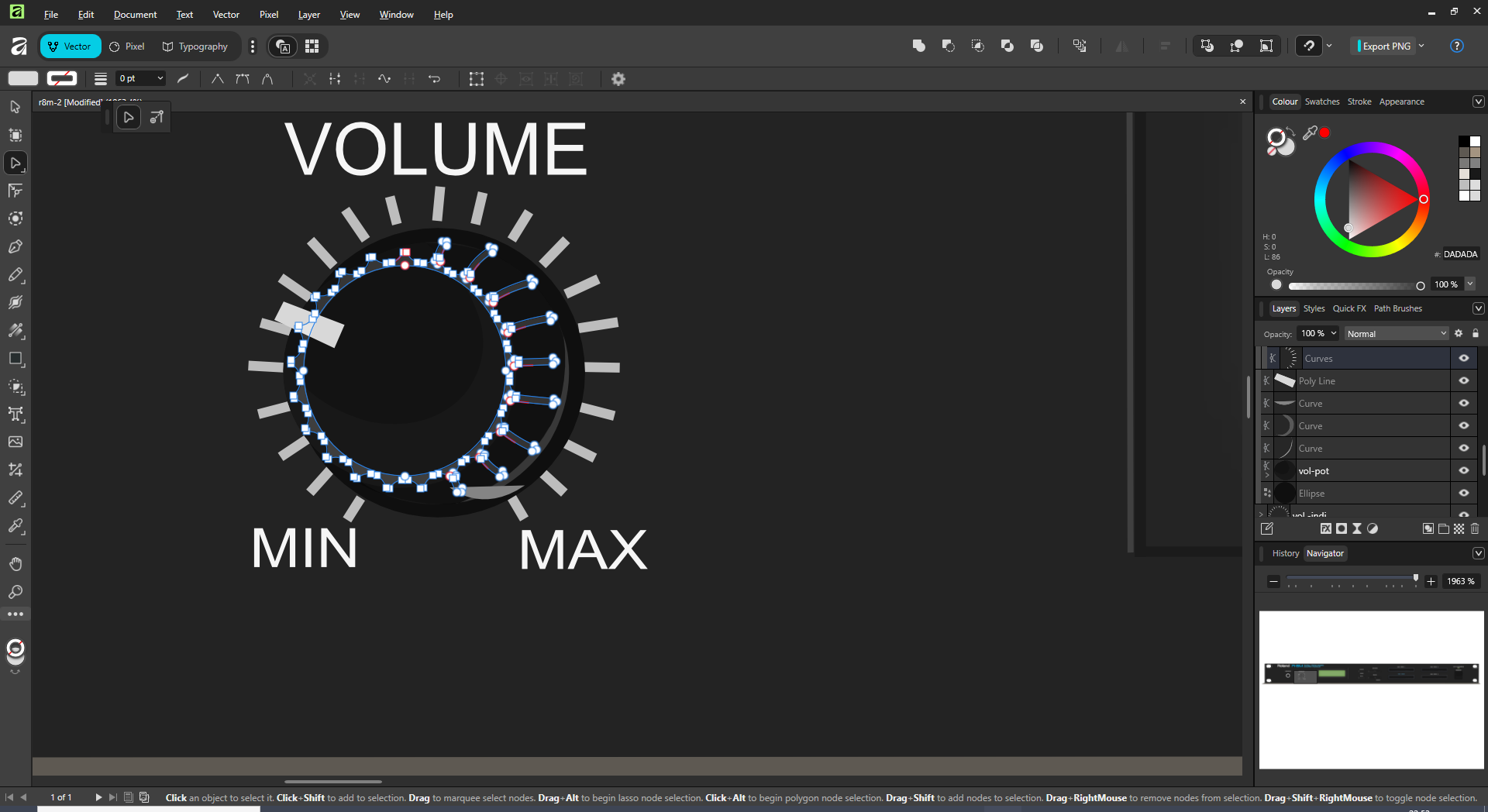
      Exporting from affinity desinger in the svg format produces rasterised images , talking about the volume pot
      0_1763848503776_aefc6ba1-1362-43f4-a59e-9e493bcb674e-image.png
      0_1763848435419_78a8b212-e4f5-45f7-bc7b-7e1b73d569dd-image.png

      And here it 's imported in VS
      0_1763848474844_f9d3105a-32b4-467c-8918-b4aa1e08640d-image.png

      S VectorStylerV 2 Replies Last reply Reply Quote 1
      • S Offline
        Subpath @gentle
        last edited by Subpath

        @gentle

        I can't try it with Affinity Designer at the moment. But the .SVG import from other
        apps into VS works without rasterization here; these are pure vector graphics.

        VS also offers several settings for this (see pic). In my previous attempts from
        AD to VS, there were never any problems, and SVG worked as expected. File
        exchange should also work via the clipboard.

        0_1763869089950_SVG Import.png

        Win 11
        CPU: AMD Ryzen 5 9600X, 6-core.
        GPU: Nvidia Geforce RTX 5070.

        1 Reply Last reply Reply Quote 0
        • VectorStylerV Offline
          VectorStyler @gentle
          last edited by

          @gentle Can you send me the SVG file ?

          1 Reply Last reply Reply Quote 0
          • First post
            Last post