Scaled object copies by 75% are bigger instead smaller when using Randomness.
-
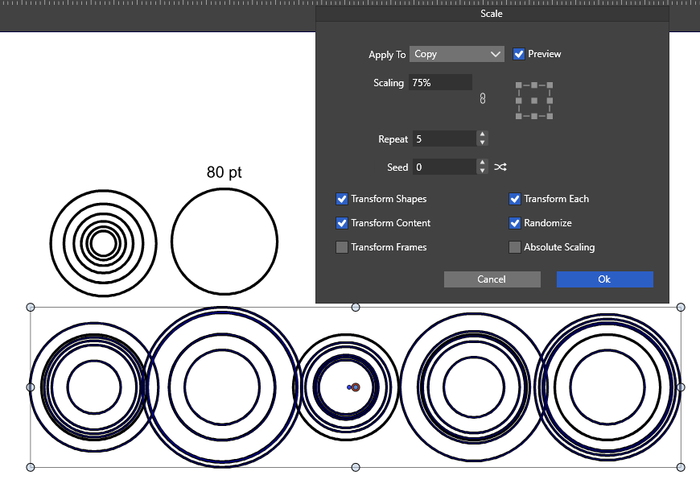
When I scale an object by 75%, in this case a circle, I expect the
copies to be smaller than the original.However, this isn't the case when I use the random function. To
my surprise, some copies are even larger.It would be nice if it worked as expected.
-
@Subpath Randomization selects a +/- scaling around100% in this case.
I will check if this is possible to change. -
@VectorStyler said in Scaled object copies by 75% are bigger instead smaller when using Randomness.:
@Subpath Randomization selects a +/- scaling around100% in this case.
I will check if this is possible to change.As I already mentioned, I see no reason for this as a user.
I would expect copies below 75% or at most exactly 75%.
Anything else doesn't make sense to me and isnt useful.In my case, the circle should maintain a fixed size and not increase
in size. But inside it, it could contain several smaller circles of
random size. -
@Subpath said in Scaled object copies by 75% are bigger instead smaller when using Randomness.:
I would expect copies below 75% or at most exactly 75%.
This is a bit of a problem. What happens if the user sets 200% ?
-
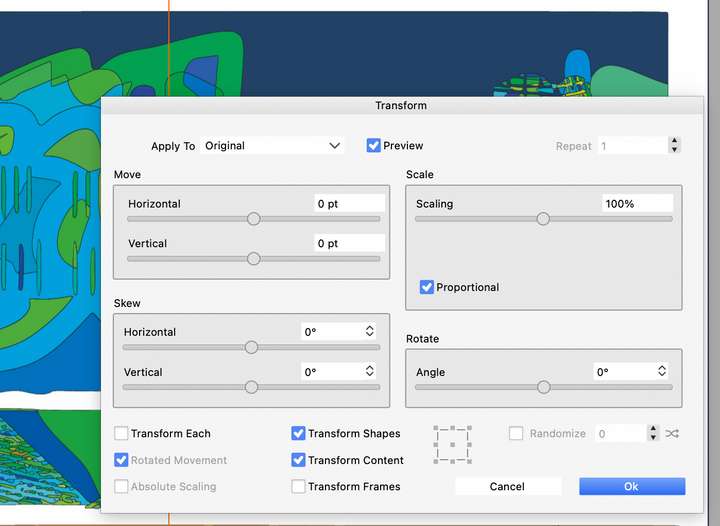
@VectorStyler I wanted to raise a feature request on this and the randomization in transform panel.
I also have frequent need for asymetric randomization, meaning that if I select 75% scaling, I would want the objects to be scaled randomly between 75% and 100%. If I choose 200%, I expect objects to grow from 100% to 200%.
Same goes for x, y offset where the randomization gives same results in positive or negative offset. That's not always desirable when you want to shift copies to one side randomly to create a trail
There can also be a need for scaling symetrically around 100% (the +/- scaling), which is another use case.
With only one slider, it is not easy to accomodate both needs. Maybe you need 2 sliders (min, max), or better, a checkbox to choose the mode to use
It would be for all transform parameters, not just scale.
Also, a reset button for the transform panel would be welcome as there are a lot of parameters
-
@VectorStyler said in Scaled object copies by 75% are bigger instead smaller when using Randomness.:
@Subpath said in Scaled object copies by 75% are bigger instead smaller when using Randomness.:
I would expect copies below 75% or at most exactly 75%.
This is a bit of a problem. What happens if the user sets 200% ?
I think I understand the problem. If I'm correct, you mean that, for
example, at 200%, the Randomize function should consider both
smaller and larger sizes.So, the Randomize function should always consider all options?
Which, of course, also has its merits, as such cases are possible.Perhaps a switch in the Transform panel may be possible to toggle
between the following states:One state would generate all sizes when Randomized.
The other state would generate only smaller sizes for anything
below 100% and only larger random values for anything above
100%.As an example Paragraphic always generate smaller copies when
scaling down and larger copies when scaling up.
Here a picture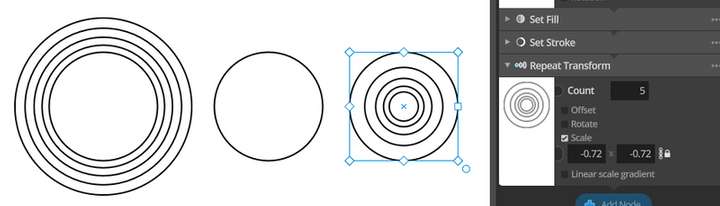
-
@Subpath I will think of a solution for this.
-
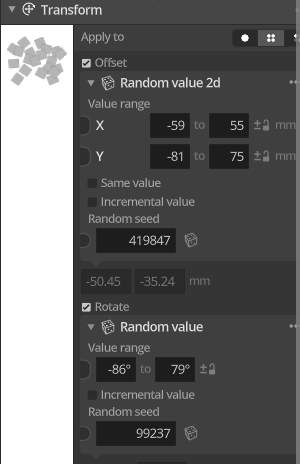
Paragraphic's repeat transform is not scaling randomly. When you specify that scale a value less than 1 will give you smaller circles each time, while a value greater than 1 will give you larger ones each time.
You need to explicitly tell Paragraphic to use randomness, and when you do, it allows you to specify a seed and a min/max range within which to randomly modify the values it is being applied to:
-
The point was simply to demonstrate the principle of paragraphic scaling, and in my example, I only mentioned how paragraphic scaling works, not that it was randomly scaled.
You can, of course, also generate copies randomly by using the "Randomize 2D" input node. Here too, the size of the original object will not be exceeded as long as you keep the Value Range below or at a maximum of 1.
If you want to like to have random values within a larger range,
then you can also enter values greater than 1.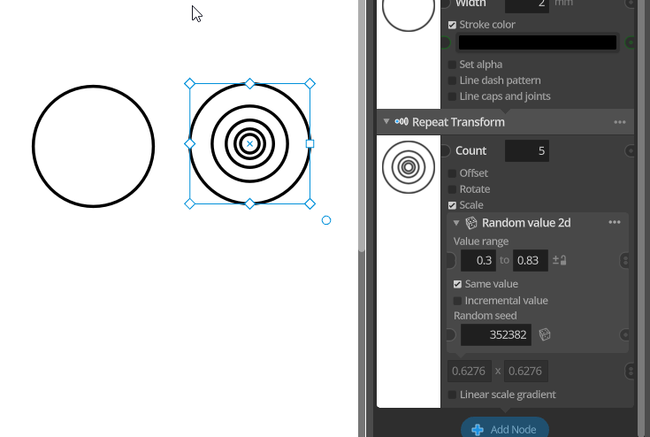
-
@VectorStyler was this changed in a recent release ?
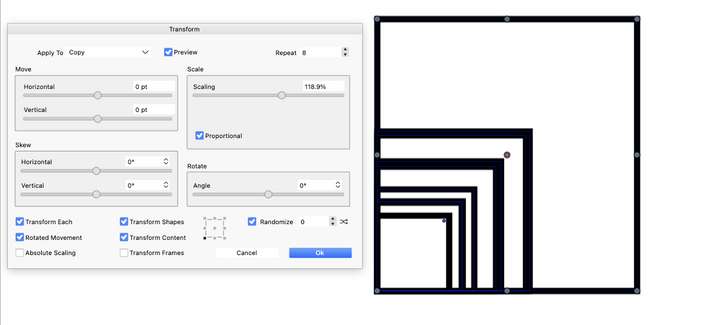
The transform panel randomize now works as expected (eg scaling up or scaling down randomly, instead of both at the same time). I must have missed it in the release notes.
-
@EricP said in Scaled object copies by 75% are bigger instead smaller when using Randomness.:
was this changed in a recent release ?
Yes, there were changes here.
