VectorStyler
    • Categories
    • Unread
    • Recent
    • Tags
    • Popular
    • Register
    • Login

    Starry night : is there a way to achieve this with VS ?
    Scheduled Pinned Locked Moved Questions and Support
    22 Posts 5 Posters 20.1k Views 5 Watching
    Loading More Posts
    • Oldest to Newest
    • Newest to Oldest
    • Most Votes
    Reply
    • Reply as topic
    Log in to reply
    This topic has been deleted. Only users with topic management privileges can see it.
    • M Online
      monsterfox @EricP
      last edited by

      @EricP I'm not sure, but it's likely feasible. Use the node editing tool to select all nodes of the entire path and separate the nodes (if they exist individually at this point). Delete the unnecessary paths, draw the shape you need, select all nodes, and click the shape sample with the Shape Picker. The effect will be completed at this point.

      E 1 Reply Last reply Reply Quote 0
      • E Offline
        EricP @monsterfox
        last edited by

        @monsterfox oh wow, thanks ! I did not know how to use the shape picker, now I get it with your explanation.

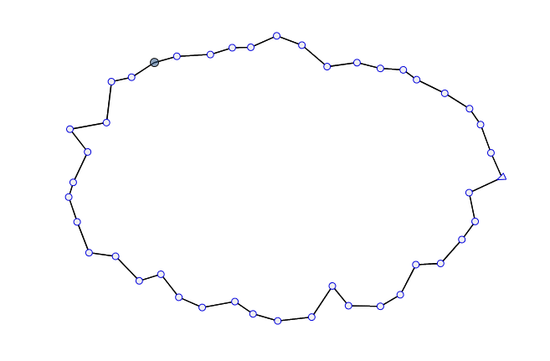
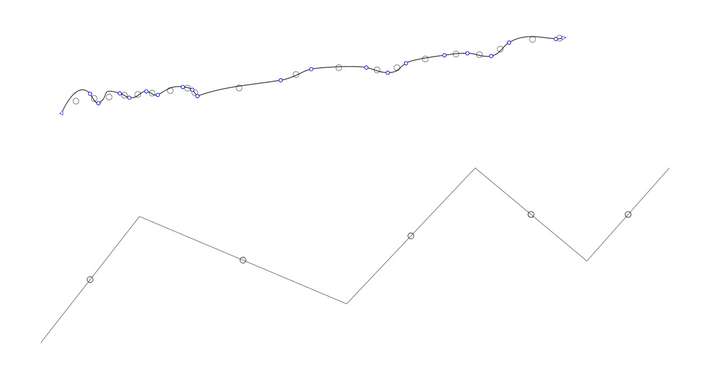
        That kinda worked. I think I skipped the step "deleted the un-necessary paths" and the shape sample got positioned at middle distance between 2 nodes.

        How would you delete the paths without deleting the nodes ?

        (the paths on the picture are duplicate paths, the ones I used to extract the nodes are no longer visible)
        0_1748188367812_SCR-20250525-pptz.png

        L 1 Reply Last reply Reply Quote 0
        • S Offline
          Subpath
          last edited by Subpath

          @EricP

          I am unsure if i have figured out what you want.
          Could be that I'm lost in translation.

          But to my understanding you like to place objects (circles)
          at the position of a node.

          If that's the case, then may take a look at Nodebox.
          Here's a link to a thread I posted once.
          https://www.vectorstyler.com/forum/topic/4119/a-kind-of-patternnodes-for-windows-free-win-mac
          .
          .
          In Nodebox, you can use points as object positions.
          You can place different numbers of points on an object's outline. Or import your
          Shape as SVG and use the Nodes at the Outline as Position Points for a Shape.

          Vector objects can be imported and exported as SVG.

          Here a Video

          .
          0_1748195287846_VS-Shape.png

          0_1748195296991_Nodebox Points.png

          Win 11
          CPU: AMD Ryzen 5 9600X, 6-core.
          GPU: Nvidia Geforce RTX 5070.

          1 Reply Last reply Reply Quote 1
          • L Offline
            Li Xiao @EricP
            last edited by

            @EricP I have a very convenient method in VectorStyler. I will record a video for your reference when I get back to the computer in 10 days.

            1 Reply Last reply Reply Quote 2
            • E Offline
              EricP
              last edited by

              thank you both. What an amazing community

              @Subpath I was trying to find a VS approach. Thanks for the NodeBox suggestion.

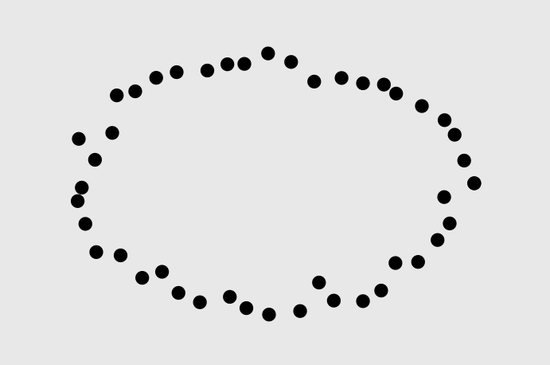
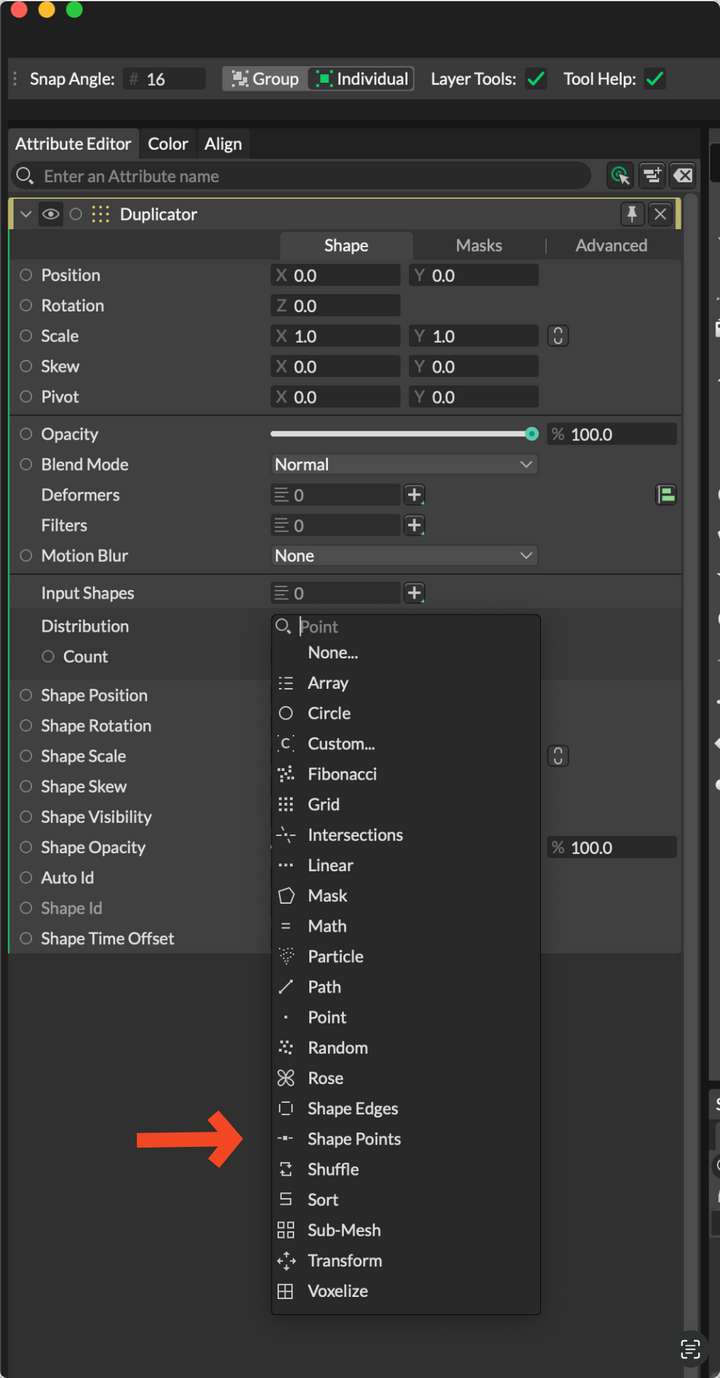
              If you're interested, Cavalry has a built-in approach for this with Duplicator Shape point distribution
              0_1748250057775_SCR-20250526-kahv-2.png

              S 1 Reply Last reply Reply Quote 2
              • S Offline
                Subpath @EricP
                last edited by Subpath

                @EricP

                Thank you,
                I'm also curious about the VS solution 🙂

                Thanks too for the Cavalry Tip, i know Cavalry and have the free Version installed.
                I like to experiment, so i know a bunch of Tools.

                Win 11
                CPU: AMD Ryzen 5 9600X, 6-core.
                GPU: Nvidia Geforce RTX 5070.

                1 Reply Last reply Reply Quote 0
                • M Online
                  monsterfox @EricP
                  last edited by

                  @EricP During the day, I tried disconnecting the node but found that it couldn't strip the node. So I consulted the external support "LI XIAO". Unfortunately, he was just about to go on a business trip, and we can only wait for his return.

                  1 Reply Last reply Reply Quote 1
                  • L Offline
                    Li Xiao @EricP
                    last edited by

                    @EricP In fact, I have thought of 5 methods in VectorStyler to do this. After testing, 3 of them should meet your requirements. The other two each require an improvement in an existing VectorStyler feature before they can work. I will record the 3 feasible methods for your reference.

                    BTW, a few years ago, I purchased a plugin for this feature in CorelDRAW, placing shapes on nodes and at line intersections. While VectorStyler doesn't have a one-step solution for this, there are methods to achieve it, which are relatively simple. It also allows for operations on multiple lines. However, it would be even better if a one-step function could be added in the future.

                    1 Reply Last reply Reply Quote 0
                    • L Offline
                      Li Xiao @EricP
                      last edited by

                      @EricP The first method involves disconnecting all nodes, adding circular arrowheads to all disconnected lines, filling them with gradient colors, expanding them, selecting circles, deleting all unnecessary objects, creating the desired shape as a style or preset, selecting all circles, and then replacing them with the new shape.

                      @VectorStyler There seems to be a slight issue with the magic wand selection.

                      Video:
                      https://youtu.be/oGK3m270gQc

                      File:
                      0_1749103727365_shapes on path nodes.vstyler

                      VectorStylerV 2 Replies Last reply Reply Quote 3
                      • VectorStylerV Offline
                        VectorStyler @Li Xiao
                        last edited by

                        @Li-Xiao said in Starry night : is there a way to achieve this with VS ?:

                        There seems to be a slight issue with the magic wand selection

                        I will try to replicate this.

                        1 Reply Last reply Reply Quote 1
                        • E Offline
                          EricP
                          last edited by

                          oh wow, thank you so much. I am trying to replicate and am learning so much on the way :

                          • I didn't know we could expand the magic wand panel for additional parameters,
                          • the arrow trick (was hoping I could stop at this stage but apparently we can't control arrow size independently of stroke size)
                          • applying gradient with transparent stops and then expanding outline (very smart)
                          • using style to replace shape

                          thank you, I keep on learning

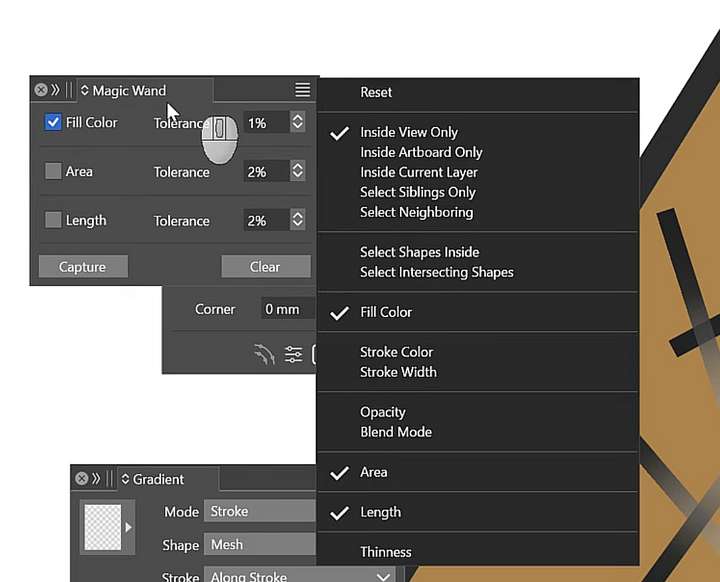
                          On your magic wand comment, it looks like your selection is constrained to inside view only. That may be the reason you cannot select all similar shapes with one click when zoomed in (if that's the issue you were having)0_1749107441200_SCR-20250605-inbt.png

                          1 Reply Last reply Reply Quote 1
                          • L Offline
                            Li Xiao @EricP
                            last edited by

                            @EricP The second method involves similar pre and post operations as the first method, but with different mid-process steps. Due to the insufficient accuracy of Image Trace, it may cause deviations in the positions of circles and nodes. This method is not highly recommended, but simply presented as an alternative approach.

                            Video:
                            https://youtu.be/4tY2E8RZ0k4

                            File:
                            0_1749107666037_shapes on path nodes 2.vstyler

                            E 1 Reply Last reply Reply Quote 3
                            • L Offline
                              Li Xiao @EricP
                              last edited by

                              @EricP The third method is the fastest, and the accuracy is acceptable (curve lengths can be set to 0.00000000001).

                              Video:
                              https://youtu.be/je_uJLwpEKY

                              File:
                              0_1749109208018_shapes on path nodes 3.vstyler

                              E S 2 Replies Last reply Reply Quote 3
                              • E Offline
                                EricP @Li Xiao
                                last edited by EricP

                                @Li-Xiao very very creative !! thank you

                                I learned many tricks with this one, especially on separating the shapes after tracing so their center would be redefined, using Union, then break apart (ctrl K). Very very useful

                                1 Reply Last reply Reply Quote 1
                                • E Offline
                                  EricP @Li Xiao
                                  last edited by EricP

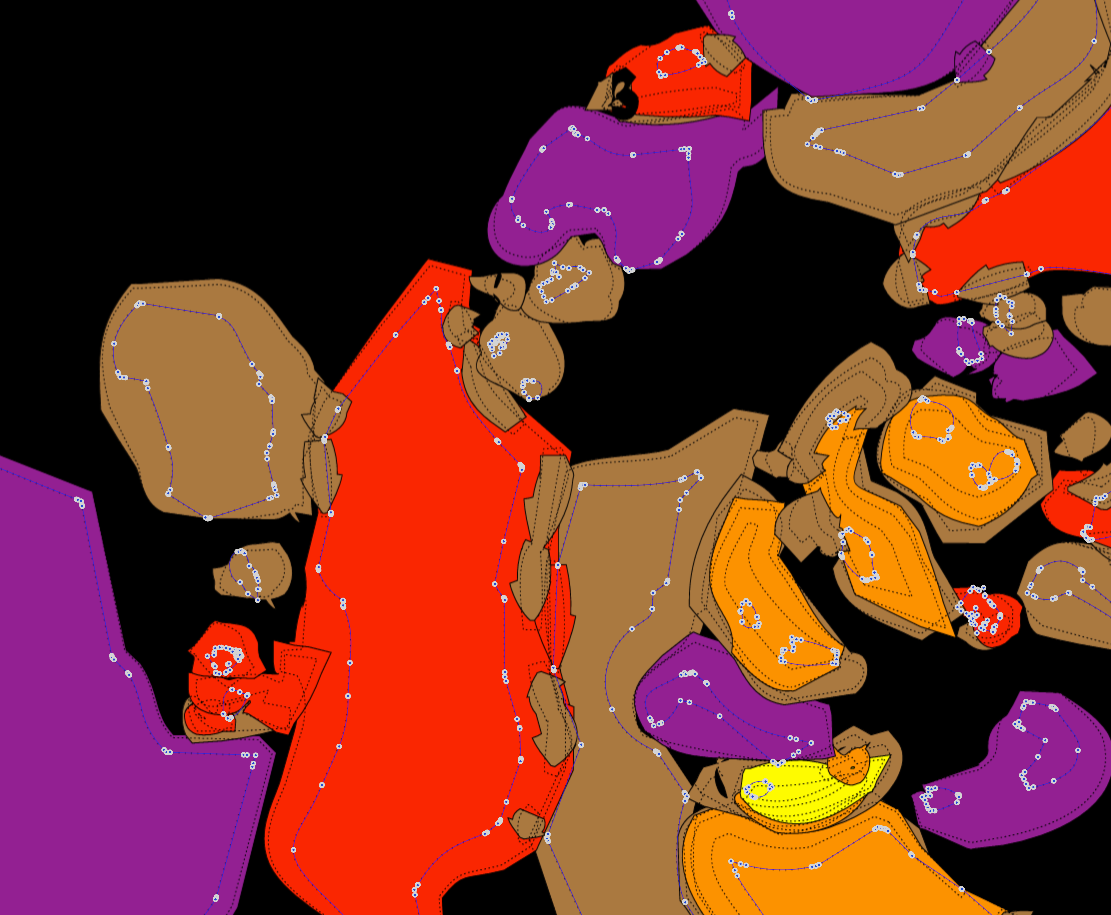
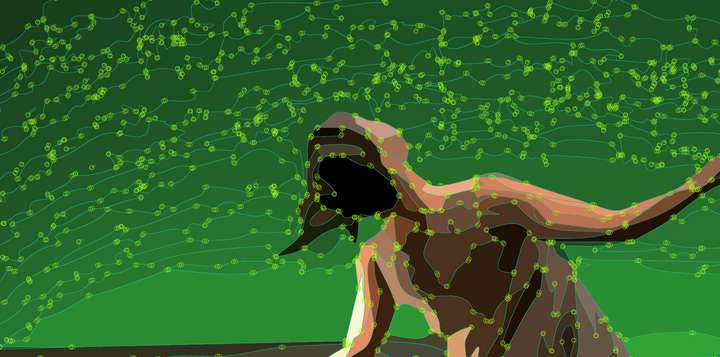
                                  @Li-Xiao yes, the last method is clearly the best for the original use case. Thank you so much for the effort and creativity putting all these methods in practice. I learned a lot
                                  0_1749122867823_SCR-20250605-marz.png

                                  L 1 Reply Last reply Reply Quote 3
                                  • S Offline
                                    Subpath @Li Xiao
                                    last edited by Subpath

                                    @Li-Xiao

                                    Thank you for the demonstrations too. 👍
                                    I learned many things too I wouldn't have thought of.
                                    It's always interesting to see how others solve a problem.

                                    Win 11
                                    CPU: AMD Ryzen 5 9600X, 6-core.
                                    GPU: Nvidia Geforce RTX 5070.

                                    1 Reply Last reply Reply Quote 2
                                    • L Offline
                                      Li Xiao @EricP
                                      last edited by

                                      @EricP @Subpath My pleasure. The different feature combinations in VS are pleasantly surprising.

                                      M 1 Reply Last reply Reply Quote 1
                                      • VectorStylerV Offline
                                        VectorStyler @Li Xiao
                                        last edited by

                                        @Li-Xiao said in Starry night : is there a way to achieve this with VS ?:

                                        There seems to be a slight issue with the magic wand selection

                                        Yes, it was the inside view settings.

                                        1 Reply Last reply Reply Quote 2
                                        • M Online
                                          monsterfox @Li Xiao
                                          last edited by

                                          @Li-Xiao 这个操作真的很新奇,好像管理员都没有想到。这个功能我是基本用不上了。工作中没有太适合的场景。现在依然觉得论坛里你玩VS最溜。

                                          1 Reply Last reply Reply Quote 0
                                          • First post
                                            Last post