VectorStyler
    • Categories
    • Unread
    • Recent
    • Tags
    • Popular
    • Register
    • Login

    Best way to achieve this effect?

    Scheduled Pinned Locked Moved Questions and Support
    5 Posts 3 Posters 6.0k Views 3 Watching
    Loading More Posts
    • Oldest to Newest
    • Newest to Oldest
    • Most Votes
    Reply
    • Reply as topic
    Log in to reply
    This topic has been deleted. Only users with topic management privileges can see it.
    • W Offline
      wbjp
      last edited by

      Hi. I am new to VS and would like to achieve this effect. Would using a dot stroke and the blend tool be the best way? Thanks
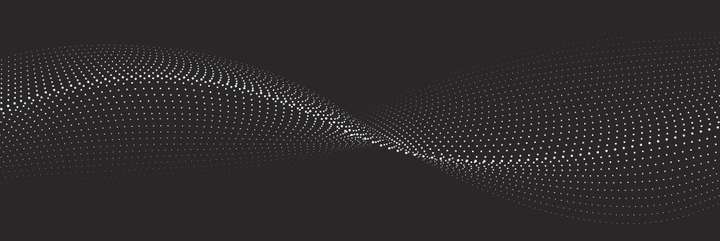
      0_1722411510502_dots.jpg

      VectorStylerV S 3 Replies Last reply Reply Quote 0
      • VectorStylerV Offline
        VectorStyler @wbjp
        last edited by

        @wbjp Dot stroke with blend should work, but make sure to uncheck the "Relative to Width" option in the dash editor view (accessed from Stroke panel with the button next to the dash drop down).
        In this way the spacing of the dots will be the same, regardless of the stroke width.

        W 1 Reply Last reply Reply Quote 0
        • S Offline
          Subpath @wbjp
          last edited by Subpath

          @wbjp

          Yes, a stroke with dashes would be a way
          another may be to use/create a Pattern Brush.

          Btw you can convert Dashes into Objects/Curves by select
          your Stroke with dashes and then
          Menu >
          Object > Shape (is near the Bottom) > Convert to Dashes

          and then
          Menu >
          Object > Break apart
          .
          .
          Here is a Tutorial of mine, in VS its also possible
          to create a Pattern Brush from one or more Blends.
          https://www.vectorstyler.com/forum/topic/2089/playing-with-blend-in-pattern-brush/11
          .
          .
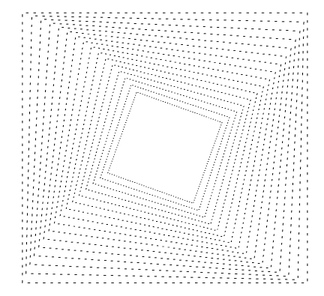
          Here a Dashed Strokes
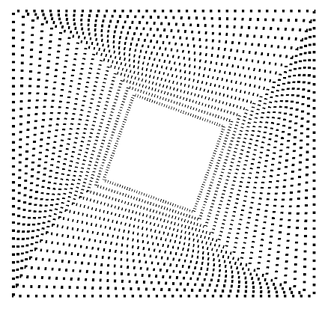
          0_1722417120692_dashed strokes.png

          converted in curves/paths
          0_1722417163764_converted.png

          Win 11
          CPU: AMD Ryzen 5 9600X, 6-core.
          GPU: Nvidia Geforce RTX 5070.

          1 Reply Last reply Reply Quote 1
          • S Offline
            Subpath @wbjp
            last edited by Subpath

            @wbjp

            The beauty of being able to convert strokes into paths/curves
            may become clearer when you realize that you can replace
            these paths now with any shape you like.
            By using the Find/Replace Feature in VectorStyler.
            .
            .
            Dashes converted in Paths
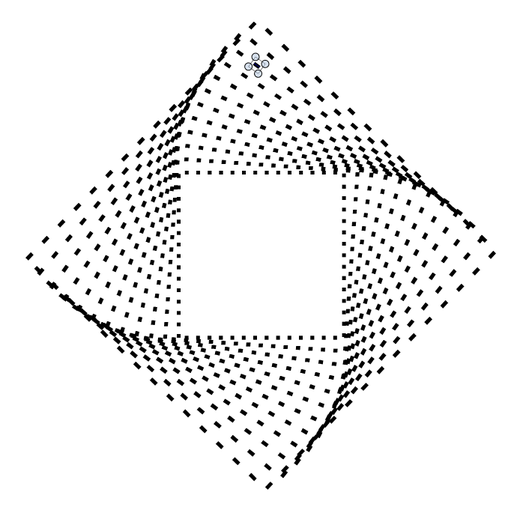
            0_1722454580315_dashes converted.png
            .
            .
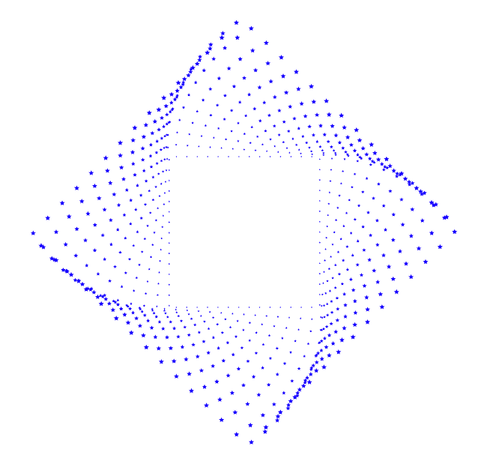
            Paths replaced with Stars
            0_1722454634748_replaced with stars.png
            .
            .
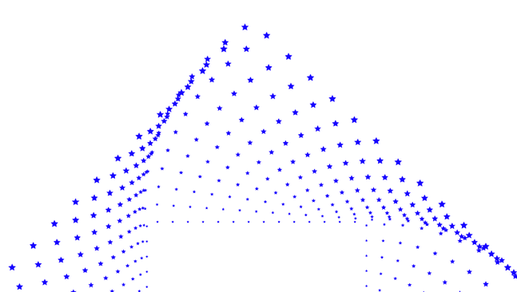
            0_1722454993090_Stars-region.png

            Win 11
            CPU: AMD Ryzen 5 9600X, 6-core.
            GPU: Nvidia Geforce RTX 5070.

            1 Reply Last reply Reply Quote 1
            • W Offline
              wbjp @VectorStyler
              last edited by

              @VectorStyler and @Subpath, Thanks! I will try.

              1 Reply Last reply Reply Quote 1
              • First post
                Last post