Unsolicited process color swatch appearance
-
@Ayo I cannot replicate this. Maybe a recording might help. Was this filled from an external palette?
-
@VectorStyler
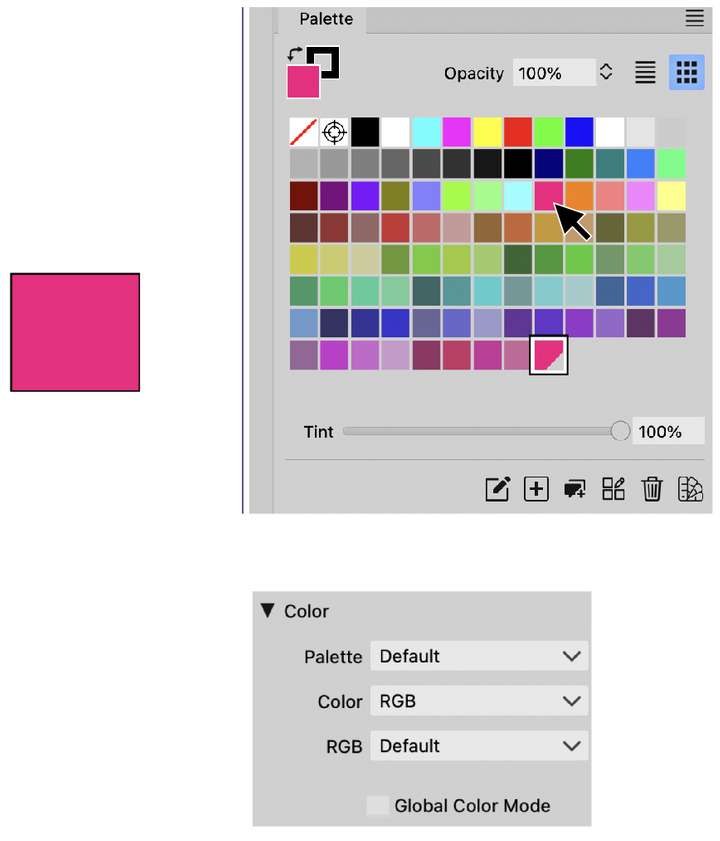
Recordings have been difficult since Recordit passed away. I can make a step by step screenshot storyboard? But it's as simple as I say.Does this help; this is the situation and New Document setup
-
@Ayo Is "Register Color" checked in the Palette panel menu? If so, uncheck it.
-
@VectorStyler said in Unsolicited process color swatch appearance:
"Register Color"
That is indeed the case and has indeed been resolved. Top!
Thought it couldn't hurt. Understood it as something different. Name confusion.quote internet:
"What does register mean in printing?
Registration (or Register) relates to the importance of precision alignment and placement. "
VS 'Register Color' probably has nothing to do with this.
Something to take into account in naming.I have looked at the VS documentation on this and am not much wiser from the explanation.
It say's:
"Register Color - Enable or disable the registering of colors into the document palette when another palette is used. It has no effect when the document palette is used. When enabled, selecting a color from an external palette will automatically add that color to the document palette as a linked process color. The color is then applied to the selected objects as a linked color."Vague and sometimes nonsensical "Enable or disable the registration of colors into the document palette when another palette is used. It has no effect when the document palette is used." Ehh?
An explanation of different palette types is appropriate beforehand. Document palette, external palette and then there must be an internal palette.I still don't understand it now.
-
@Ayo said in Unsolicited process color swatch appearance:
Document palette, external palette
The document palette is the "Internal" palette of the document.
An "external" palette is a palette that is not part of the document (opened for a file, ACB, ASE, etc).
The distinction is important, because Global and Spot colors can exists only in the Document (or "Internal") palette since they are "linked". -
For my understanding; The palette I used in my example is a document palette?
-
@VectorStyler
I already found the answer by searching the forum here
"The "Palette" mode shows the current document palette, not the default palette. You have to create a new document with a Default RGB/CMYK palette to show the actual default."The popup confirms this.
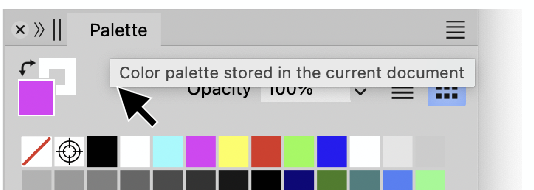
So I am using a Document palette.
Than I do not understand how a used color from that palette automatically add's a linked process color to the document palette while Register Color is enabled.
According to documentation this would have no effect.
Just try to get things clear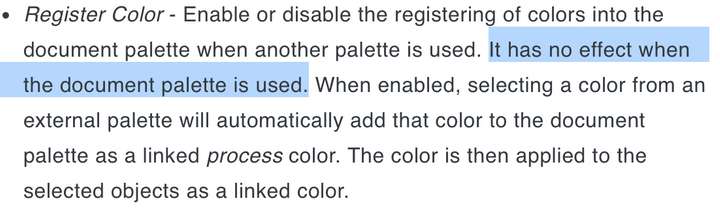
-
@Ayo Ok that part needs fixing!
-
@VectorStyler
Secondly, I would like to ask you to also take a look at how a Process Color (cut corner) can end up in an RGB document and associated palette. -
@Ayo said in Unsolicited process color swatch appearance:
Process Color (cut corner) can end up in an RGB document and associated palette
Both process (global) and spot colors may end up in RGB documents. These are colors that are linked to the palette (changed in the whole document, if the palette is changing).
When printed, these are converted on the fly to CMYK.
Also. the palette allows colors to be stored in other than RGB format when the document is in RGB (same for the rest of the document).

