VectorStyler
    • Categories
    • Unread
    • Recent
    • Tags
    • Popular
    • Register
    • Login

    How best to handle gradients when exporting from VS to a different vector program
    Scheduled Pinned Locked Moved Questions and Support
    4 Posts 2 Posters 5.9k Views 1 Watching
    Loading More Posts
    • Oldest to Newest
    • Newest to Oldest
    • Most Votes
    Reply
    • Reply as topic
    Log in to reply
    This topic has been deleted. Only users with topic management privileges can see it.
    • BoldlineB Offline
      Boldline
      last edited by

      if I need to export a VS as a pdf to be able to be opened in other vector apps like Illustrator, I run into issues getting the gradient to translate properly.
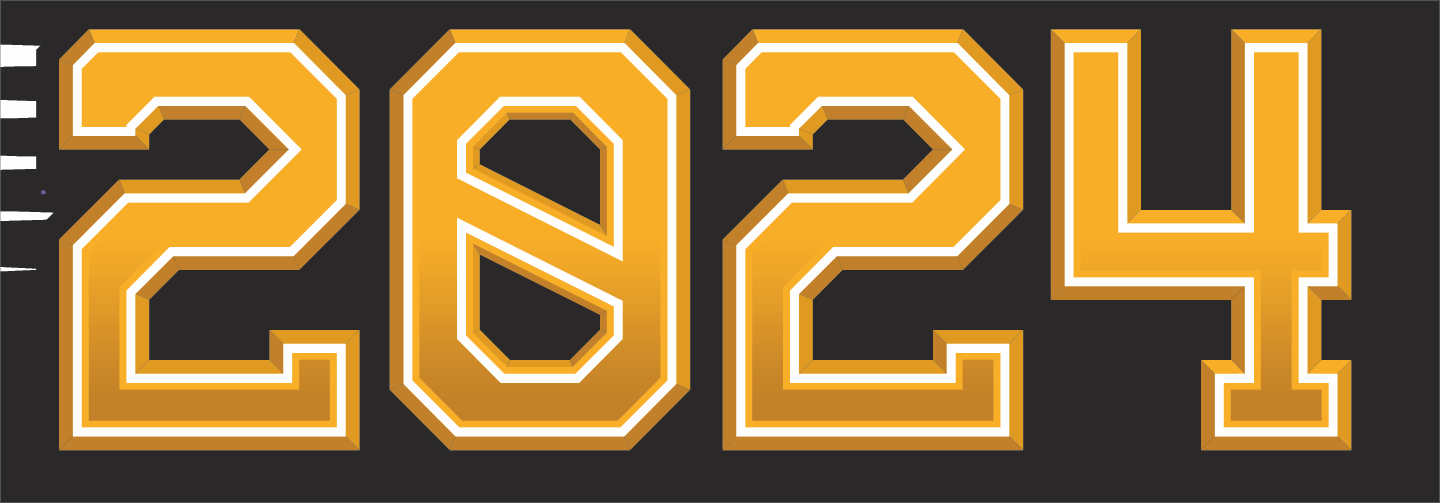
      In the example image below, I created this file and specifically, this gradient in VS.

      0_1713283201517_2ec8838d-3df5-46e1-89b5-39bd2d62a721-BLD 2024-04-16 at 11.57.53.png

      When I export the file from VS as a pdf, here are my applicable settings:
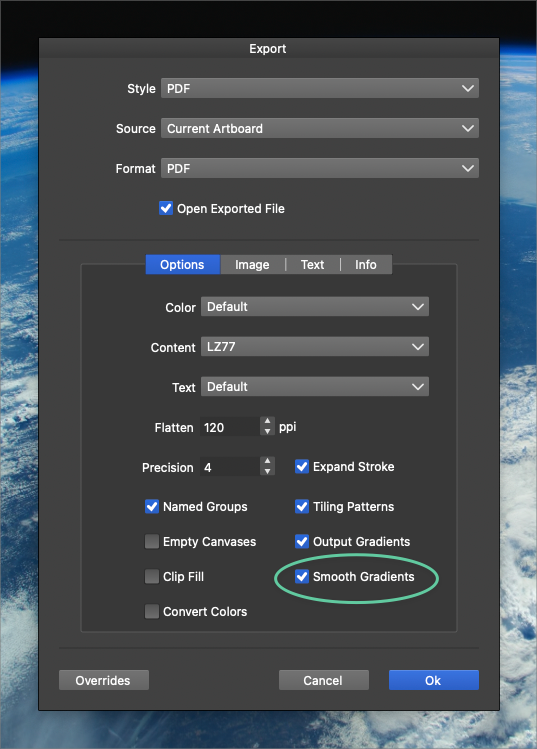
      0_1713283313972_bbf07203-0da9-463e-ad1b-3f4211162e2f-BLD 2024-04-16 at 12.01.30.png

      When i open the resulting pdf file in Illustrator for example, I get an immediate warning:
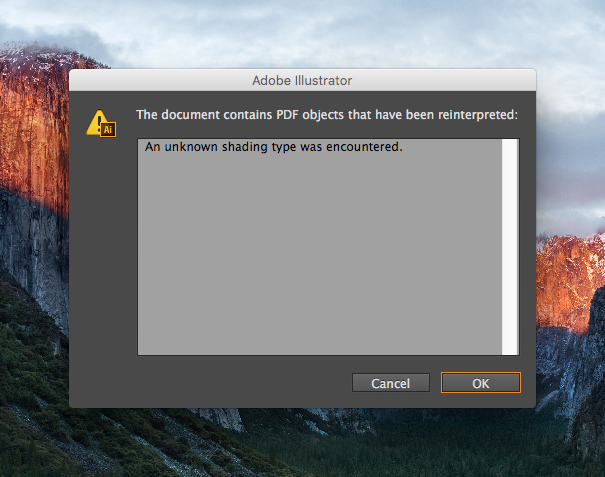
      0_1713283370791_pdf warning.png

      Pressing "OK" on the warning tab, I get this resulting file
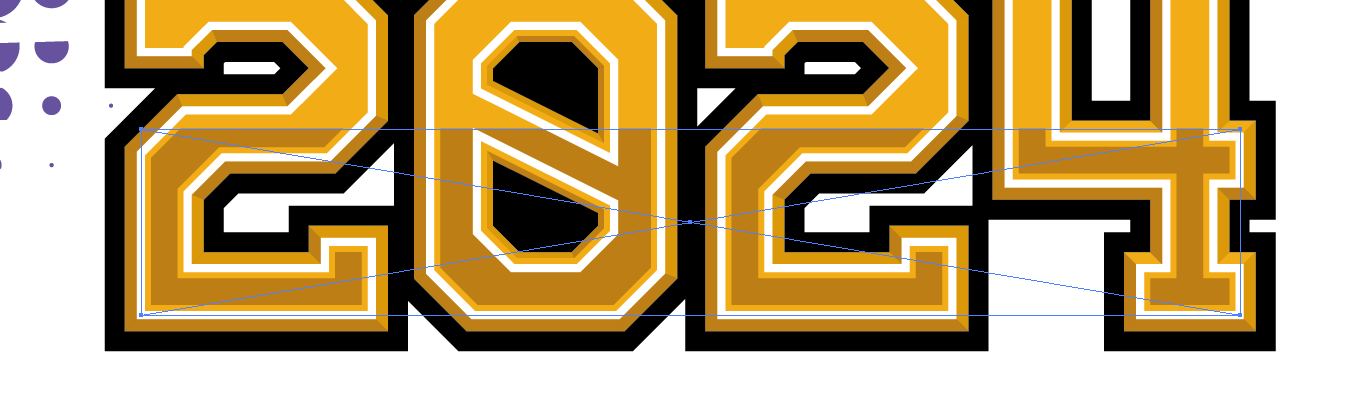
      (background black in original was the artboard and not the in the file itself so a blank background is expected and normal). You can see when I select the gradient it's now back to a solid shape and treated by Illustrator as a uneditable raster image:

      0_1713283418050_Gradient non native art.png

      🍎 macOS Sequoia 15.3, Mac mini (M1, 2020), Chip Apple M1, Memory 16 GB
      Cintiq 27QHD Display and LG Ultra HD Display

      VectorStylerV 1 Reply Last reply Reply Quote 0
      • VectorStylerV Offline
        VectorStyler @Boldline
        last edited by

        @Boldline Send me the VS file by email and I will try to replicate this issue. Could be a gradient exporting bug.

        BoldlineB 2 Replies Last reply Reply Quote 1
        • BoldlineB Offline
          Boldline @VectorStyler
          last edited by

          @VectorStyler Thanks! I just emailed you the original file as well as the resulting pdf export I tried opening in Illustrator.

          I hope this is something that can get fixed because I've been avoiding gradients in client work or I just do the gradient in the program I know the client is using.

          It would be so helpful to be able to export a true gradient and have it read correctly in other vector apps.

          Thanks for looking into it!

          🍎 macOS Sequoia 15.3, Mac mini (M1, 2020), Chip Apple M1, Memory 16 GB
          Cintiq 27QHD Display and LG Ultra HD Display

          1 Reply Last reply Reply Quote 0
          • BoldlineB Offline
            Boldline @VectorStyler
            last edited by

            @VectorStyler said in How best to handle gradients when exporting from VS to a different vector program:

            @Boldline Send me the VS file by email and I will try to replicate this issue. Could be a gradient exporting bug.

            When you are ready, if you need me to test an exported file in my version of Illustrator CS6, I'm happy to do that. just email it over and I'll let you know how it goes


            🍎 macOS Sequoia 15.3, Mac mini (M1, 2020), Chip Apple M1, Memory 16 GB
            Cintiq 27QHD Display and LG Ultra HD Display

            1 Reply Last reply Reply Quote 1
            • First post
              Last post