VectorStyler
    • Categories
    • Unread
    • Recent
    • Tags
    • Popular
    • Register
    • Login

    Changing values in fields
    Scheduled Pinned Locked Moved Implemented Features
    13 Posts 4 Posters 21.0k Views 4 Watching
    Loading More Posts
    • Oldest to Newest
    • Newest to Oldest
    • Most Votes
    Reply
    • Reply as topic
    Log in to reply
    This topic has been deleted. Only users with topic management privileges can see it.
    • b77B Offline
      b77 @VectorStyler
      last edited by

      @vectoradmin If horizontal scrolling is implemented, how can you select part of a value to change it?

      MacBook Pro (Intel) running Monterey 12.6.4

      VectorStylerV 1 Reply Last reply Reply Quote 0
      • VectorStylerV Offline
        VectorStyler @b77
        last edited by

        @b77 That is exactly the problem. We either have horizontal scrolling with selecting all on click and no partial selection. Or vertical only scrolling and partial selection. But not both.

        b77B 1 Reply Last reply Reply Quote 0
        • b77B Offline
          b77 @VectorStyler
          last edited by

          @vectoradmin Partial selection is needed, so…

          MacBook Pro (Intel) running Monterey 12.6.4

          1 Reply Last reply Reply Quote 1
          • F Offline
            fde101 Global Moderator
            last edited by fde101

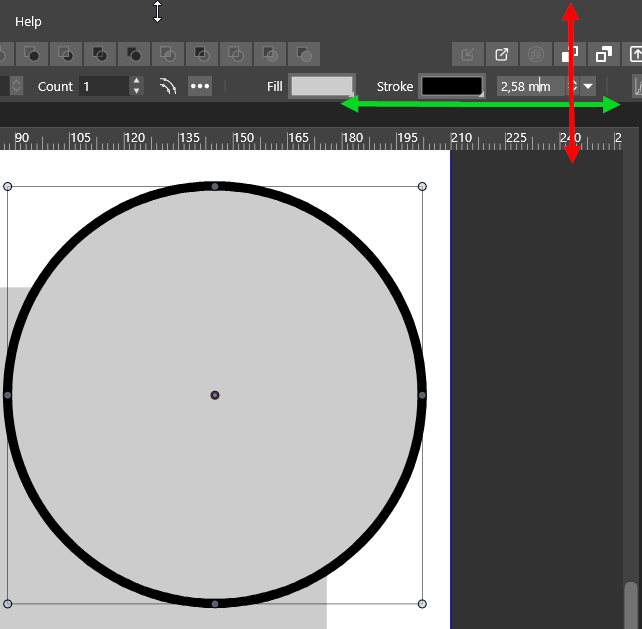
            The current behavior of dragging within the field value is problematic because it blocks standard behaviors of a text field. Normally if I drag up from part way into a field where an insertion point is placed it will select from that point to the end of the field, and if I drag down from part way into the field it will select to the beginning of the field. That doesn't happen with the way this is currently implemented in VS.

            You can allow scrolling in both directions and fix this problem at the same time by either or both of two rather obvious and completely reasonable ways:

            • Allow dragging on the label instead of the field value
            • Allow dragging of the field value but only when there is not an insertion point in the field (in other words, when the field does not have the focus). Let the standard behaviors of the field work when an in insertion point is placed.
            1 Reply Last reply Reply Quote 1
            • VectorStylerV Offline
              VectorStyler @encart
              last edited by

              @encart @b77 @fde101 New build contains improvements to scrubby scrolling: numeric field labels can also be dragged for scrolling the number.

              1 Reply Last reply Reply Quote 0
              • encartE Offline
                encart
                last edited by encart

                I know the topic is very old. But I found a mechanism in Wondershare Filmora that works well. Exactly as @fde101 's suggestion. When we press and drag horizontally (in our case, vertical is safer) then the field behaves like a slider. Only clicking and releasing activates the selection of the value. The changing cursor is a nice hint for the user.
                https://recordit.co/t7TixcwWoV
                I am returning to this topic because it hurts me a bit. It is a bit unpredictable on my system, it stutters, changes the value by a different step.

                Windows 11 Home 10.0.22621

                VectorStylerV 2 Replies Last reply Reply Quote 1
                • VectorStylerV Offline
                  VectorStyler @encart
                  last edited by

                  @encart I add this new suggestion to the backlog.

                  1 Reply Last reply Reply Quote 0
                  • VectorStylerV Offline
                    VectorStyler @encart
                    last edited by

                    @encart One thing in that example, that is a bit difficult to always have is the width of number field. There is enough room to have a region that activates scrolling.

                    But the jumping / stutters in VS is a bug so that should be handled.

                    encartE 1 Reply Last reply Reply Quote 0
                    • encartE Offline
                      encart @VectorStyler
                      last edited by

                      @vectoradmin I'm not sure if I understand correctly, but the whole field is active here. Even if it was two digits wide, clicking and dragging will trigger the action. The action would be compared to a situation where there is a transparent zone above the text field. It changes the value when dragged, and when clicked, it disappears and activates the box underneath. Deactivating the field restores layer 1.

                      0_1645100155840_screenshot_20220217_131540.png

                      Windows 11 Home 10.0.22621

                      1 Reply Last reply Reply Quote 1
                      • F Offline
                        fde101 Global Moderator
                        last edited by

                        @encart, drag on the label next to the field rather than the field itself.

                        1 Reply Last reply Reply Quote 1
                        • First post
                          Last post
