VectorStyler
    • Categories
    • Unread
    • Recent
    • Tags
    • Popular
    • Register
    • Login

    Is there is an all-encompassing way to see all effects and styles active on a selected object in VS?
    Scheduled Pinned Locked Moved Features and Ideas
    6 Posts 3 Posters 6.1k Views 2 Watching
    Loading More Posts
    • Oldest to Newest
    • Newest to Oldest
    • Most Votes
    Reply
    • Reply as topic
    Log in to reply
    This topic has been deleted. Only users with topic management privileges can see it.
    • BoldlineB Offline
      Boldline
      last edited by Boldline

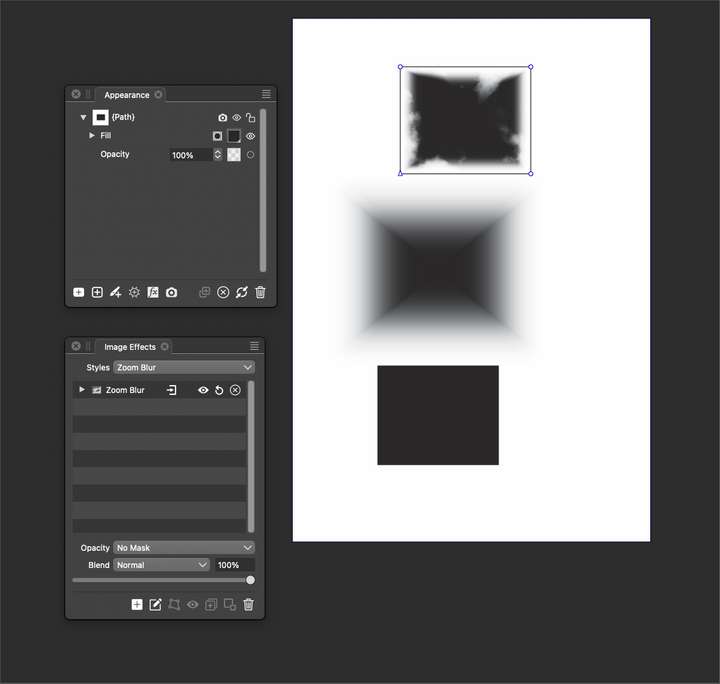
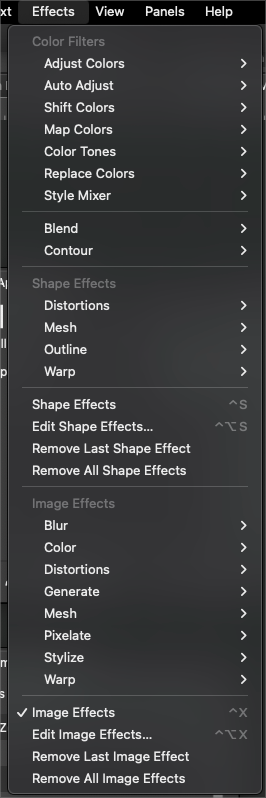
      I was wondering if there is an all-encompassing way to see all effects and styles active on a selected object in VS? I was thinking the appearance panel might list them all including image effects. If you clicked on the listed image effect in the appearance panel, it would open the image effect panel, etc.

      If not in the appearance panel, is there, or could there be a way to see all active effects applied to a shape in one place?
      0_1690815353328_8ea388bc-00de-478c-bb32-73261b4c6a15-BLD 2023-07-31 at 10.55.09.png

      0_1690815444700_9eaf2ca4-b2fa-404f-b27e-8e0d21c3644f-BLD 2023-07-31 at 10.57.07.png

      🍎 macOS Tahoe 26.2, Mac mini (M1, 2020), Chip Apple M1, Memory 16 GB
      Cintiq 27QHD Display and LG Ultra HD Display

      b77B VectorStylerV 2 Replies Last reply Reply Quote 1
      • b77B Offline
        b77 @Boldline
        last edited by b77

        @Boldline You mean somewhere else than in the Image Effects panel?

        MacBook Pro (Intel) running Monterey 12.6.4

        BoldlineB 1 Reply Last reply Reply Quote 0
        • BoldlineB Offline
          Boldline @b77
          last edited by

          @b77 yes one can look there if they understand where to be looking. It would be nice if there was some way to see a comprehensive list of all applied effects from across the board so they can know for sure nothing was overlooked when they go to edit further

          🍎 macOS Tahoe 26.2, Mac mini (M1, 2020), Chip Apple M1, Memory 16 GB
          Cintiq 27QHD Display and LG Ultra HD Display

          1 Reply Last reply Reply Quote 0
          • BoldlineB Offline
            Boldline
            last edited by Boldline

            the more I have been thinking about it, what I'm asking about is a way to run a comprehensive check of a file or object in a file and see everything applied to it in one place. This would also tie in with wanting to check a document to see a list of all colors used in the file/layer. Live warp effects are another one

            Perhaps a dialog box that lists everything and can be clicked ons specifically to take you to that effect?

            🍎 macOS Tahoe 26.2, Mac mini (M1, 2020), Chip Apple M1, Memory 16 GB
            Cintiq 27QHD Display and LG Ultra HD Display

            b77B 1 Reply Last reply Reply Quote 2
            • b77B Offline
              b77 @Boldline
              last edited by

              @Boldline I'm afraid it might make the Appearance panel look too busy and complex.

              Maybe display the shape and image effects of the selection in the Properties panel?

              MacBook Pro (Intel) running Monterey 12.6.4

              1 Reply Last reply Reply Quote 0
              • VectorStylerV Offline
                VectorStyler @Boldline
                last edited by

                @Boldline There is no feature that shows image and shape effects in the same list.

                For such a thing to work, it would need to be a compination of Layers, Appearance, Image and Shape Effects panels.
                And this could be complicated.

                1 Reply Last reply Reply Quote 0
                • First post
                  Last post
