VectorStyler
    • Categories
    • Unread
    • Recent
    • Tags
    • Popular
    • Register
    • Login

    Scale VS workspace to fit fully on screen
    Scheduled Pinned Locked Moved Questions and Support
    3 Posts 3 Posters 3.7k Views 2 Watching
    Loading More Posts
    • Oldest to Newest
    • Newest to Oldest
    • Most Votes
    Reply
    • Reply as topic
    Log in to reply
    This topic has been deleted. Only users with topic management privileges can see it.
    • BoldlineB Offline
      Boldline
      last edited by

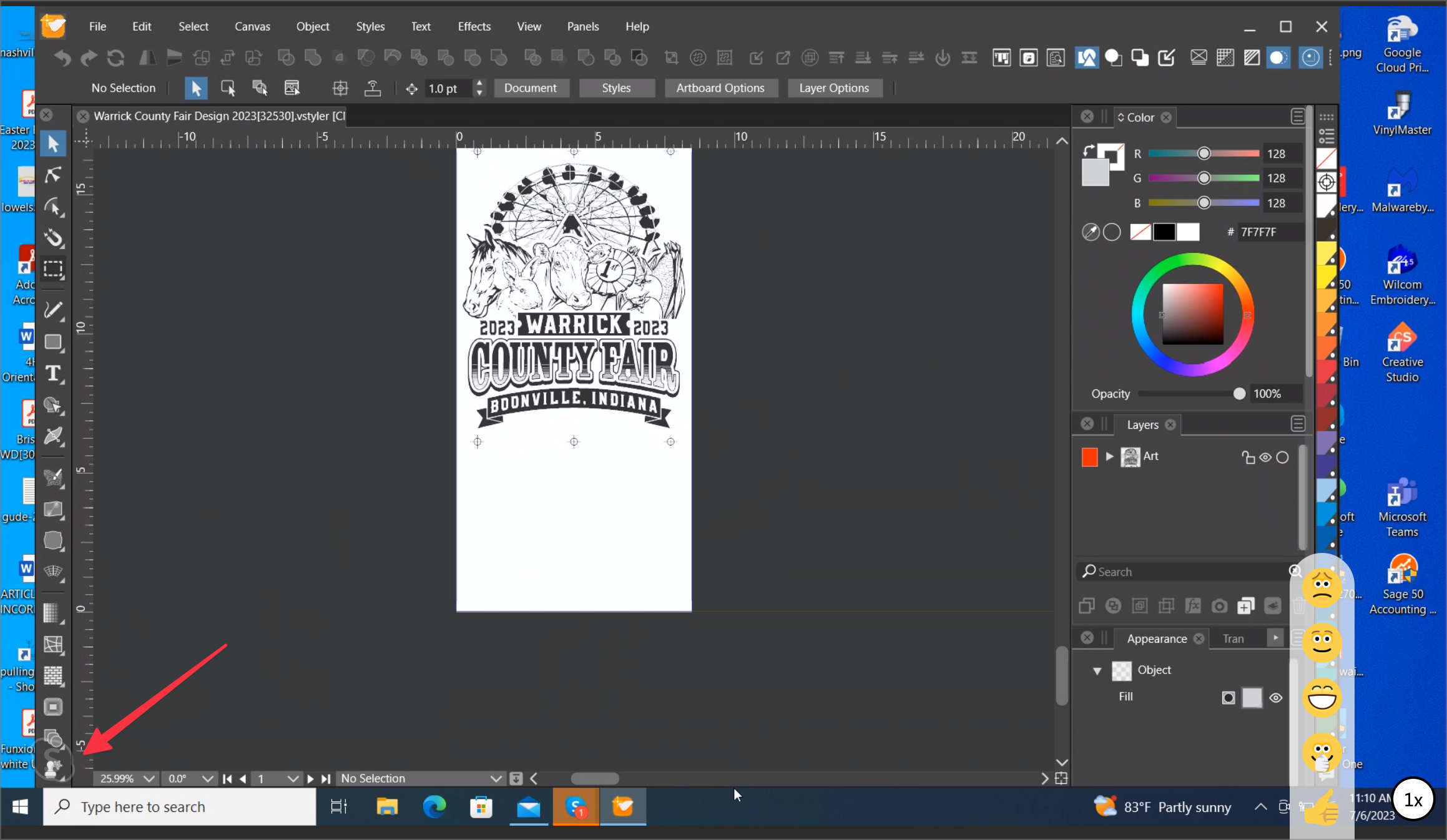
      I am sure this has been mentioned before but I was not finding it right away in the forum. What is the best way to fit everything on screen? The vertical toolbar on the left side of the screen is not showing the last couple of tools, such as the artboard tool

      0_1688660841911_8dbec776-6dd4-48e0-894a-faf98eecf1b5-BLD 2023-07-06 at 12.10.51@2x.png

      🍎 macOS Tahoe 26.2, Mac mini (M1, 2020), Chip Apple M1, Memory 16 GB
      Cintiq 27QHD Display and LG Ultra HD Display

      S b77B 2 Replies Last reply Reply Quote 1
      • S Offline
        Subpath @Boldline
        last edited by Subpath

        @Boldline

        I usually solved this via Toolbox Style
        Panels > Toolbox Styles > small, medium, large icons

        have now a new 4K Monitor 3840 x 2160 pixels
        200 % upscaled which results in 1920 x 1080 pixels
        which i am happy with

        Toolbox Panel is medium and i have yet some
        free space below it

        Win 11
        CPU: AMD Ryzen 5 9600X, 6-core.
        GPU: Nvidia Geforce RTX 5070.

        1 Reply Last reply Reply Quote 1
        • b77B Offline
          b77 @Boldline
          last edited by

          @Boldline Did you try a two-column toolbox? (Panels > Toolbox Style > Two Column)

          MacBook Pro (Intel) running Monterey 12.6.4

          1 Reply Last reply Reply Quote 1
          • First post
            Last post