A few thoughts about Color panel
-
Here are my thoughts how to improve Color panel.
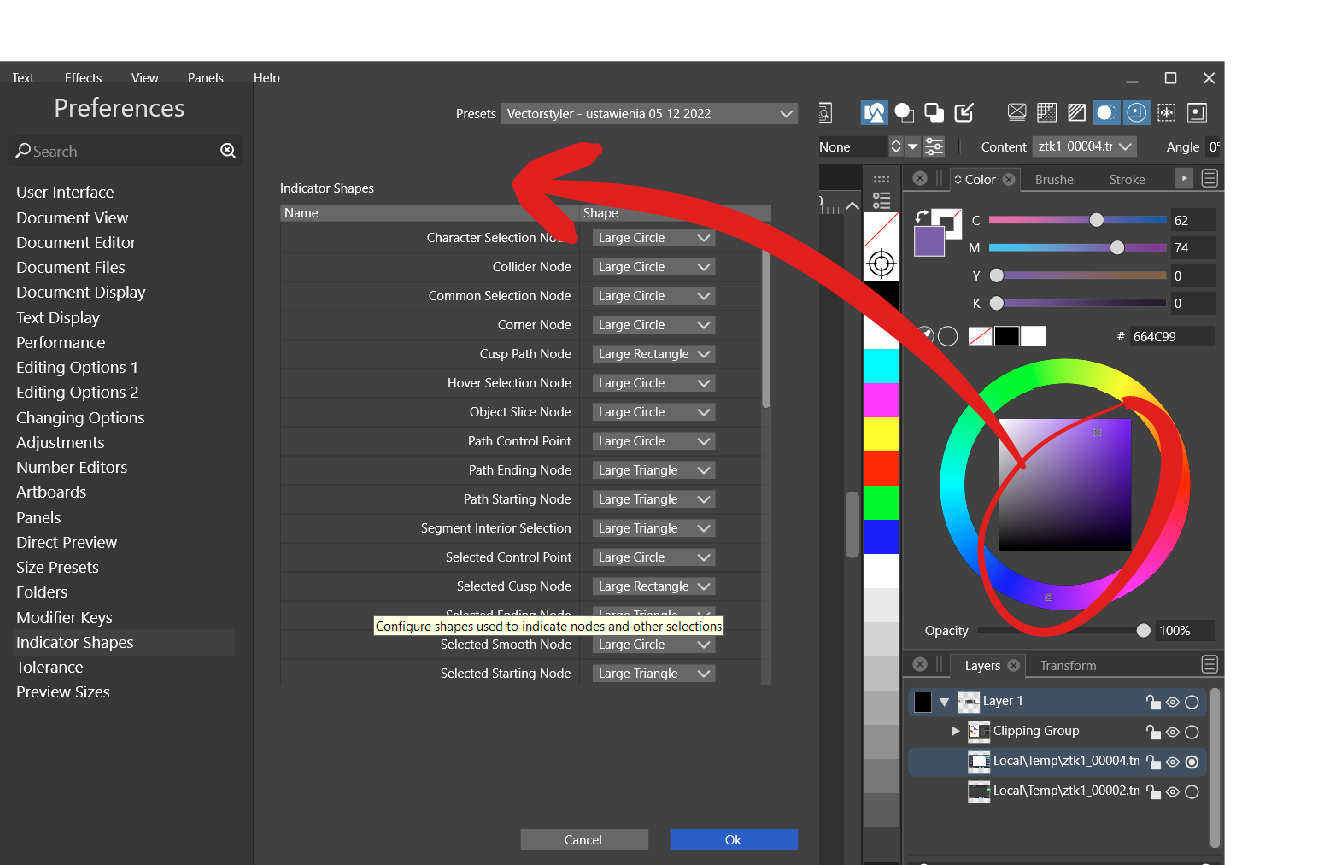
- Could Color indicators be added to Preferences/Indicator shapes to make it bigger? On some colors they are hardly visible:

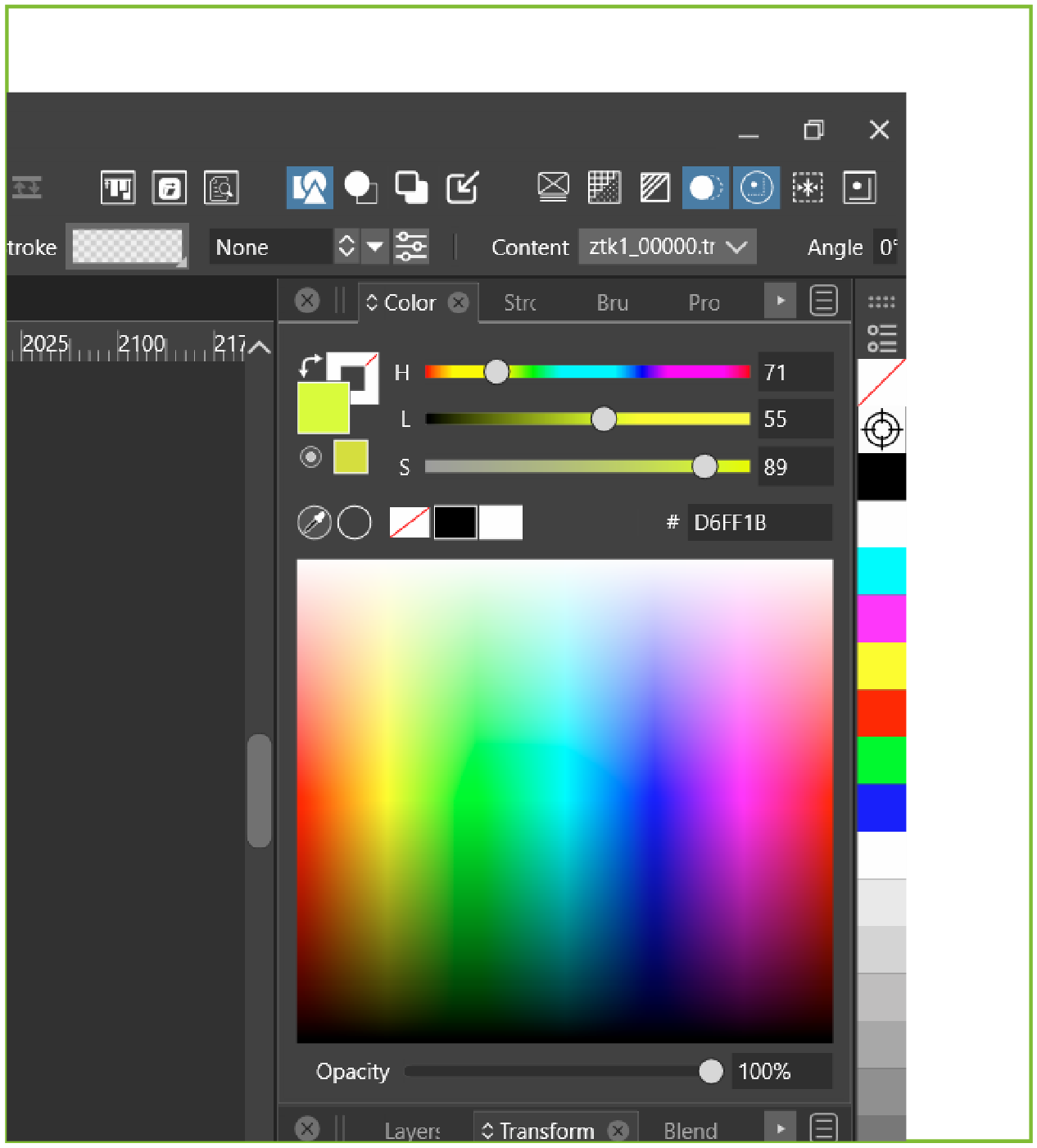
- All color Spectrums doesn't have color indicator at all. Maybe it is possible to add them to Preferences/Indicator shapes also:

-
Numeric values next to color sliders cannot be changed by mouse wheel.
-
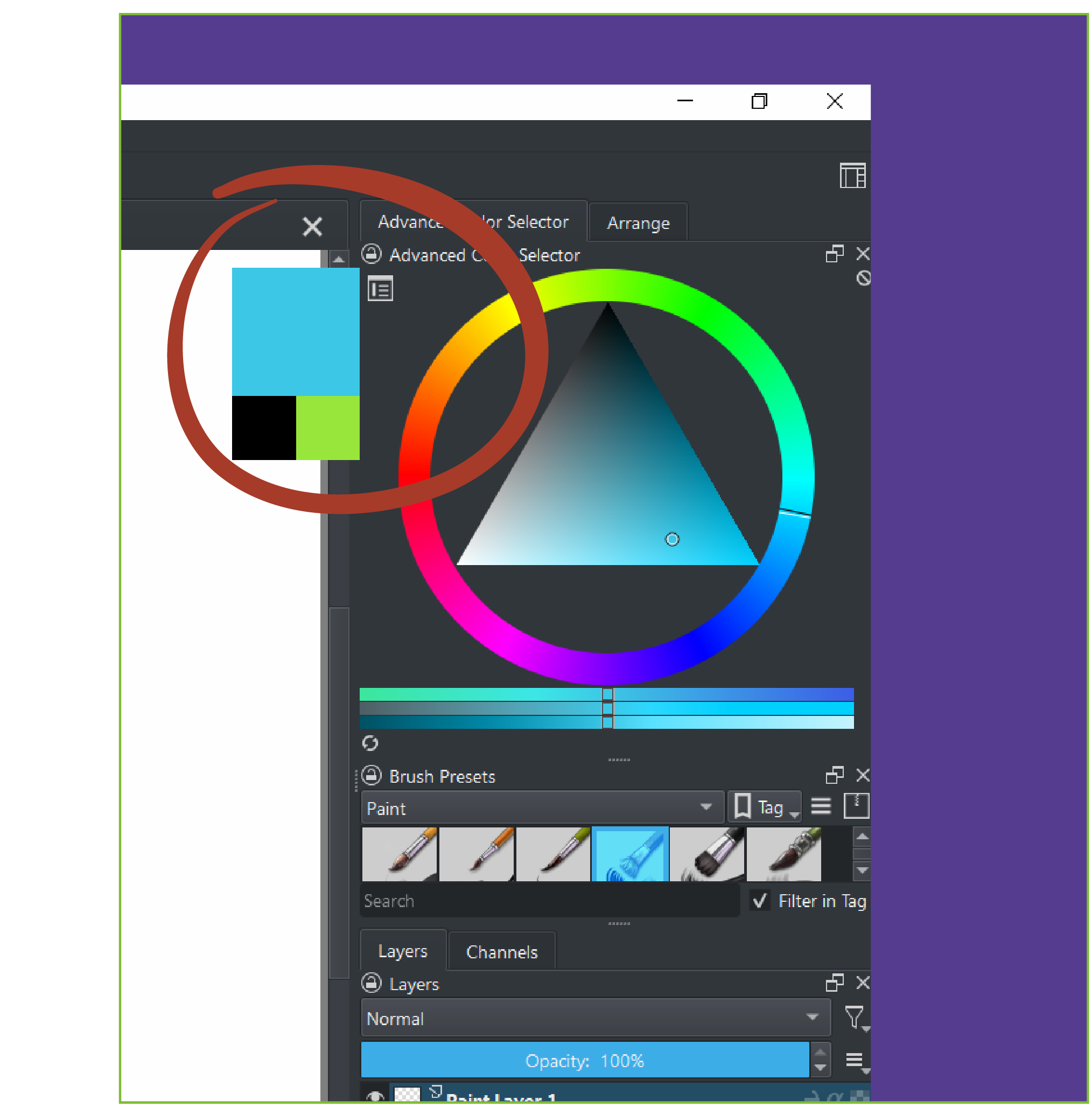
In Krita there is a helpful feature - a little rectangle which pops up to compare existing and picked color. Maybe we could add this to preferences?

-
-
Can be improved.
-
this is problematic. this type of "spectrum" color picker doesn't have an indicator in other app. Tried once to add, but looks awful.
-
Will be fixed.
-
Is this a timed out popup? or shown while the mouse is held?
-
-
@VectorStyler said in A few thoughts about Color panel:
- Can be improved.
Ok!
- this is problematic. this type of "spectrum" color picker doesn't have an indicator in other app. Tried once to add, but looks awful.
I meant something like in Rebelle 5:


Or like in Affinity Designer:

- Will be fixed.
Ok!
- Is this a timed out popup? or shown while the mouse is held?
This pop out is shown after stylus/ mouse click and is held as long as the cursor is in the range of a color triangle and circle no matter stylus or mouse is "clicked":
-
@VectorStyler One more thing. Since holding Control modifier key acts as a ruler (for example in Pencil and Brush tool) is it possible to add this action to color wheel's rectangles and spectrums?
It would be useful to choose color "by the ruler" - especially when color sliders and wheels’ rectangles / spectrums are different.
-
@Harry Would this mean that holding Control would pick in the spectrum along the same horizontal / vertical axis as the current color?
What about the hue spectrum (circle)?
-
@VectorStyler said in A few thoughts about Color panel:
@Harry Would this mean that holding Control would pick in the spectrum along the same horizontal / vertical axis as the current color?
Yes
What about the hue spectrum (circle)?
It could work as the ruler also - holding control gives perfectly opposite (complementary) color on the circle.
But maybe others would have some suggestions?
