One stylus pen issue fixed - can this second issue also be fixed?
-
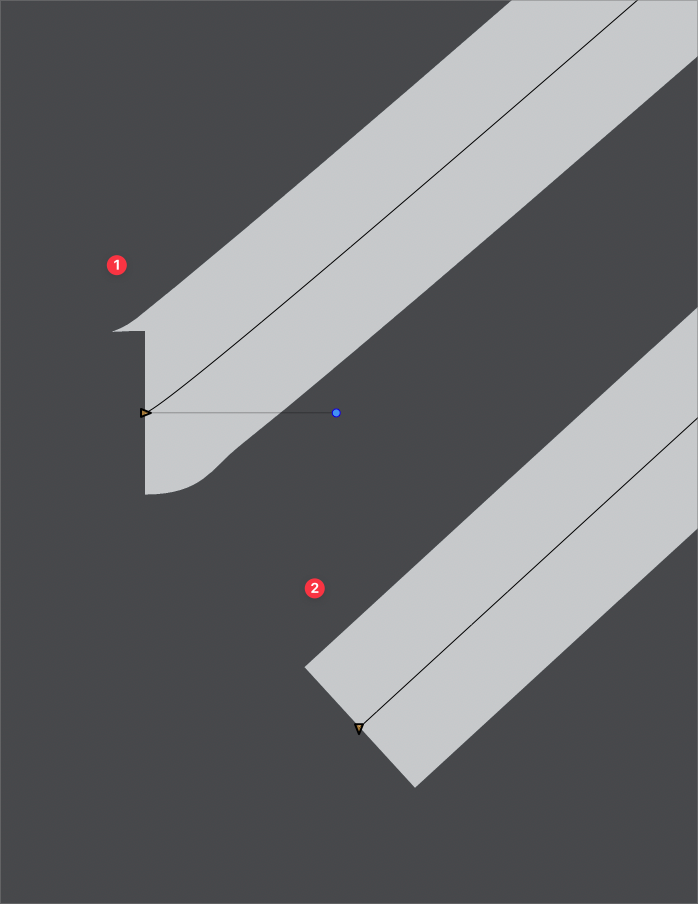
I seem to notice to issue with the beginning node not starting flush occurs even when I'm not doing dramatic fast click and go.
It's hard to fix the issue because just selecting the node and pressing "L" to make it a cusp node does not work and often the handle is not very far out from the initial node it's connected to, so you have to zoom in far to click on it and delete the handle to get the desired result. -
@Boldline Added this to the backlog.
-
@VectorStyler said in One stylus pen issue fixed - can this second issue also be fixed?:
@Boldline Added this to the backlog.
Thanks. Would it help if I sent an example file with the issues demonstrated? Or is it something you can replicate?
-
@Boldline said in One stylus pen issue fixed - can this second issue also be fixed?:
Thanks. Would it help if I sent an example file with the issues demonstrated? Or is it something you can replicate?
Send me the above example, and I will try to replicate that.
This is something that occurs while using the Pen tool with the stylus, and I will have to replicate the process. -
I just tested in Affinity Designer2 the fast clicking of the pen tool and it always seemed to create a flush clean edge of the initial stroke.
With VS in the new build 71, I'm not having as many issues with uneven edges on the first point made like before - but it's still occasionally happening. The gray stroke example below is the occasional issue in VS with pen clicks pressed quickly.
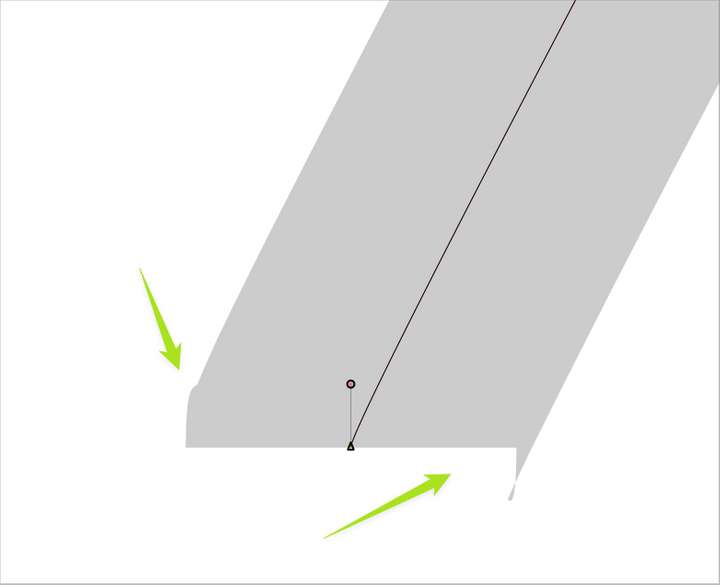
This is how Affinity Designer 2 looks doing the same thing(/forum/assets/uploads/files/1671485593120-fast-pen-strokes.vstyler)
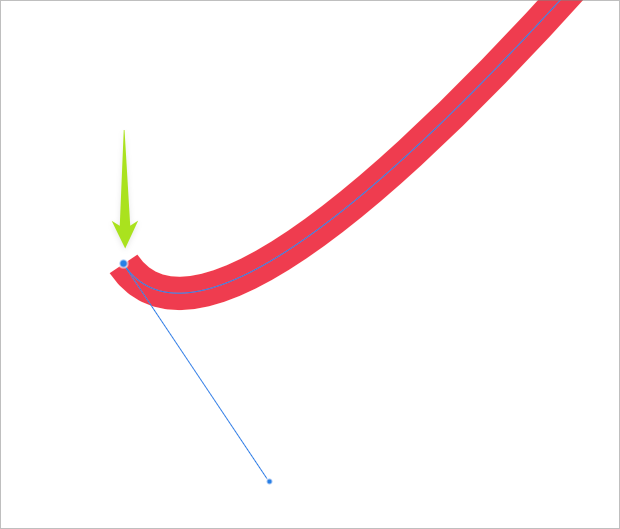
File is attached below:[0_1671485592978_fast pen strokes.vstyler]
-
@Boldline The problem here is that fast clicking results in short (or zero) handles. I will try to improve this, but it might be that in some cases the user wants short handles.
The stroke rendering artifacts are caused by these short handles.
-
@VectorStyler said in One stylus pen issue fixed - can this second issue also be fixed?:
The stroke rendering artifacts are caused by these short handles.
If I can go a little further with this issue. I noticed that when I deleted a node on a path with a stroke rendering artifact- it would auto-correct the first node and left nearly the same identical path behind. This seemed to tell me that it was possible to not lose any path placement flexibility and still not have problematic beginning nodes with stroke rendering artifacts and still keep short handles
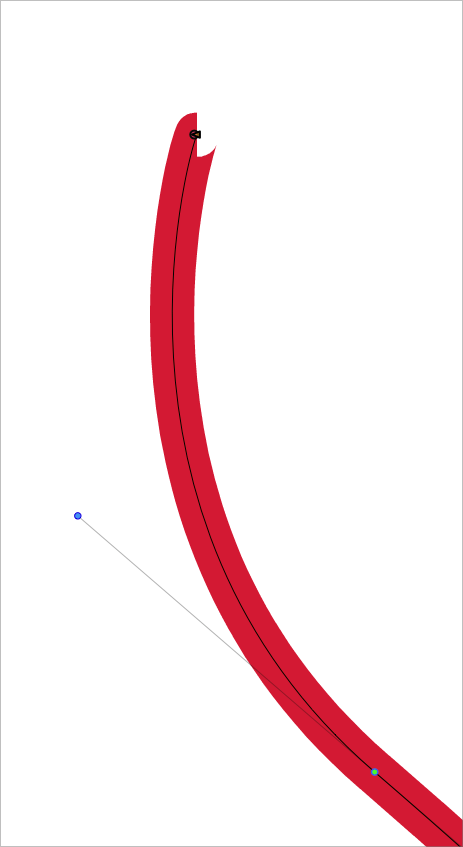
Here is a file with the same path copied twice before and after deleting the second node in the path order and thereby fixing the first problematic node.
0_1671593510188_path beginning node.vstyler
I was wondering if short handles could still be allowed while still putting a certain limitation on how far the first node can double back on itself.
When I was experimenting in Designer for example, I never got a starting node that had stroke rendering artifacts - whether or not I pressed quickly. The stroke rendering artifacts can make it harder to connect fully the final point from the pen tool when closing a shape. Though this example was not the worst
-
@VectorStyler I don't want to be a pain or annoyance by discussing the topic too much. To me, the stroke rendering artifacts look unattractive and not clean and tight. They make VS look less professional and makes it harder to work with if I want to close a path cleanly or I want to use the path width tool for example. When the path has the stroke rendering artifacts, it often turns the node sideways - so when the path width tool is applied, you have to remedy the first node before it look right.
often just clicking on the node handle would not pull the node handle in and thereby fix the stroke rendering artifacts. It would take a lot more work and I'd usually have to make a new node nearby and then delete the first problematic initial node.
At the risk of sounding repetitive - when I realized deleting that middle node in the sample would retain the same curve AND fixed the first node that had stroke rendering artifacts, it got the wheels churning in my mind. Questions like - Could slight limitations be placed on the first initial node that would not limit the user who wants an immediate short node?
-
@Boldline No annoyance
 I just need to figure out a solution that does not affect other cases also (causing regressions)
 -
@VectorStyler Thank you - I know you'll find the best solution. I appreciate you hearing me out

