VectorStyler
    • Categories
    • Unread
    • Recent
    • Tags
    • Popular
    • Register
    • Login

    Selection Confusion

    Scheduled Pinned Locked Moved Questions and Support
    6 Posts 2 Posters 5.2k Views 2 Watching
    Loading More Posts
    • Oldest to Newest
    • Newest to Oldest
    • Most Votes
    Reply
    • Reply as topic
    Log in to reply
    This topic has been deleted. Only users with topic management privileges can see it.
    • IgullI Offline
      Igull
      last edited by

      Not sure how I could possibly have missed this before ☺

      Do a select all on a bunch of ungrouped objects, then find that there is one you didn't want to select, so shift+select the perimeter of that object to deselect it - it doesn't !
      It will deselect if you shift+select the fill of the object - but not much use if the object is a single line 'though !

      I'm sure that there must be a preference for this, or am I doing it wrong all those years LOL

      TIA

      Neil

      iMac 27" 2015 Catalina 32Gb, MacBook Pro 13" 2016 Monterey 8Gb, Mac Mini M2 2023 8Gb

      VectorStylerV 2 Replies Last reply Reply Quote 0
      • VectorStylerV Offline
        VectorStyler @Igull
        last edited by

        @Igull This might be a bug in the selection.
        Is holding Shift and dragging a small box on the line working?

        IgullI 1 Reply Last reply Reply Quote 0
        • IgullI Offline
          Igull @VectorStyler
          last edited by

          @VectorStyler
          Yes, that works, but simply shift+click on the line doesn't
          Neil

          iMac 27" 2015 Catalina 32Gb, MacBook Pro 13" 2016 Monterey 8Gb, Mac Mini M2 2023 8Gb

          VectorStylerV 1 Reply Last reply Reply Quote 0
          • VectorStylerV Offline
            VectorStyler @Igull
            last edited by

            @Igull I will try to fix this ASAP.

            1 Reply Last reply Reply Quote 0
            • VectorStylerV Offline
              VectorStyler @Igull
              last edited by

              @Igull I was trying to replicate this issue, but here the shift+deselect works from the perimeter also.
              Is there a "cross" indicator shown when hovering over the perimeter?

              IgullI 1 Reply Last reply Reply Quote 0
              • IgullI Offline
                Igull @VectorStyler
                last edited by

                @VectorStyler
                No, the cursor is a small curve with circle on top plus a mini regular cursor LOL.
                I've tried a vid, but it's not capturing the above cursor change for some reason. The cursor changes from a regular cursor when hovering, to this other cursor when shift is depressed.
                Neil
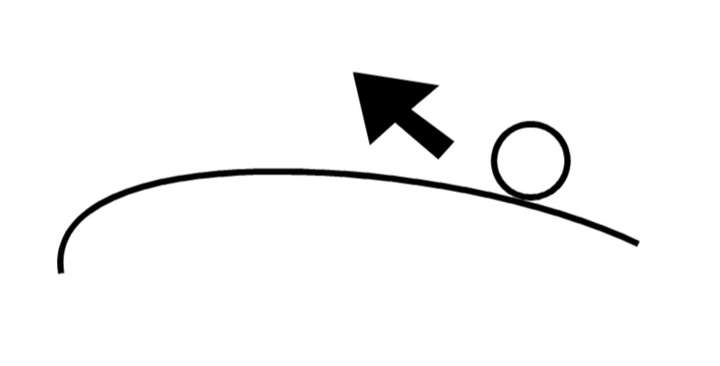
                0_1667833912743_Screenshot 2022-11-07 at 10.52.38.png

                iMac 27" 2015 Catalina 32Gb, MacBook Pro 13" 2016 Monterey 8Gb, Mac Mini M2 2023 8Gb

                1 Reply Last reply Reply Quote 1
                • First post
                  Last post
