VectorStyler
    • Categories
    • Unread
    • Recent
    • Tags
    • Popular
    • Register
    • Login

    Keyboard Shortcuts not working after switching to Text Tool

    Scheduled Pinned Locked Moved Resolved Issues
    6 Posts 4 Posters 8.2k Views 4 Watching
    Loading More Posts
    • Oldest to Newest
    • Newest to Oldest
    • Most Votes
    Reply
    • Reply as topic
    Log in to reply
    This topic has been deleted. Only users with topic management privileges can see it.
    • E Offline
      Eric Abraham
      last edited by

      Keyboard Shortcuts not working after using the Text Tool (T).

      Let's say I want to write some text. So I pressed [ T ] for Text Tool. and write "Lorem Ipsum" then Pressed ESC to confirm the text and then I can't switch to any tool using keyboard shortcuts.

      VectorStylerV 2 Replies Last reply Reply Quote 0
      • encartE Offline
        encart
        last edited by

        I've got the same problem.

        MacBook Air M4 24Gb, Tahoe 26.2

        1 Reply Last reply Reply Quote 0
        • VectorStylerV Offline
          VectorStyler @Eric Abraham
          last edited by VectorStyler

          @Eric-Abraham Is this on Windows or Mac?

          EDIT: replicated on Windows, works on Mac.

          E 1 Reply Last reply Reply Quote 0
          • E Offline
            Eric Abraham @VectorStyler
            last edited by

            @VectorStyler
            Windows 11 Build 22000.978
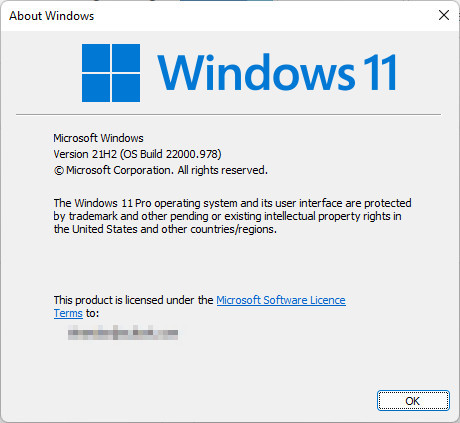
            0_1663314345642_Win_11_Build.jpg

            1 Reply Last reply Reply Quote 1
            • S Offline
              Subpath
              last edited by Subpath

              @VectorStyler
              seems to me that pressing "ESC"
              does not let you out of text mode

              Made a Video here

              Win 11
              CPU: AMD Ryzen 5 9600X, 6-core.
              GPU: Nvidia Geforce RTX 5070.

              1 Reply Last reply Reply Quote 1
              • VectorStylerV Offline
                VectorStyler @Eric Abraham
                last edited by

                @Eric-Abraham This issue should be fixed in build 1.1.062

                1 Reply Last reply Reply Quote 0
                • First post
                  Last post