VectorStyler
    • Categories
    • Unread
    • Recent
    • Tags
    • Popular
    • Register
    • Login

    Color difference clipboard vs VS

    Scheduled Pinned Locked Moved Resolved Issues
    16 Posts 3 Posters 14.4k Views 3 Watching
    Loading More Posts
    • Oldest to Newest
    • Newest to Oldest
    • Most Votes
    Reply
    • Reply as topic
    Log in to reply
    This topic has been deleted. Only users with topic management privileges can see it.
    • VectorStylerV Offline
      VectorStyler @Ingolf
      last edited by

      @Ingolf Send me the SVG file by email. I will try to replicate this.

      IngolfI 1 Reply Last reply Reply Quote 0
      • IngolfI Offline
        Ingolf @VectorStyler
        last edited by

        @VectorStyler said in Color difference clipboard vs VS:

        @Ingolf Send me the SVG file by email. I will try to replicate this.

        There is nothing file dependent in this, it applies to everything I copy over (Windows 10 on this machine):
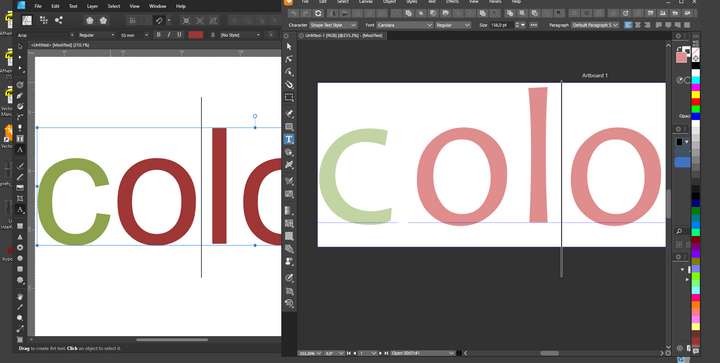
        0_1662550944218_b14d206b-4942-4b8a-909b-bbf06583a63e-image.png

        Also note that the text with Arial is substituted with Candara via clipboard.

        Content of the SVG file after export from Affinity is:

        <?xml version="1.0" encoding="UTF-8" standalone="no"?>
        <!DOCTYPE svg PUBLIC "-//W3C//DTD SVG 1.1//EN" "http://www.w3.org/Graphics/SVG/1.1/DTD/svg11.dtd">
        <svg width="100%" height="100%" viewBox="0 0 2481 3508" version="1.1" xmlns="http://www.w3.org/2000/svg" xmlns:xlink="http://www.w3.org/1999/xlink" xml:space="preserve" xmlns:serif="http://www.serif.com/" style="fill-rule:evenodd;clip-rule:evenodd;stroke-linejoin:round;stroke-miterlimit:2;">
            <g transform="matrix(1,0,0,1,157.277,182.792)">
                <text x="180.397px" y="1053.23px" style="font-family:'ArialMT', 'Arial', sans-serif;font-size:650.119px;fill:rgb(135,165,88);">c</text>
                <text x="505.456px" y="1053.23px" style="font-family:'ArialMT', 'Arial', sans-serif;font-size:650.119px;fill:rgb(186,58,58);">olour</text>
            </g>
        </svg>
        

        🍏 macOS Sequoia Apple Silicon

        IngolfI 1 Reply Last reply Reply Quote 1
        • IngolfI Offline
          Ingolf @Ingolf
          last edited by Ingolf

          @Ingolf said in Color difference clipboard vs VS:

          @VectorStyler said in Color difference clipboard vs VS:

          @Ingolf Send me the SVG file by email. I will try to replicate this.

          There is nothing file dependent in this, it applies to everything I copy over (Windows 10 on this machine):

          0_1662550944218_b14d206b-4942-4b8a-909b-bbf06583a63e-image.png

          Also note that the text with Arial is substituted with Candara via clipboard.

          Content of the SVG file after export from Affinity is:

          <?xml version="1.0" encoding="UTF-8" standalone="no"?>
          <!DOCTYPE svg PUBLIC "-//W3C//DTD SVG 1.1//EN" "http://www.w3.org/Graphics/SVG/1.1/DTD/svg11.dtd">
          <svg width="100%" height="100%" viewBox="0 0 2481 3508" version="1.1" xmlns="http://www.w3.org/2000/svg" xmlns:xlink="http://www.w3.org/1999/xlink" xml:space="preserve" xmlns:serif="http://www.serif.com/" style="fill-rule:evenodd;clip-rule:evenodd;stroke-linejoin:round;stroke-miterlimit:2;">
              <g transform="matrix(1,0,0,1,157.277,182.792)">
                  <text x="180.397px" y="1053.23px" style="font-family:'ArialMT', 'Arial', sans-serif;font-size:650.119px;fill:rgb(135,165,88);">c</text>
                  <text x="505.456px" y="1053.23px" style="font-family:'ArialMT', 'Arial', sans-serif;font-size:650.119px;fill:rgb(186,58,58);">olour</text>
              </g>
          </svg>
          

          If I save the VS file with the wrong colors, it will reopen with wrong colors:
          VS file

          🍏 macOS Sequoia Apple Silicon

          VectorStylerV 1 Reply Last reply Reply Quote 0
          • IngolfI Offline
            Ingolf
            last edited by Ingolf

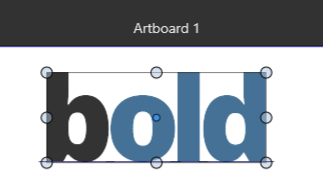
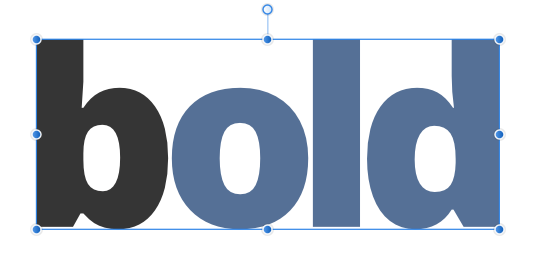
            C goes from rgb(135,165,88) to rgb(195,212,164)
            OLOUR goes from to rgb(186,58,58) to rgb(223,141,141)
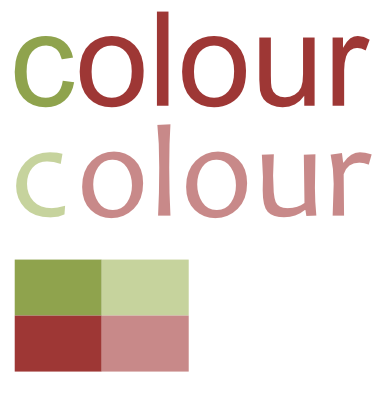
            0_1662552162054_63e0c02e-3a76-4799-9cae-2d3f01ee53f1-image.png

            🍏 macOS Sequoia Apple Silicon

            1 Reply Last reply Reply Quote 0
            • IngolfI Offline
              Ingolf
              last edited by

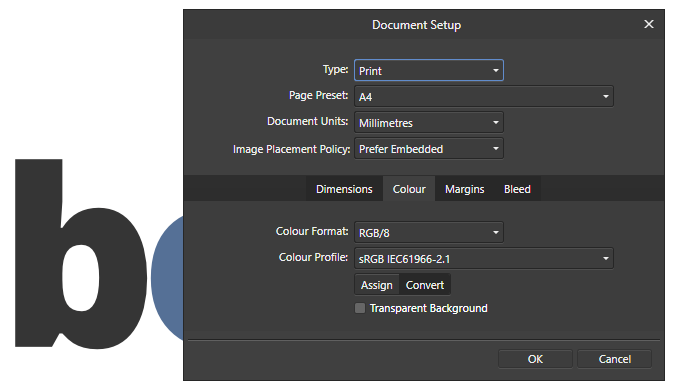
              A circular copy paste trip between Affinity and VS results in more and more fading:
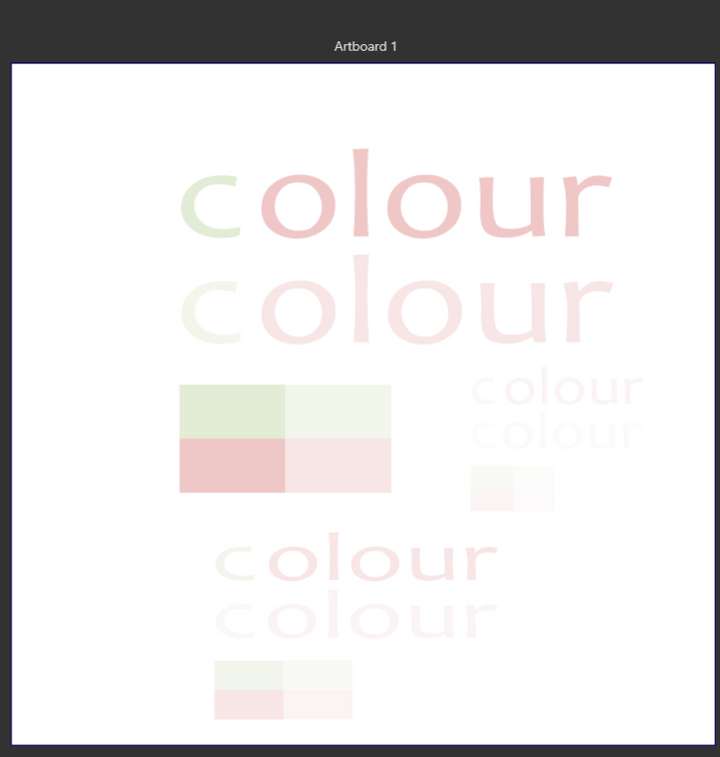
              0_1662552561624_3aea1d49-7387-40ca-86b8-5091a3ccb0f8-image.png

              🍏 macOS Sequoia Apple Silicon

              1 Reply Last reply Reply Quote 0
              • VectorStylerV Offline
                VectorStyler @Ingolf
                last edited by

                @Ingolf I think the VS file upload on file.io has timed out, send me the file by email.

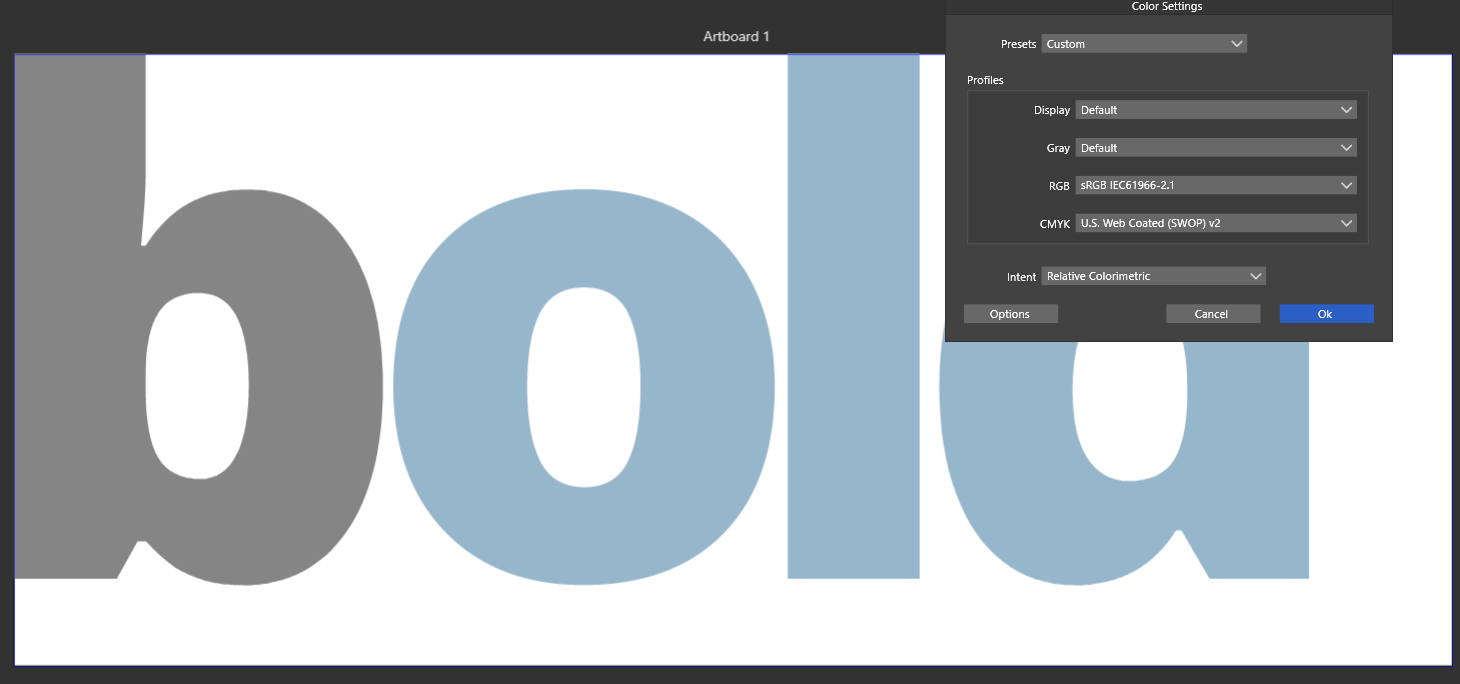
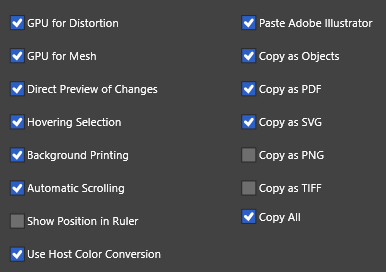
                Pasting the SVG code from these posts seem to work fine here.

                But there might be some color settings that could cause this.

                IngolfI 1 Reply Last reply Reply Quote 0
                • IngolfI Offline
                  Ingolf @VectorStyler
                  last edited by

                  @VectorStyler said in Color difference clipboard vs VS:

                  @Ingolf I think the VS file upload on file.io has timed out, send me the file by email.
                  Pasting the SVG code from these posts seem to work fine here.
                  But there might be some color settings that could cause this.

                  Mailed

                  🍏 macOS Sequoia Apple Silicon

                  1 Reply Last reply Reply Quote 1
                  • IngolfI Offline
                    Ingolf
                    last edited by

                    This is very weird:

                    • Copy whatever from Affinity to VS via clipboard and the colors are faded (and values changed)
                    • Then paste the clipboard SVG to an editor, copy SVG code from editor, and paste it into VS and the colors are now accurate
                    • The object is tiny though

                    Video link and images mailed to you in 5 mins.

                    🍏 macOS Sequoia Apple Silicon

                    1 Reply Last reply Reply Quote 0
                    • IngolfI Offline
                      Ingolf
                      last edited by

                      Structure of clipboard after copy from Affinity:
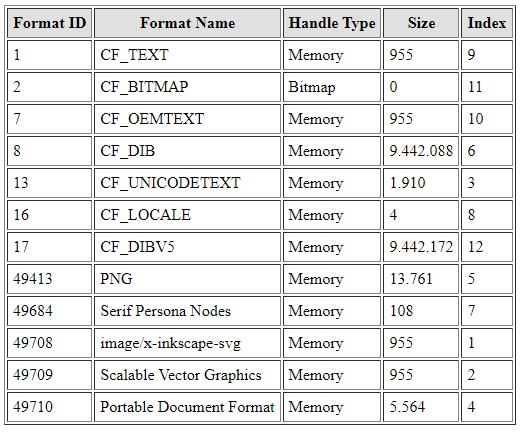
                      0_1662580659311_5ce7be8a-5468-480d-9b7f-79c9157ac443-image.png

                      🍏 macOS Sequoia Apple Silicon

                      1 Reply Last reply Reply Quote 0
                      • IngolfI Offline
                        Ingolf
                        last edited by Ingolf

                        Copying this from CorelDRAW (A4) (the colors are same as in Affinity, I copied the object from Affinity):
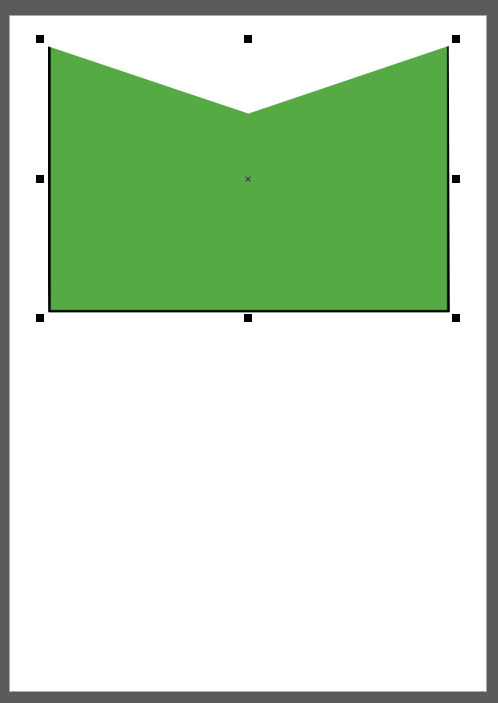
                        0_1662582672394_a9f1cbb8-66a2-4710-992d-50acbeab99ce-image.png

                        looks like this pasted into VS:

                        0_1662582765107_6c8ab0ee-c562-4574-886a-b831b8c3a8a5-image.png

                        DPI mismatch? Anyway the shape has the correct color here, interesting, but the content looks weird. But still, in this case the color values are not modified.
                        0_1662582882304_09ede71a-56a7-4ef0-b55a-2055d26fdd2a-image.png

                        🍏 macOS Sequoia Apple Silicon

                        b77B 1 Reply Last reply Reply Quote 0
                        • b77B Offline
                          b77 @Ingolf
                          last edited by b77

                          @Ingolf The last one looks like the fill was rasterized by CDR before being placed in the clipboard.

                          MacBook Pro (Intel) running Monterey 12.6.4

                          IngolfI 1 Reply Last reply Reply Quote 0
                          • IngolfI Offline
                            Ingolf @b77
                            last edited by

                            @b77 said in Color difference clipboard vs VS:

                            @Ingolf The last one looks like the fill was rasterized by CDR before being placed in the clipboard.

                            I think you are right:
                            0_1662587991188_1a3552ff-423e-4824-b1e1-6141ba8fb8d0-image.png

                            🍏 macOS Sequoia Apple Silicon

                            1 Reply Last reply Reply Quote 1
                            • IngolfI Offline
                              Ingolf
                              last edited by Ingolf

                              Well, seem to be issue with the Affinity format in the clipboard, regular SVG from clipboard like this is not affected:

                              <svg height="900" width="900">
                                <ellipse cx="400" cy="60" rx="400" ry="150" style="fill:rgb(85,170,68);stroke:blue;stroke-width:1" />
                              </svg>
                              

                              But the RGB colors in the Affinity SVG in the clipboard are all correct.

                              🍏 macOS Sequoia Apple Silicon

                              VectorStylerV 1 Reply Last reply Reply Quote 0
                              • VectorStylerV Offline
                                VectorStyler @Ingolf
                                last edited by

                                @Ingolf Got the files, I will try to replicate this issue.

                                1 Reply Last reply Reply Quote 0
                                • VectorStylerV Offline
                                  VectorStyler @Ingolf
                                  last edited by

                                  @Ingolf This issue should be fixed in build 1.1.062

                                  1 Reply Last reply Reply Quote 0
                                  • First post
                                    Last post