VectorStyler
    • Categories
    • Unread
    • Recent
    • Tags
    • Popular
    • Register
    • Login

    Odd Trim and Join results.
    Scheduled Pinned Locked Moved Questions and Support
    3 Posts 2 Posters 3.3k Views 2 Watching
    Loading More Posts
    • Oldest to Newest
    • Newest to Oldest
    • Most Votes
    Reply
    • Reply as topic
    Log in to reply
    This topic has been deleted. Only users with topic management privileges can see it.
    • IgullI Offline
      Igull
      last edited by

      Hi
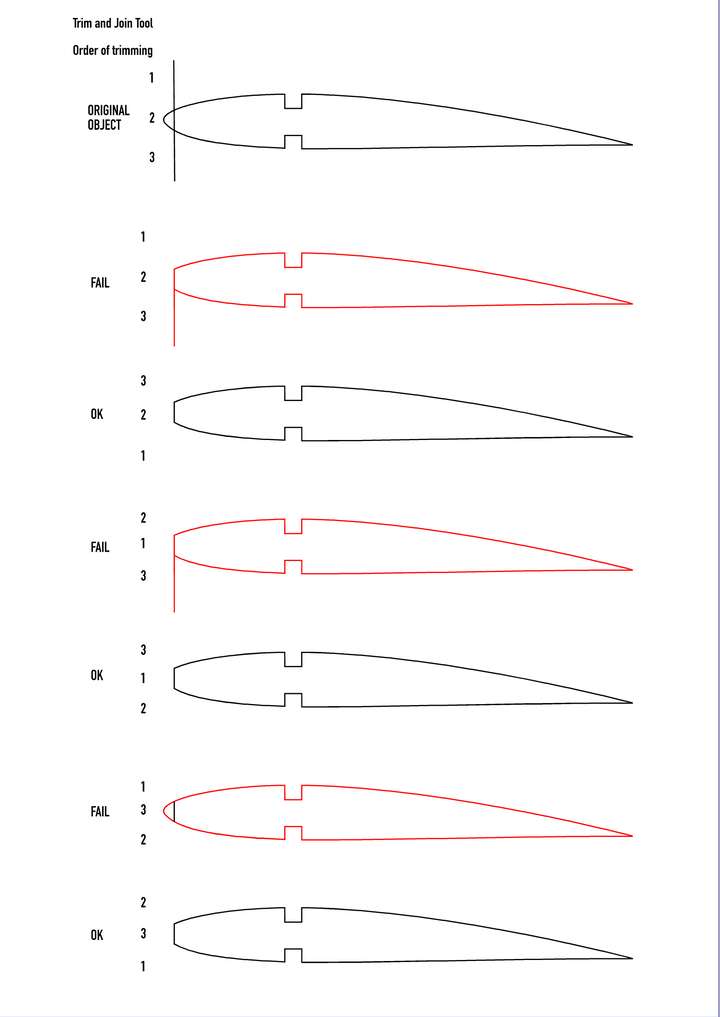
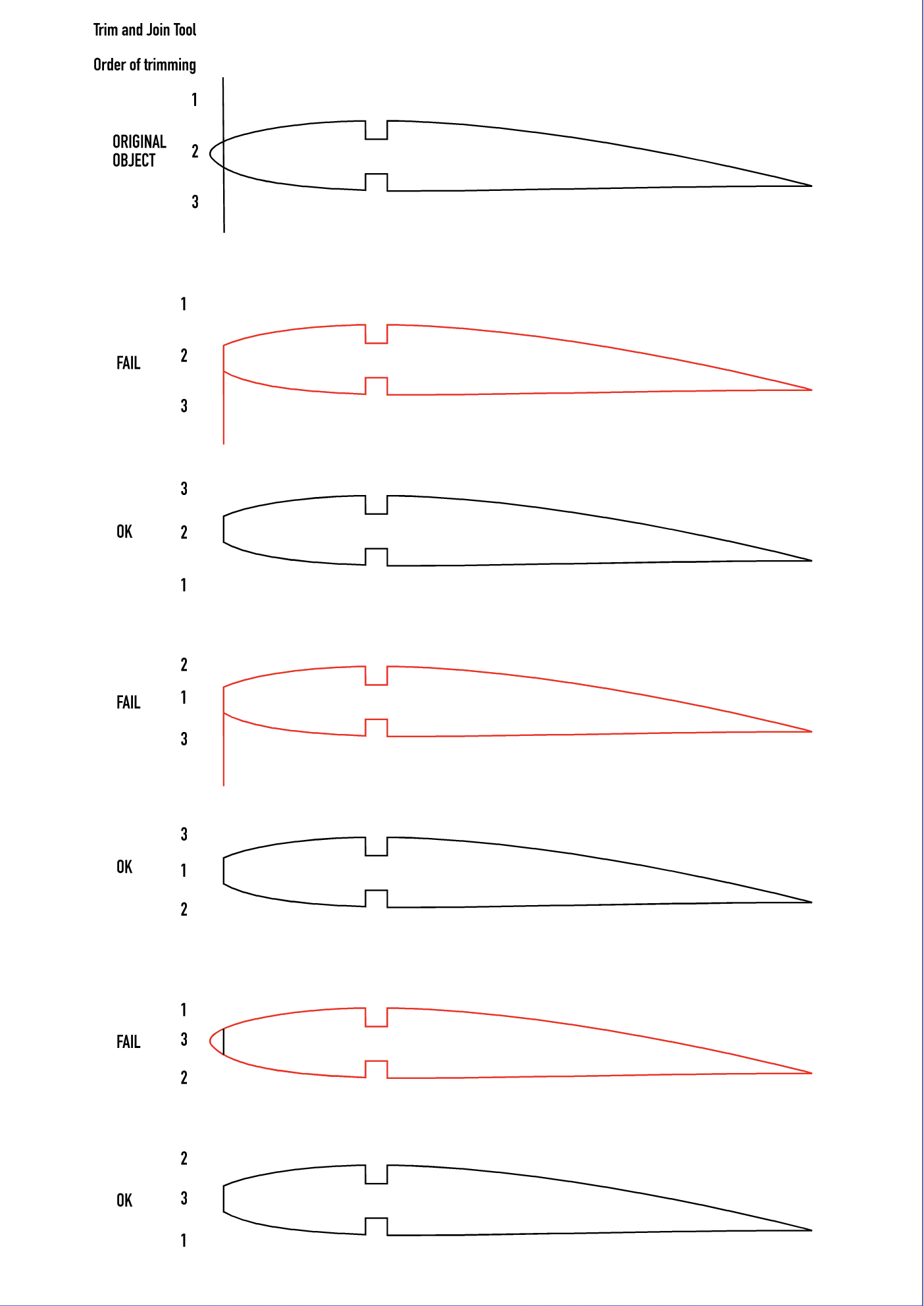
      I've attached a VS file to play with and a PNG to show.
      It's a simple thing, just using a line to trim an object to. It seems that the order of trimming using the Trim and Join tool is important and produces odd results if not done in the "correct" order.
      You can see the objects that are trimmed OK and the ones that fail.

      Any ideas - or is it a bug ?

      Neil

      0_1658173898530_Trim Tester.png

      0_1658173936949_Trim Tester.vstyler

      iMac 27" 2015 Catalina 32Gb, MacBook Pro 13" 2016 Monterey 8Gb, Mac Mini M2 2023 8Gb

      VectorStylerV 1 Reply Last reply Reply Quote 1
      • VectorStylerV Offline
        VectorStyler @Igull
        last edited by

        @Igull This looks like a bug, and can be replicated easily here also.
        What happens is that after some trims, the intersection points are not found.
        I will try to fix this ASAP.

        For this type of work, the shape builder tool will also work, hold Option and paint over segments or regions to remove.

        IgullI 1 Reply Last reply Reply Quote 0
        • IgullI Offline
          Igull @VectorStyler
          last edited by

          @VectorStyler
          Thanks for that, I'll look at the shape builder tool also.
          Neil

          iMac 27" 2015 Catalina 32Gb, MacBook Pro 13" 2016 Monterey 8Gb, Mac Mini M2 2023 8Gb

          1 Reply Last reply Reply Quote 0
          • First post
            Last post