Artboard Placement Y-axis issue
-
Hi,
Artboard placement lead to an unexpected error.
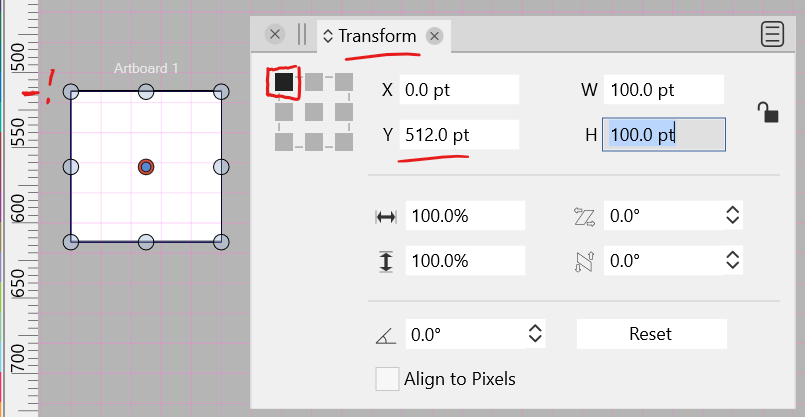
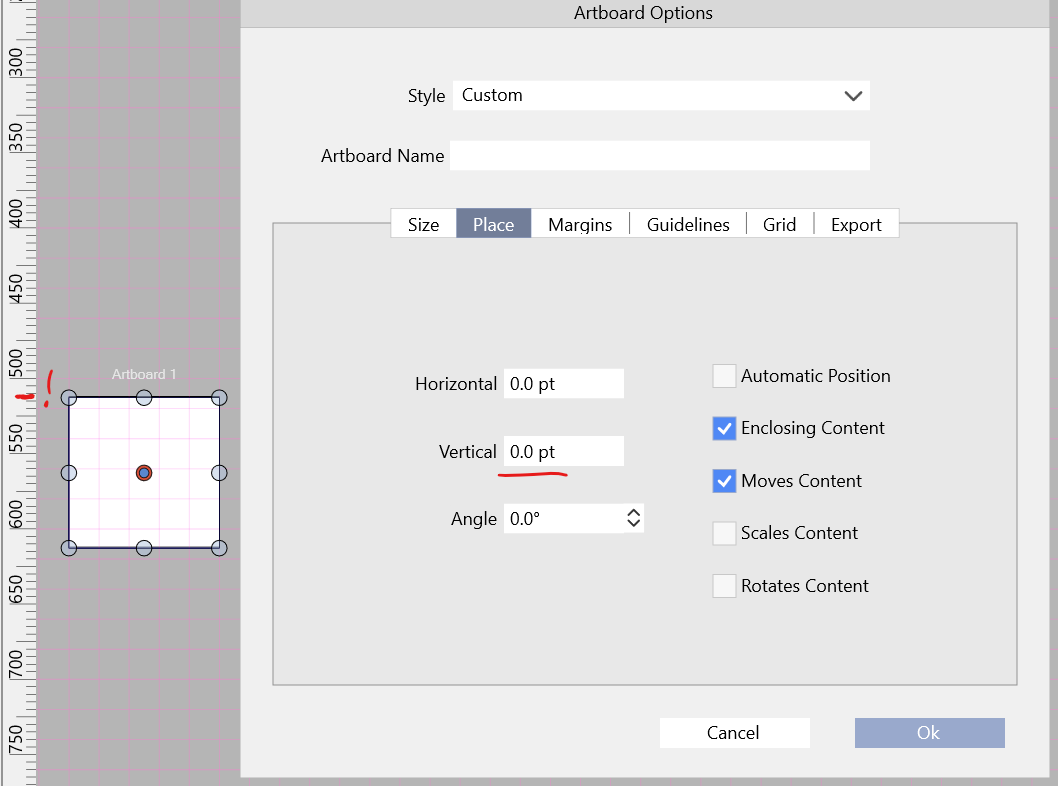
Created a 100 x 100 pt. artboard, in the Transform Panel, set the Transform Panel's origin point to the upper left. From the Canvas Panel access the Artboard Options:
As you can see, when a 100 x 100 pt. artboard is set to a 0 pt. vertical placement (Y-axis) it displays 0 pt. in the Artboard Options.
- Selecting the Artboard with the Artboard Editor Tool, accessing the Transform Panel, having the origin point set to the upper left, shows the artboard as being 512 pt. on the Y axis.
- Switching the value back to zero in the Transform Panel will show it incorrectly in the Artboard Options.
- Switching the value back to zero in the Artboard Options will show it incorrectly in the Transform Panel.
Here is my sample file: 0_1650550024440_Artboard placement.vstyler
-
@Victor-Vector I will add this to the backlog. The issue is probably caused by the top-down coordinate mode.
Also: the Artboard Options view always shows the bottom-left corner position (origin) of the artboard, regardless what is selected in the transform panel. -
@vectoradmin I appreciate that you offer the two types of coordinate modes (If users are looking for this option, it is located in File > Document Setup > General under Top-Down Coordinates).
So, typing aloud, just to make sure I got this correct, Top-Down Coordinates checked means that positive numbers increase as the Y-axis goes "down".
- This option can be more intuitive for desktop publishing and print outputs since a multiple page layout usually flows from left-right, top-bottom.
- But in the mathematical graphing world, the positive numbers increase as the Y-axis goes "up".
Again, nice to have the options; I see value with both modes!
With regard to the Artboard Options > Place view always showing the origin from the bottom-left corner origin of the artboard, I would suggest three options for user clarity:
- In the Artboard Options > Place view add some text near the Horizontal and Vertical fields that says something like: "Origin point: bottom-left corner."
- Or, have the origin automatically switch in the Artboard Options > Place view when File > Document Setup > General > Top-Down Coordinates is checked.
- Or, have one of those object origin gizmos (is that the proper terminology?!) in the Artboard Options > Place view, near the horizontal and vertical numeric fields.
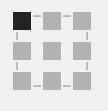
-
@Victor-Vector This problem should be fixed in 1.1.048

