Paths and straight lines
-
I always use a single handle for my bezier paths and straight lines .
Inkscape uses ( and hold ) the shift key and clik anywhere to get straight lines , in vectorstyler we use alt .
The way it works in vectorstyler is a bit off putting when doing straight lines
In inskcape we click(mouse down ) and hold drag to draw the bezier curve , let go of the mouse button so we can freely decide where to put our end point , click again and the curve is created , for straight lines we just click
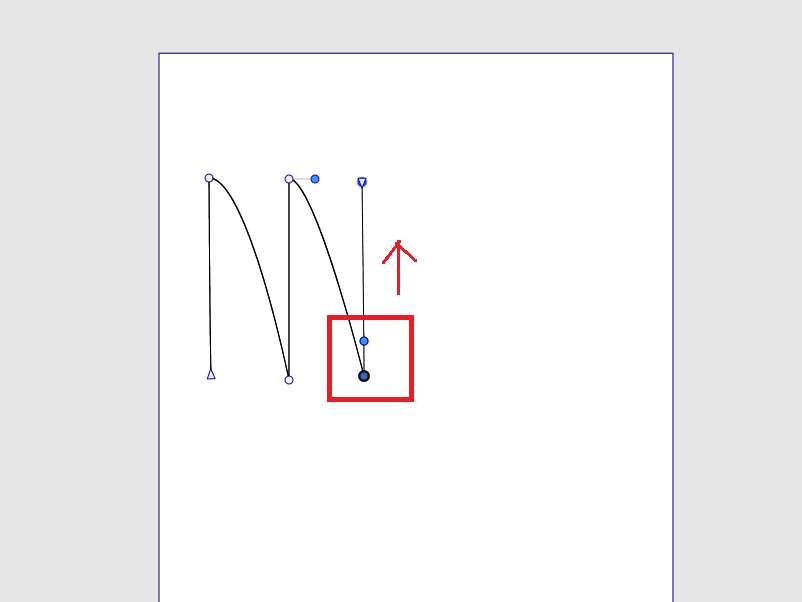
In vectorstyler the main issue is when doing straight lines , it only works when there is a bezier path ( see screenshot ) present.
If we don't define a bezier path for straight lines , the following line can never be curved .
Just try it , draw a straight line followed by a curved line not using bezier for the straight line , it's not possible

-
@gentlecl This looks like a bug in the pen tool.
-
Edit , I was wrong
There is way to make a curved line after a straight segment .
Click and drag on the last point ( of the straight line ) to pull out the bezier handle .
I still think it's one step to many , but glad I got it sorted
