Breaking Node Handles with ALT while using the Pen Tool
-
Hello,
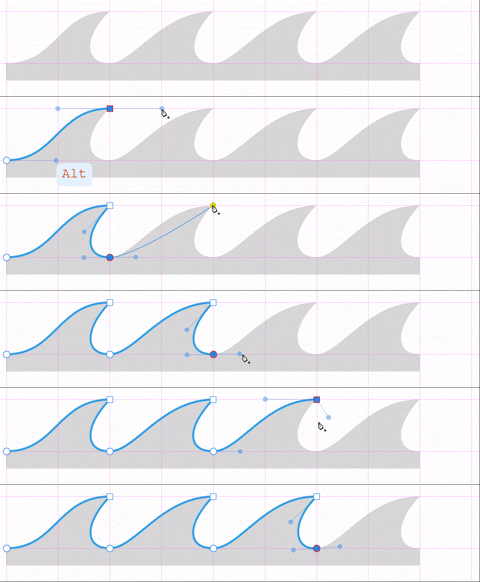
There was another post around ideas for Pen Tool behaviour, where I slightly-off-topic mentioned this and it did not get proper exposure it deserves, so I thought I would formally address it here. If this is already on the backlog as a feature, I apologise for not discovering it.Breaking node handles by holding down the ALT key while drawing with the pen tool is a feature I really miss in VectorStyler. I remember way back when I first learned Adobe Illustrator and a seasoned veteran taught me the value of exploring the modifier keys while drawing and tracing with the Pen Tool; it was a total game changer! When I switched to Affinity Design I was so glad the feature was part of the Pen Tool as well. I cannot stress how utterly useful this feature is when drawing.
Please consider adding the ability to break the node handles by holding down the ALT key while drawing with the pen tool.
Thank you -
@Victor-Vector This should already exists in the Pen tool. I just tested it both on Windows and Mac and it seems to be working (with Alt).
Here, if I press the mouse and start dragging, the handle is symmetric, but then if I press Alt, the handle becomes cusp.If it is not working for you, then it could be a bug.
-
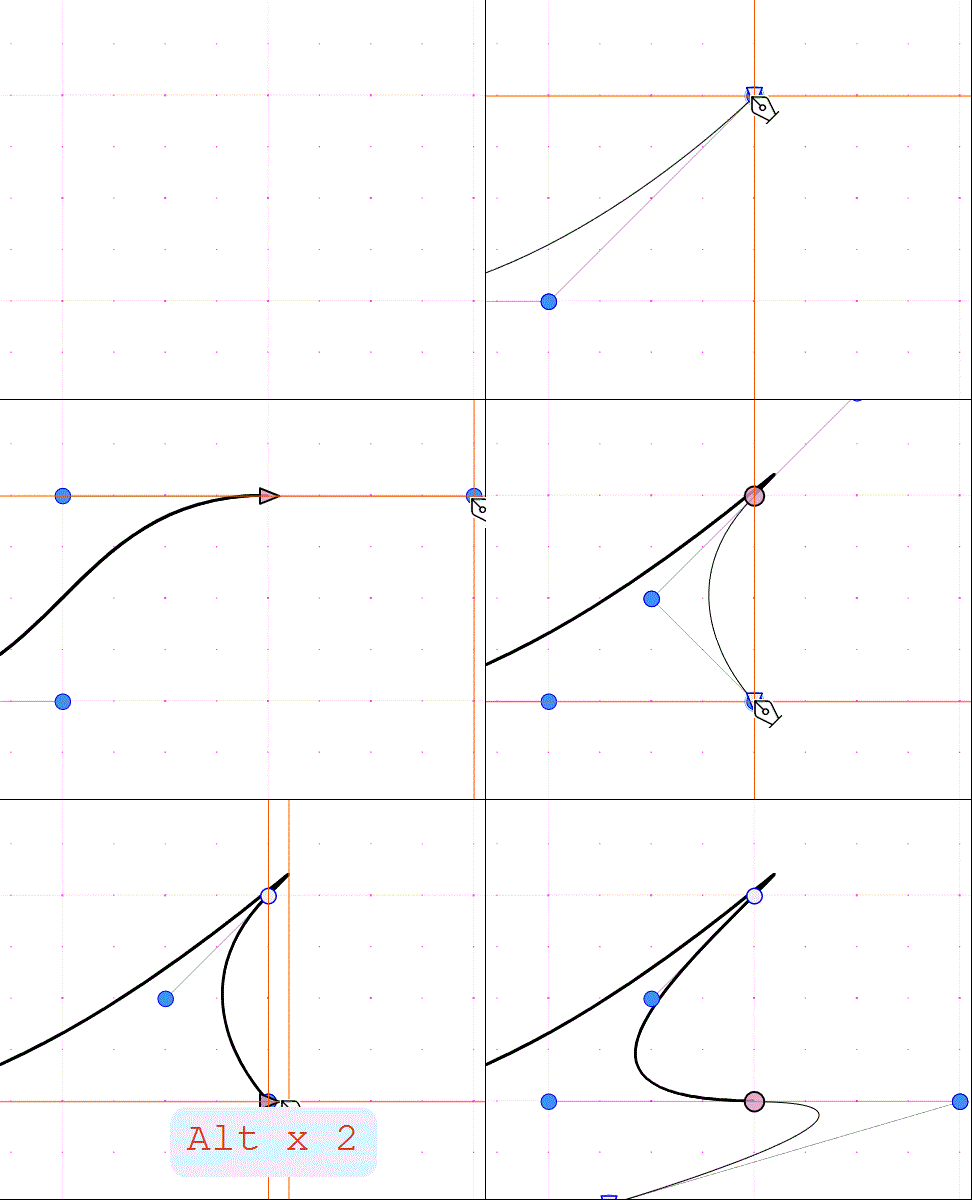
@vectoradmin I must have some odd setting, perhaps something in Preferences > Modifier Keys? The ALT key does not become a cusp ("break" the handles as I put it).

Here it is in VectorStyler:
-
@Victor-Vector said in Breaking Node Handles with ALT while using the Pen Tool:
@vectoradmin I must have some odd setting
It also looks like it is drawing quadratic curves initially. On Windows, the VS settings (and workspace options) are stored in c:\Users<username>\NumericPath\VectorStyler\vector\data\resources\ folder. This contains the settings.xml and workspace.xml storing the VS options, panel positions and other panel state info.
Could you check if these files exists, and if so you could send these to be so I can look at what are the VS settings used.
-
@vectoradmin Thank you for looking into this issue. I sent you the files via email.
-
@Victor-Vector said in Breaking Node Handles with ALT while using the Pen Tool:
@vectoradmin Thank you for looking into this issue. I sent you the files via email.
Got the files, and I could use them on Windows to have the same config.
But for me the Alt key is working as expected. Clarification: the Alt key should be pressed after the mouse is pressed and the handle is dragged.
I will look more into the differences in the settings. -
@Victor-Vector One thing to try is to backup the settings and workspace xml files, and delete them (while VS is not running), and then starting VS will have the default settings.
Then try the Pen tool Alt+ mode in this default mode. -
@Victor-Vector More info: holding Alt+Gr will not work.
-
@vectoradmin Correct. I click to create the node while simultaneously dragging the handle. Once the handle is in position, I hold down ALT to hopefully change it to a cusp but it does not work. I am essentially doing the same procure as I would in Affinity Design to break the handle, feeling that you might have used AD before and would know what that is like.
Interestingly, I saved my settings.xml and workspace.xml files and then deleted them so VS would go back to default and tried the pen tool again. Unfortunatley I get the same behaviour, even checked the Preferences > Modifier Keys > "Cusp Corner in Pen tool" which is set to ALT. I also noticed that the "Cusp Corner in Node tool" was also ALT. I tried the Node tool as well and it did not work.Edit: Oh! I just had a hunch! Some software distinguishes between left ALT vs right ALT (not to be confused with Alt Right, haha) I tried using the Left ALT and it works!! Right Alt does not work!
So you caught me, I am a left-hander using my mouse in the left hand with my free hand pressing the right ALT key. This does not work...

Would you kindly consider compatibility for all those left hand mouse users and enable the Right ALT key for operations? Our minority would thank you

-
@Victor-Vector I got to fix the right alt issue.

