VectorStyler
    • Categories
    • Unread
    • Recent
    • Tags
    • Popular
    • Register
    • Login

    Restoring default brush pack
    Scheduled Pinned Locked Moved Questions and Support
    2 Posts 2 Posters 3.1k Views 1 Watching
    Loading More Posts
    • Oldest to Newest
    • Newest to Oldest
    • Most Votes
    Reply
    • Reply as topic
    Log in to reply
    This topic has been deleted. Only users with topic management privileges can see it.
    • BoldlineB Offline
      Boldline
      last edited by

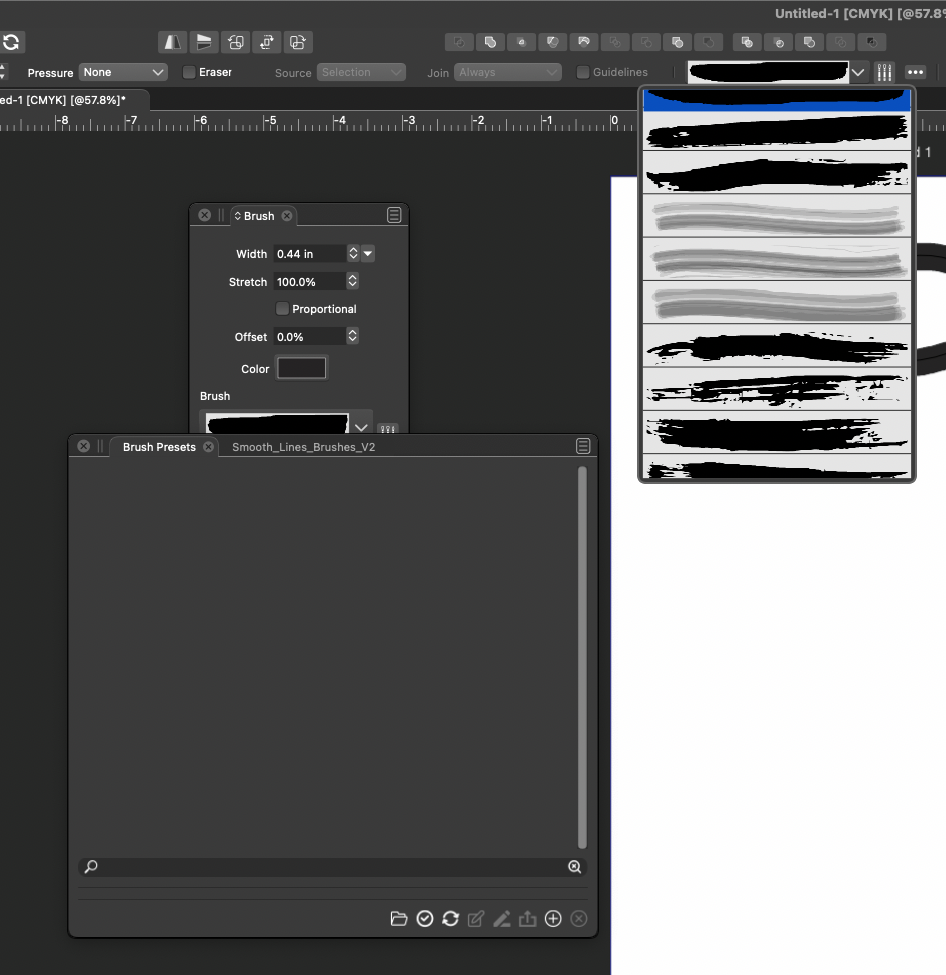
      I was playing around and I closed the default brush pack that comes with Vs - but I get the sense it got deleted. I'm sure I can grab a copy of it from another computer of mine with VS on it, but was curious if there was a certain place to look to find the default VS brush set in the application files.
      I can still pull up the brushes from contextual tool bar so I know they exist somewhere
      0_1639757618212_Screen Shot 2021-12-17 at 11.06.06 AM.png

      🍎 macOS Tahoe 26.2, Mac mini (M1, 2020), Chip Apple M1, Memory 16 GB
      Cintiq 27QHD Display and LG Ultra HD Display

      VectorStylerV 1 Reply Last reply Reply Quote 0
      • VectorStylerV Offline
        VectorStyler @Boldline
        last edited by

        @Boldline Those got hidden. The Brush Presets panel menu has a Reveal Hidden Presets command. (same works for other Preset panels).


        1 Reply Last reply Reply Quote 0
        • First post
          Last post