VectorStyler
    • Categories
    • Unread
    • Recent
    • Tags
    • Popular
    • Register
    • Login

    Every second (or so) font do not display in VS viewport
    Scheduled Pinned Locked Moved Questions and Support
    2 Posts 2 Posters 3.6k Views 2 Watching
    Loading More Posts
    • Oldest to Newest
    • Newest to Oldest
    • Most Votes
    Reply
    • Reply as topic
    Log in to reply
    This topic has been deleted. Only users with topic management privileges can see it.
    • RaaskotR Offline
      Raaskot
      last edited by Raaskot

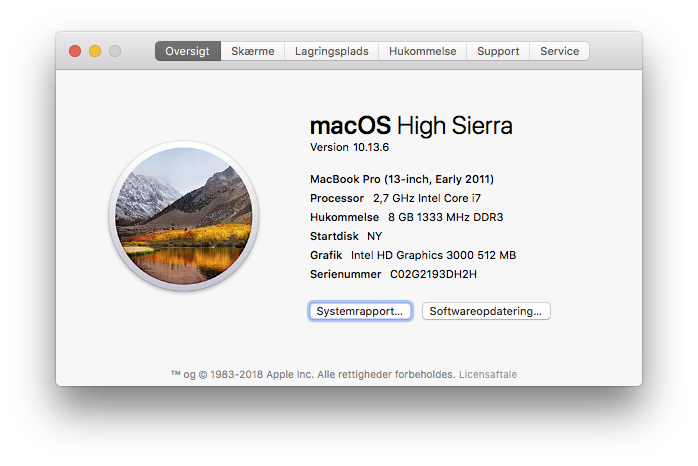
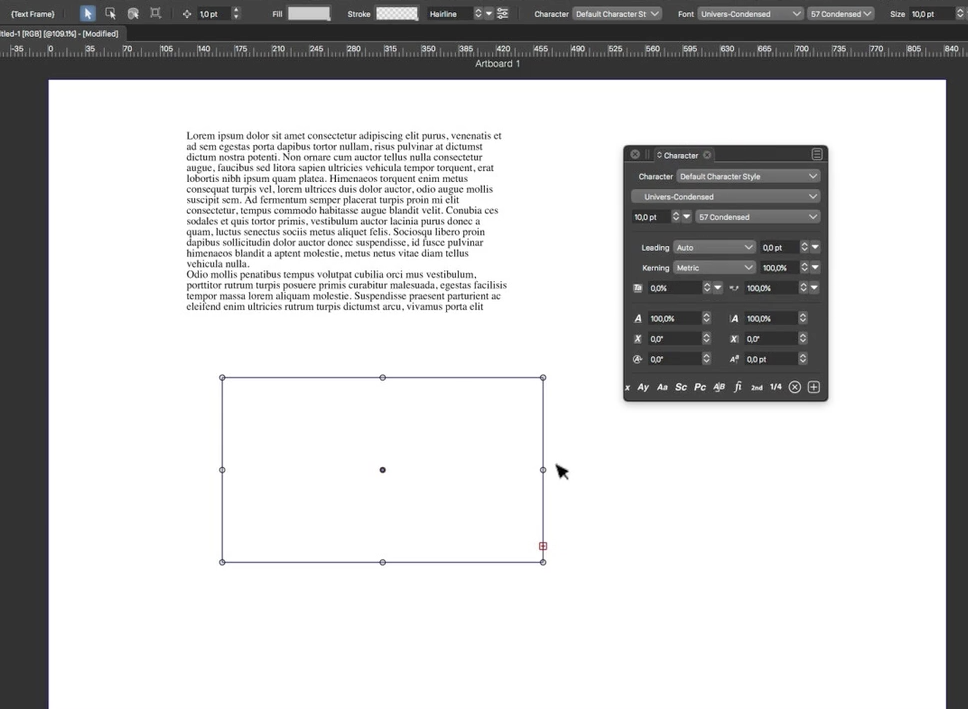
      I just realized that just every second font on my system list is showing up in the text objects and display lags terribly. What is the problem and how can I make it work!?

      0_1645950151372_7ba16c08-1718-4b91-8a2f-4ceed9e4486f-billede.png
      0_1645951294398_Skærmbillede 2022-02-27 kl. 09.41.18.png

      Video (example with Univers Condensed on display on VectureStyler and Mac Text app):
      https://www.jottacloud.com/s/127f67b7eb50ffe40c0a70118c32ca731eb

      File:
      https://www.jottacloud.com/s/127234606a8e5be4bfa9885abfbd33e4752

      VectorStylerV 1 Reply Last reply Reply Quote 0
      • VectorStylerV Offline
        VectorStyler @Raaskot
        last edited by

        @Raaskot I could not replicate the issue.
        It could be caused by the specific font. I tried to find Univers Condensed (and TradeGothic also) but the versions I got worked.

        If you could send me by email (csraba at vectorstyler.com) a font for which the text box is empty, that could help replicating the issue (font will be deleted once the bug is fixed).


        1 Reply Last reply Reply Quote 1
        • First post
          Last post