Offset Path Low Opacity Return to 100% When Completed
-
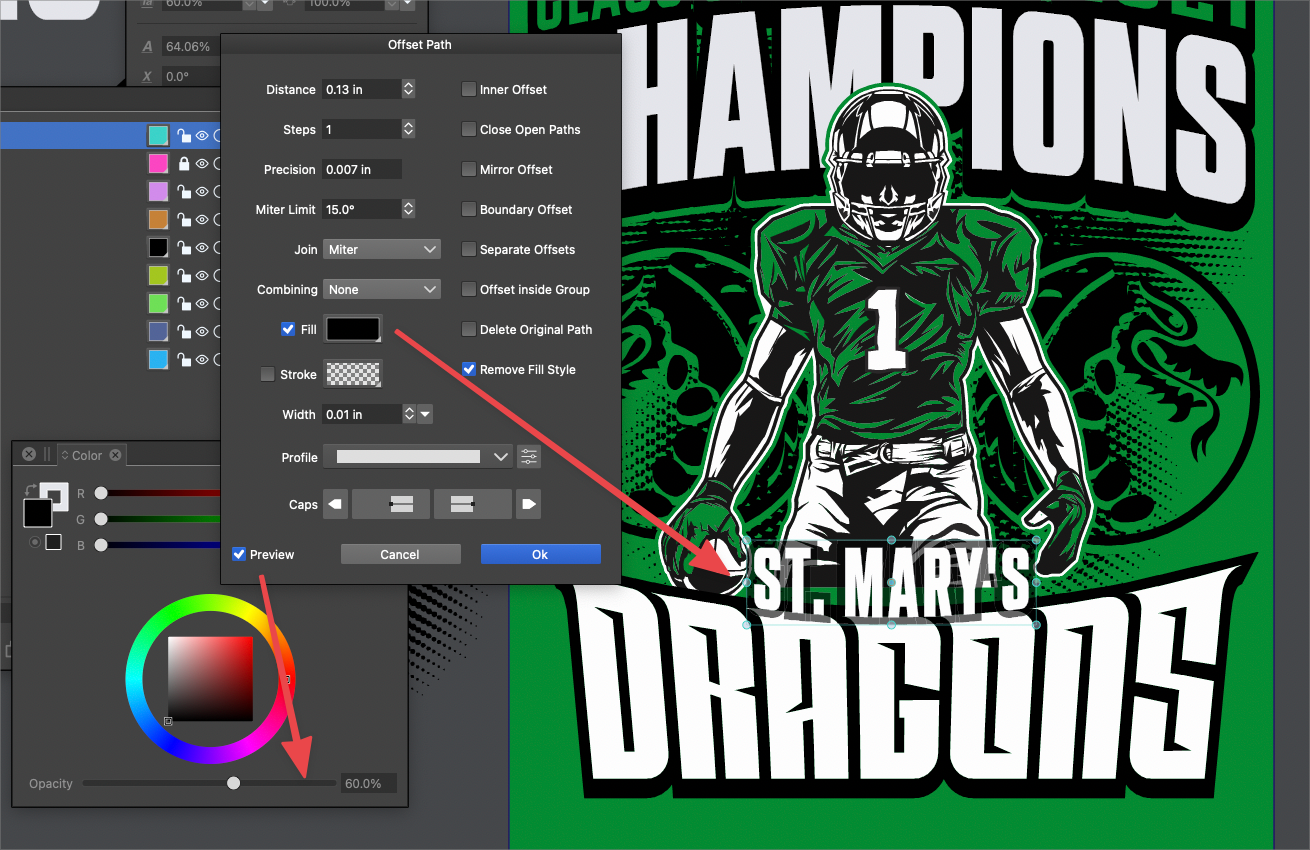
One of the things I really love in Offset Path in VS is the secondary click on the preview checkmark to get a lowered opacity preview of how the offset path will look prior to committing to it.
However, if I use this feature, unless I change it back afterward to the regular preview, my final result will be at 60% opacity and I have to pull the opacity bar back up to 100% again each time. That to me is unnecessary extra steps. It would make more sense to me, that the offset path automatically return to 100% opacity since that is typically where it started out from when the original share was selected. I don't know if maybe the rule is that the end result mimics the opacity of the initial selected shape being given the offset path treatment? So if the source shape is at 90%, even if you do the low opacity preview inside the Offset Path panel, it will output back at 90% upon completion. Same is true of shapes that begin at 100% opacity and the low-opacity preview is used - the final result is at 100% automatically

-
@Boldline This looks like a bug. It should return to 100%, and if I try to replicate it, and it did return to 100%.
I wonder if this is again an issue that requires a restart.
If there is some example that would help replicating it, please send it by email. -
@vectoradmin Yes restarting solved it. Sorry about that.
-
@Boldline I got to get to these (need for) restart issues at some point.
-
@vectoradmin Do them right after you add in all the updates and additions I have requested!
 just kidding. I'm always excited for the new features, additions and improvements to be added to VS. It seems at some point, doing a major under the hood upgrade focus in itself becomes a vital "feature".
I always preface my replies to software development topics by saying I don't know anything about how that works - how much time it takes to do those edits or how much effort. I don't know if what needs to be done to fix the issues requiring frequent restarts of the program, or removing workspace files occasionally or clearing out preferences upon re-opening at other times are generic tasks or as small and specific as bug fixes. Is it the kind of fix that will take weeks or more to do? Is there a time in your overall plan when that kind of dedicated attention and upgrade would most help VS?
From my viewpoint, you're at the opposite position from Affinity in this way. VS has a massive powerful accumulation of features, tools and options but has need for some admitted improvements under the hood. Affinity has a smooth and usually stable user experience, but lacks most of what VS offers in features tools and the like. Even Affinity took a cycle specifically to focus on the code, the speed, efficiency and stability improvements to their software.
From my experience using VS, the further into using it for a project I go, the more likely a restart is needed. I've made VS my primary work program and so having a smooth and expected user experience is more important to me than before when I was primarily experimenting.
I would welcome and completely understand if you took the time to do those fixes.I don't know if this ties in with the restart issues or is completely separate, but one of the common concerns I've noticed mentioned from those testing VS for the first time is that is feels a little clunky and slow in the UI. I can see how the VS UI has improved over the last year. When I use VS, the UI does not slow me down, but I can notice a different feel if I jump over to Affinity. If this is not tied in to the restart issues, I would suggest this be made an important thing to focus more on. Just my thoughts.

