VectorStyler
    • Categories
    • Unread
    • Recent
    • Tags
    • Popular
    • Register
    • Login

    Bezigon Tool

    Scheduled Pinned Locked Moved Features and Ideas
    87 Posts 8 Posters 10.2k Views 8 Watching
    Loading More Posts
    • Oldest to Newest
    • Newest to Oldest
    • Most Votes
    Reply
    • Reply as topic
    Log in to reply
    This topic has been deleted. Only users with topic management privileges can see it.
    • DanielD Offline
      Daniel @Daniel
      last edited by

      dcfc2c0a-9361-4499-b853-10756a5215f2-image.png

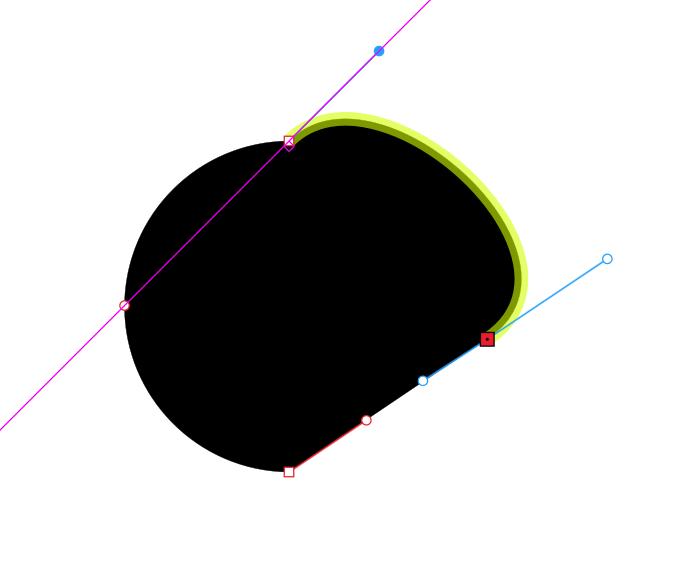
      So happy! I drew that in 10 seconds! Notice them little locks. So cute.

      Work: Windows 11 | Intel i9 14900HS (24 Cores/32 Threads) | GeForce RTX 4070 | 64 GB RAM
      Personal: Windows 11 | Amd Ryzen 9 7950X (16 Core, 32 Threads) | GeForce RTX 3060 | 32 GB RAM

      signalwerkS BoldlineB DanielD 3 Replies Last reply Reply Quote 1
      • signalwerkS Offline
        signalwerk @Daniel
        last edited by

        @Daniel Thank you for your explanation and your work! That all sounds super exciting. Since I don't have a Windows computer, I can't run your test, but I will definitely have a look at the new code and probably adapt the online editor I made to the new version.
        I understand that you don't want to open a GitHub account. It was just a suggestion to maximise the impact. But now that I've found this thread, I'll follow along here.

        1 Reply Last reply Reply Quote 1
        • BoldlineB Online
          Boldline @Daniel
          last edited by

          @Daniel I tried the bezigon playground simulator. The key commands for each type of node felt very natural; smooth with a shift-click, tangent with a control-click, a corner with the regular click and no modifier. I'd love to see the bezigon tool set up this way in VS

          🍎 macOS Tahoe 26.2, Mac mini (M1, 2020), Chip Apple M1, Memory 16 GB
          Cintiq 27QHD Display and LG Ultra HD Display

          DanielD 1 Reply Last reply Reply Quote 2
          • DanielD Offline
            Daniel @Boldline
            last edited by

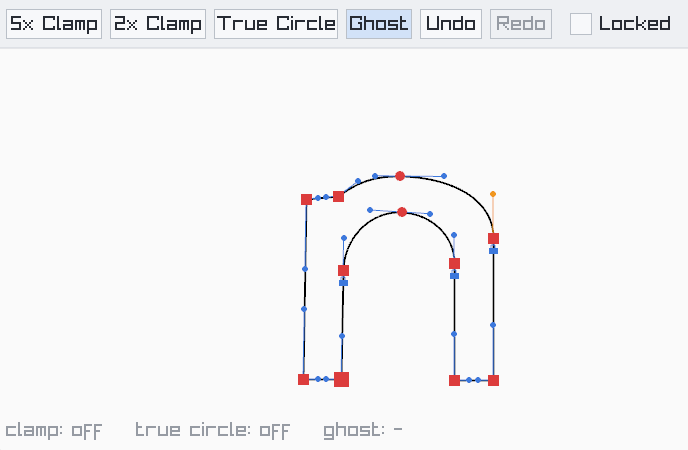
            @Boldline: Did you try the true circle mode? You can toggle that on along with ghost lines. Now you'll get circular arcs instead of Bezigon approximations. Like in Spiro. πŸ™‚

            Work: Windows 11 | Intel i9 14900HS (24 Cores/32 Threads) | GeForce RTX 4070 | 64 GB RAM
            Personal: Windows 11 | Amd Ryzen 9 7950X (16 Core, 32 Threads) | GeForce RTX 3060 | 32 GB RAM

            BoldlineB 1 Reply Last reply Reply Quote 0
            • BoldlineB Online
              Boldline @Daniel
              last edited by

              @Daniel How do I turn on true circle and ghost mode in the simulator website version?
              Also, it would be cool if the examples to trace and follow could remain on screen at a low opacity view to trace over instead of disappearing
              Another thought on the bezigon tool, especially for type design: should we add the ability to constrain BΓ©zier handles to the horizontal and vertical axes, snapping to 90Β° increments? Thought of it when looking at your example of an "n" shape and some of the handles were not straight (I understand it was a fast rough example you made)

              7b76dfcc-be28-4c59-8889-db94dcfa6c16-CleanShot 2026-10-28 at 10.49.28 AM.png

              🍎 macOS Tahoe 26.2, Mac mini (M1, 2020), Chip Apple M1, Memory 16 GB
              Cintiq 27QHD Display and LG Ultra HD Display

              1 Reply Last reply Reply Quote 0
              • DanielD Offline
                Daniel @Daniel
                last edited by Daniel

                said in Bezigon Tool:

                dcfc2c0a-9361-4499-b853-10756a5215f2-image.png

                So happy! I drew that in 10 seconds! Notice them little locks. So cute.

                @boldline: Notice the buttons at the top. Toggle it on. Also, unless you exaggerate the curves, you won't see the true circle just yet. Because Bezigon already very closely follows circle arcs.

                Angle constraint for handles. Yes. I assume it will be already a part of VS. So did not add it. Also, there should no node drawing mode where only handle are visible. It means you won't accidentally move the node.

                Additionally, top of locking node handle to chord. A very useful option, already proposed before, is the ability to lock node coordinate position. So you don't accidentally move a certain set of nodes.

                Yes, my n was just a very swift drawing. If I spent a few more minutes, I can get it right. Also, there's no ruler, no guide, no snapping in demo. In VS, all these auxiliary tools would make it supremely fast, as you can place 45 degree points perfectly.

                Work: Windows 11 | Intel i9 14900HS (24 Cores/32 Threads) | GeForce RTX 4070 | 64 GB RAM
                Personal: Windows 11 | Amd Ryzen 9 7950X (16 Core, 32 Threads) | GeForce RTX 3060 | 32 GB RAM

                BoldlineB 1 Reply Last reply Reply Quote 1
                • BoldlineB Online
                  Boldline @Daniel
                  last edited by

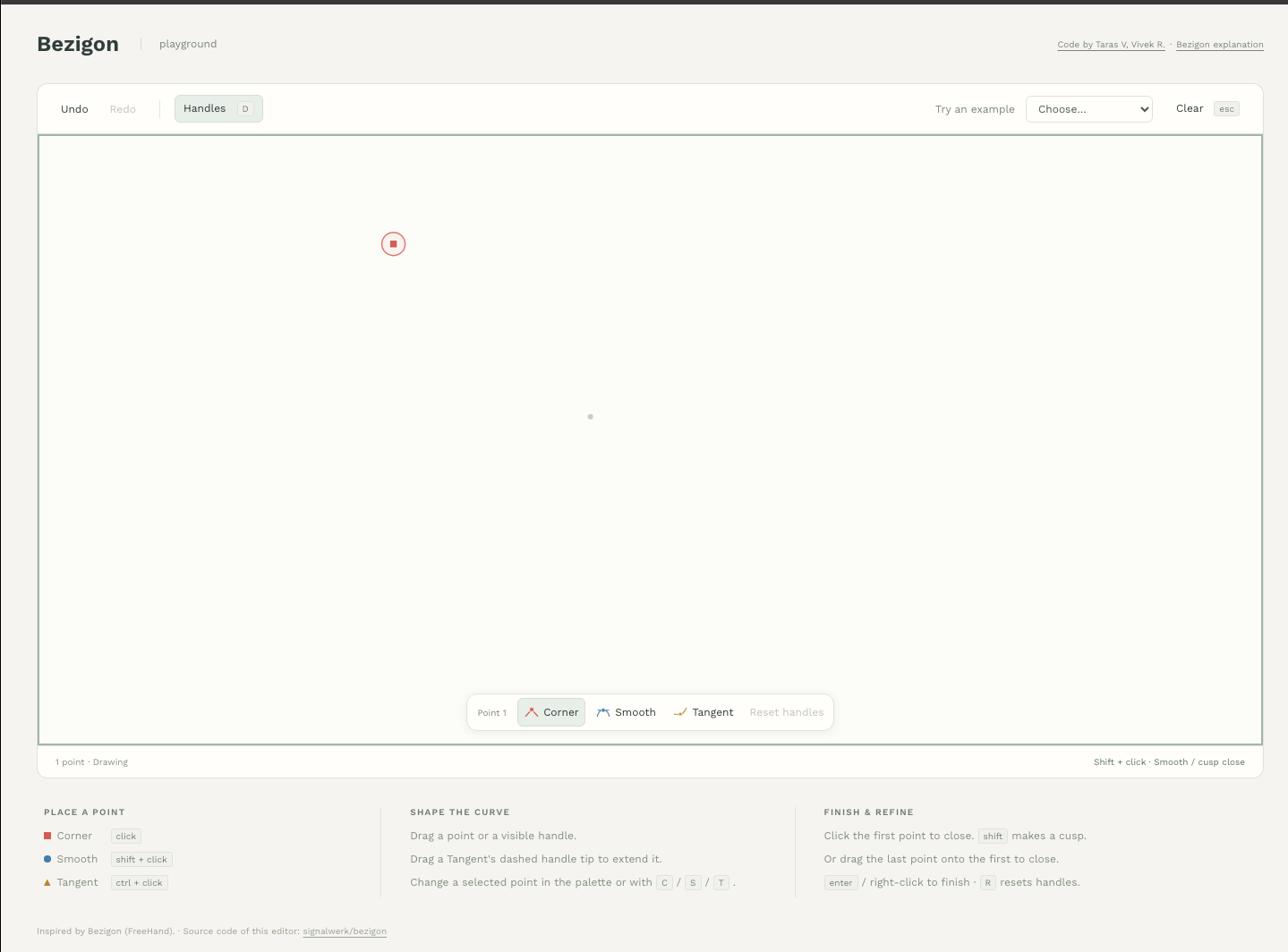
                  @Daniel I'm not seeing those options to toggle at the top (or anywhere). is there something I have to press or do?
                  c034001b-e4c5-4cde-98e6-7ccab3903601-CleanShot 2026-10-28 at 11.11.17 AM.png

                  🍎 macOS Tahoe 26.2, Mac mini (M1, 2020), Chip Apple M1, Memory 16 GB
                  Cintiq 27QHD Display and LG Ultra HD Display

                  DanielD 1 Reply Last reply Reply Quote 0
                  • DanielD Offline
                    Daniel @Boldline
                    last edited by Daniel

                    @Boldline: That's not mine. That was done by another user. https://drive.google.com/file/d/1BDM-JtO3t5E3_iCCTFpNOw5Xa4DwZwM-/view?usp=sharing - Mine is here. πŸ™‚ It's a .exe file on Windows.

                    The online one runs the 4.2.0 V with three node system. There's no ghost lines or circle mode.

                    Work: Windows 11 | Intel i9 14900HS (24 Cores/32 Threads) | GeForce RTX 4070 | 64 GB RAM
                    Personal: Windows 11 | Amd Ryzen 9 7950X (16 Core, 32 Threads) | GeForce RTX 3060 | 32 GB RAM

                    BoldlineB 1 Reply Last reply Reply Quote 0
                    • BoldlineB Online
                      Boldline @Daniel
                      last edited by

                      @Daniel oh! ok. I'll try it when I get my windows laptop out thank you!

                      🍎 macOS Tahoe 26.2, Mac mini (M1, 2020), Chip Apple M1, Memory 16 GB
                      Cintiq 27QHD Display and LG Ultra HD Display

                      1 Reply Last reply Reply Quote 1
                      • DanielD Offline
                        Daniel @VectorStyler
                        last edited by

                        @VectorStyler 6646579a-3bde-4765-a8c4-dce42d78d891-image.png

                        I found an extremely simply alternative to tangent nodes. This avoids even the need for locked nodes. You simply snap to chord. That's it. But locking would still be extremely useful.

                        Work: Windows 11 | Intel i9 14900HS (24 Cores/32 Threads) | GeForce RTX 4070 | 64 GB RAM
                        Personal: Windows 11 | Amd Ryzen 9 7950X (16 Core, 32 Threads) | GeForce RTX 3060 | 32 GB RAM

                        1 Reply Last reply Reply Quote 0
                        • First post
                          Last post