VectorStyler
    • Categories
    • Unread
    • Recent
    • Tags
    • Popular
    • Register
    • Login

    update 1.3.026

    Scheduled Pinned Locked Moved Release notes of past builds
    20 Posts 5 Posters 196 Views 4 Watching
    Loading More Posts
    • Oldest to Newest
    • Newest to Oldest
    • Most Votes
    Reply
    • Reply as topic
    Log in to reply
    This topic has been deleted. Only users with topic management privileges can see it.
    • L Offline
      Li Xiao @VectorStyler
      last edited by

      @VectorStyler

      • Fixed an error in editing text with translated UI

      this issue still requires further fixing.

      There is still an issue across all UI input fields when typing in Chinese. After Chinese characters are committed via the IME, the text remains highlighted selected. As a result, subsequent keystrokes keep replacing previously entered text unless an arrow key is pressed to deselect it.

      English input works as expected. This behavior only occurs on Windows tested across multiple Chinese IMEs with the same result and does not happen on MacOS.

      VectorStylerV 1 Reply Last reply Reply Quote 1
      • VectorStylerV Offline
        VectorStyler @Li Xiao
        last edited by

        @Li-Xiao said in update 1.3.026:

        There is still an issue across all UI input fields when typing in Chinese

        Do these issues occur when editing a text object on the canvas?

        L 2 Replies Last reply Reply Quote 0
        • L Offline
          Li Xiao @VectorStyler
          last edited by

          @VectorStyler

          Do these issues occur when editing a text object on the canvas?

          This issue does not occur on the canvas.

          However, there are two bugs with vertical text Chinese and mixed Chinese English text on the canvas that need fixing. I will try to make time over the weekend to record a video demonstrating them.

          1 Reply Last reply Reply Quote 1
          • L Offline
            Li Xiao @VectorStyler
            last edited by

            @VectorStyler Two issues here: cursor positioning and its alignment with vertical text are broken

            Vertical Text.vstyler

            https://youtu.be/vapx7PBzOUc

            VectorStylerV 1 Reply Last reply Reply Quote 1
            • VectorStylerV Offline
              VectorStyler @Li Xiao
              last edited by

              @Li-Xiao said in update 1.3.026:

              Two issues here: cursor positioning and its alignment with vertical text are broken

              This is a bug, I will try to fix it as soon as possible.

              L 3 Replies Last reply Reply Quote 1
              • L Offline
                Li Xiao @VectorStyler
                last edited by

                @VectorStyler Might as well make some improvements to Frame Text as well

                https://youtu.be/_URRsQ_dk34

                1 Reply Last reply Reply Quote 1
                • L Offline
                  Li Xiao @VectorStyler
                  last edited by

                  @VectorStyler Vertical text still has a baseline deviation issue that needs improvement: when 'Automatic Vertical Roman' is enabled, letters and numbers deviate from the baseline.

                  Vertical Roman.vstyler

                  https://youtu.be/HnGOX77g3eE

                  VectorStylerV 1 Reply Last reply Reply Quote 1
                  • L Offline
                    Li Xiao @VectorStyler
                    last edited by

                    @VectorStyler Another cursor bug in Vertical text (shown in the video): after deleting '竖排', the cursor sits between '2' and '3' instead of behind '3'.

                    https://youtu.be/EVZW0RNx9Gc

                    1 Reply Last reply Reply Quote 1
                    • VectorStylerV Offline
                      VectorStyler @Li Xiao
                      last edited by

                      @Li-Xiao said in update 1.3.026:

                      @VectorStyler Vertical text still has a baseline deviation issue that needs improvement: when 'Automatic Vertical Roman' is enabled, letters and numbers deviate from the baseline.

                      Vertical Roman.vstyler

                      https://youtu.be/HnGOX77g3eE

                      @Li-Xiao Can you send me the font used in this example. I could not replicate the problem with the fonts I have.

                      L 2 Replies Last reply Reply Quote 0
                      • L Offline
                        Li Xiao @VectorStyler
                        last edited by Li Xiao

                        @VectorStyler

                        @Li-Xiao Can you send me the font used in this example. I could not replicate the problem with the fonts I have.

                        I only have around twenty Chinese fonts installed on my computer. After testing, only a few of them stay on the baseline, while the vast majority shift off it. These same shifting fonts do not deviate from the baseline in Illustrator or CorelDraw. Here are the download links for two free for commercial use Chinese fonts that reproduce this offset for your testing.

                        https://github.com/Hansha2011/NanoTikBazHei/releases/tag/1.0

                        https://github.com/feiyangjun-1/Sumr-Sans/releases/tag/0.1

                        Vertical Roman 2.vstyler

                        There are plenty of free for commercial use Chinese fonts available here: https://github.com/zispace/hanzi-fonts-ext

                        1 Reply Last reply Reply Quote 1
                        • L Offline
                          Li Xiao @VectorStyler
                          last edited by

                          @VectorStyler
                          In version 1.3.032, testing with the roughly twenty Chinese fonts installed on my system shows noticeable improvement over before. Most are now just slightly off-center, leaning a tiny bit to the left. However, a Japanese font, Jigmo (https://kamichikoichi.github.io/jigmo/), is shifted way too far to the left.

                          There are still issues with the cursor display and its placement.

                          Arphic Chinese fonts are not working in VectorStyler, but they work fine in other apps.
                          https://fonts.adobe.com/foundries/arphic-technology-co-ltd
                          https://www.morisawa-arphic.com.tw/en/
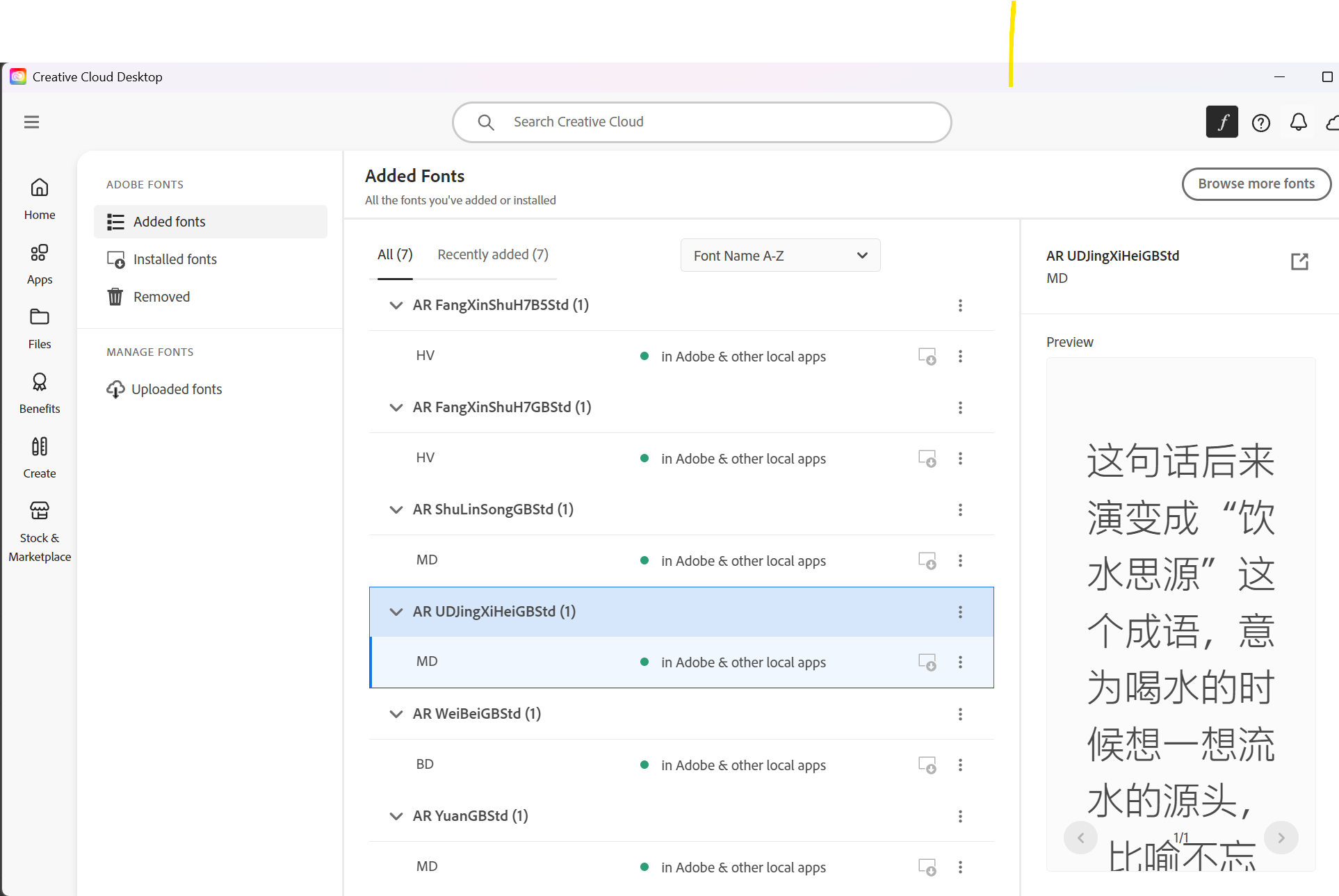
                          AR.png

                          It would be much more convenient if a language filter could be added to font selection, just like in Illustrator or CorelDraw.

                          Vertical Roman 3.vstyler

                          https://youtu.be/qMvqE_eyfLI

                          VectorStylerV 1 Reply Last reply Reply Quote 1
                          • VectorStylerV Offline
                            VectorStyler @Li Xiao
                            last edited by

                            @Li-Xiao I will try to fix these

                            1 Reply Last reply Reply Quote 1
                            • VectorStylerV VectorStyler moved this topic from Announcements and News
                            • First post
                              Last post