How to merge blended objects into one shape/ delete original shape option?
-
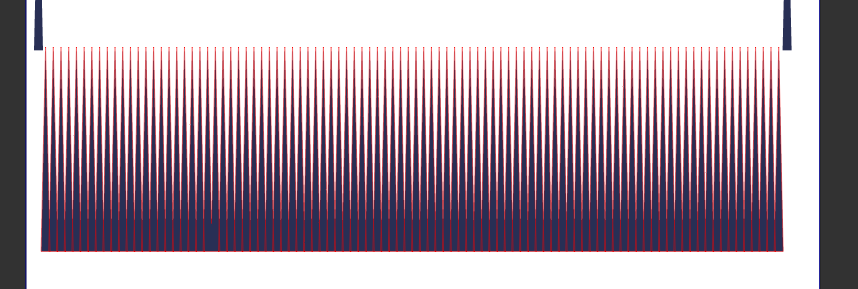
After I use the blend tool to create my blend between shapes, I want to be able to merge the many blend objects together into one unified shape. I expand the blend using the blend panel option and then after selecting them all, I hit either "unite" or "merge" boolean operations. Unite does not seem to have any effect, but merge gives the impression they are all one shape, until you hover over it with the transform tool, or you hover or click on it with the Shape editor tool, and you see the parts are all highlighted in red and can be modified. This is not a bad thing - but how do I get a permanent unified one shape piece? Here is a video of my attempt
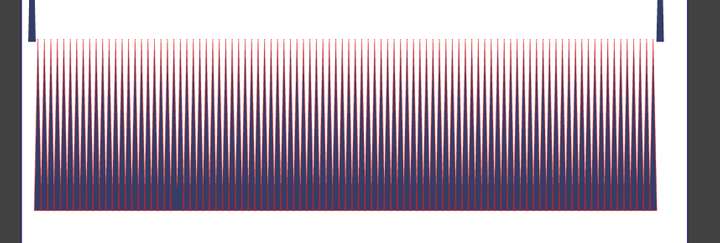
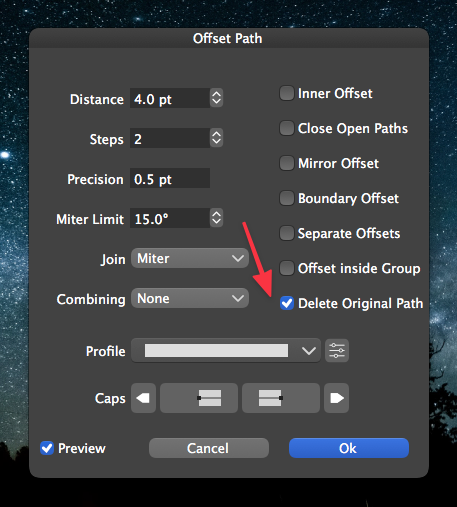
Also in the pic above, you can see the original two triangles flanking either end of the blend. (in the pic I had slid down the expanded blend leaving the two original shapes above) Could we add an option to the blend panel like what is currently in the offset path panel, where we can toggle if we want the original pieces to remain or "delete original shapes"?
-
@Boldline After Expand Blend the resulting group should be ungroupped.
-
@vectoradmin OK that worked! - to expand the blend, then ungroup and then hit unite. I sense a trend here with the need to ungroup things in each process.
 Just out of curiosity, I tried it again this time with merge instead of unite. merge did not have the same effect. It grouped the shapes but they are all still editable. wouldn't merge give the same result as unite in this case, since all the shapes selected are the same style?
Did you see my question about possibly adding an option to delete the original shapes used to make a blend much like in offset path?
-
@Boldline said in How to merge blended objects into one shape/ delete original shape option?:
Did you see my question about possibly adding an option to delete the original shapes used to make a blend much like in offset path?
Yes, I saw it. I have to think about this one, as it might impact expected behavior: separate the blend object into the two ends and anything between.
Nevertheless, the merge should indeed work here, I have to check what is going on there (added to the backlog).
-
Ok.. Do what works best. I'm not a programmer. I guess what I was seeing was that the initial pieces used to make the blend were left behind after the blend was made. But I'm not saying I'm right or what I'm suggesting is best

