Ghost preview of the previous shape while moving path segments, nodes or handles
-
It would be very useful if VectorStyler could display a faint “ghost” outline of the previous shape while editing a path.
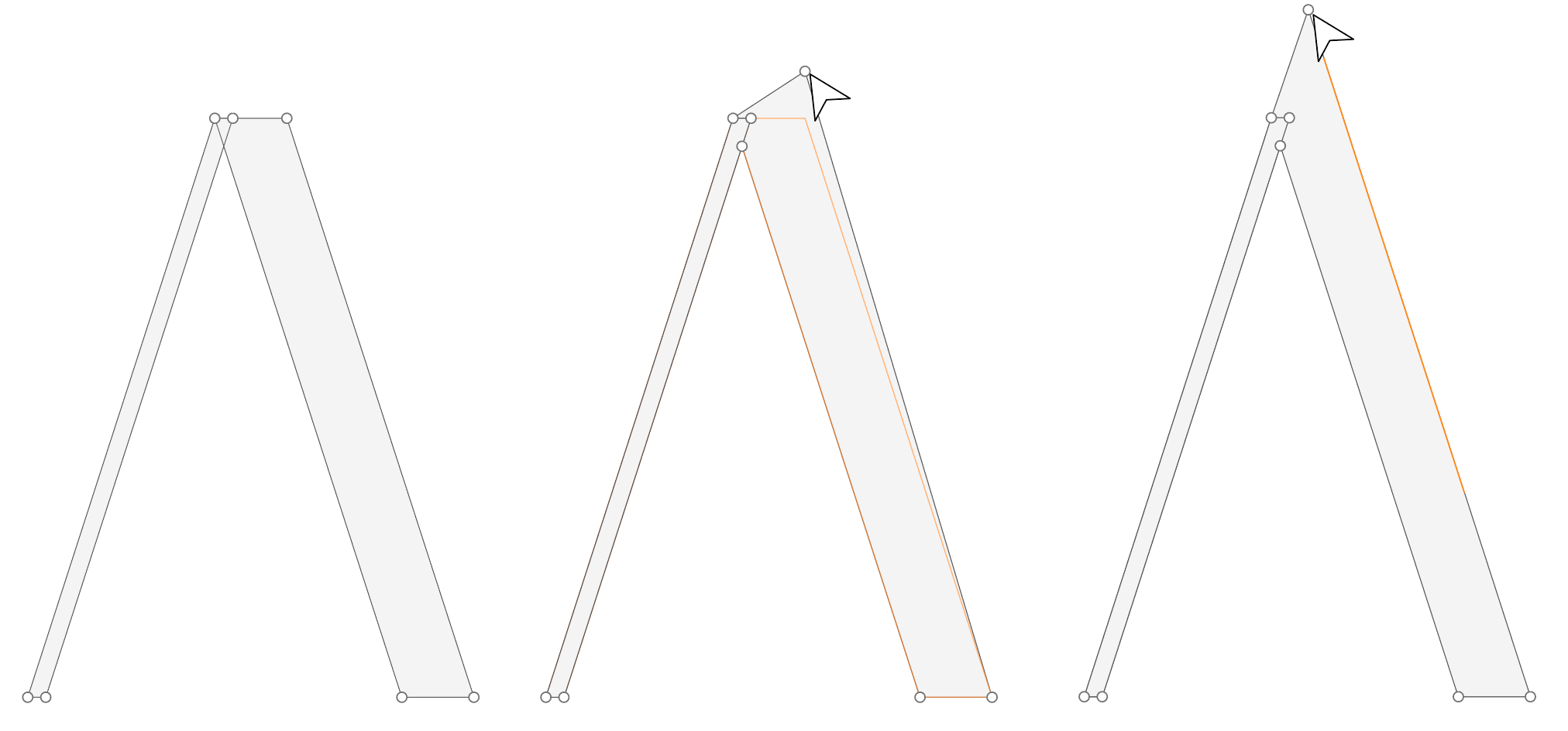
When moving a path segment, line, node or Bezier handle, the previous position of the shape could remain visible as a light outline in the background. This would allow the user to visually compare the original shape with the new shape while editing.
How it could work
• When a path segment, line, node or handle is moved, the previous shape appears as a faint ghost outline.
• The user can visually compare the new shape with the original one.
• Optionally, snapping to the previous position could also be supported.Why this is useful
During path editing it is very easy to lose the original form while making small adjustments.
A ghost preview would allow users to:
• see exactly how much the shape has changed
• avoid accidentally distorting the original form
• easily return to the previous position if neededBenefits
• Faster path refinement
• Better visual comparison during editing
• More controlled adjustments
• Improved overall vector editing workflowIn this example, the side of the A is extended while maintaining the exact same angle and direction by snapping to the ghost line.
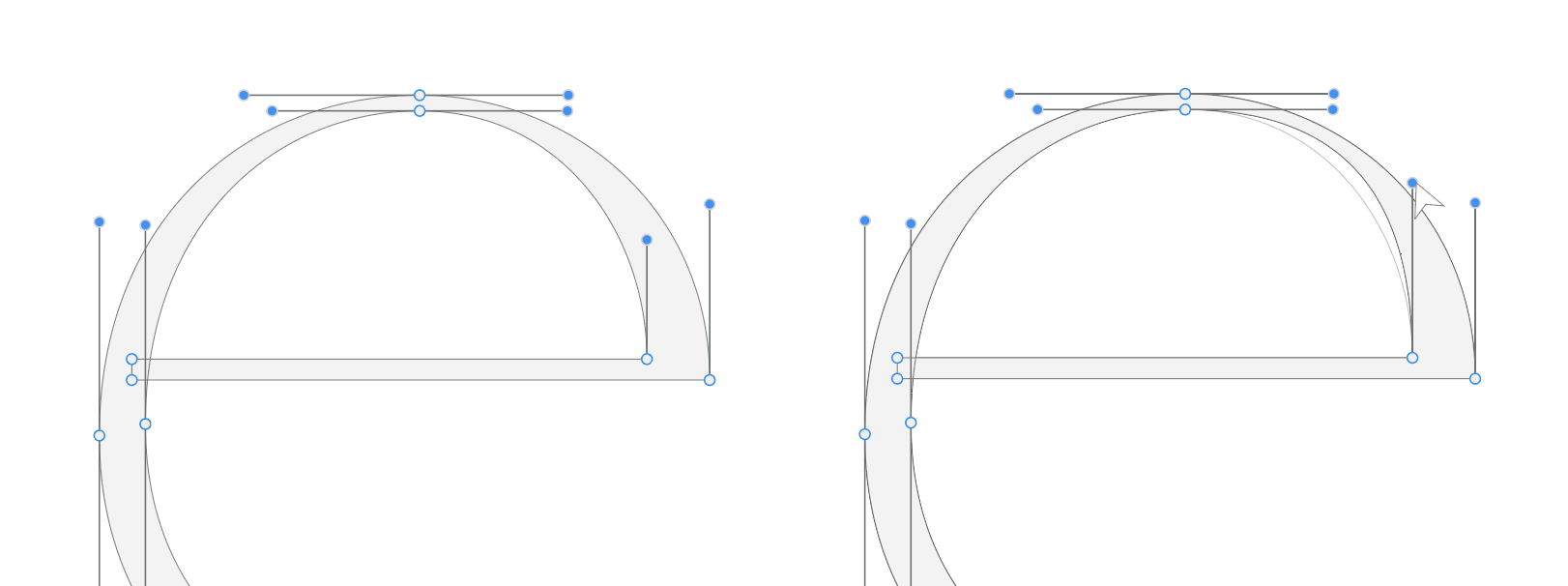
It also helps when adjusting handles, making it easier to match the previous curve tension and refine the shape without changing its original geometry.VectorStyler already has very powerful path tools, and this feature could make precise editing even more comfortable.
-
-
@Honor I will try to add this as soon as possible
-
@VectorStyler That would be great thank you!
-
Over the past few days, I combined the features I suggested in separate posts into a short GIF.
-
@Honor
I also look forward to having such a feature.
