3 - Vector Styler | Concentric Shape Gradient | Mirrored Shape | Center Reset | Custom Gradient Setup
-
Vector Styler | Concentric Shape Gradient | Mirrored Shape | Center Reset | Custom Gradient Setup
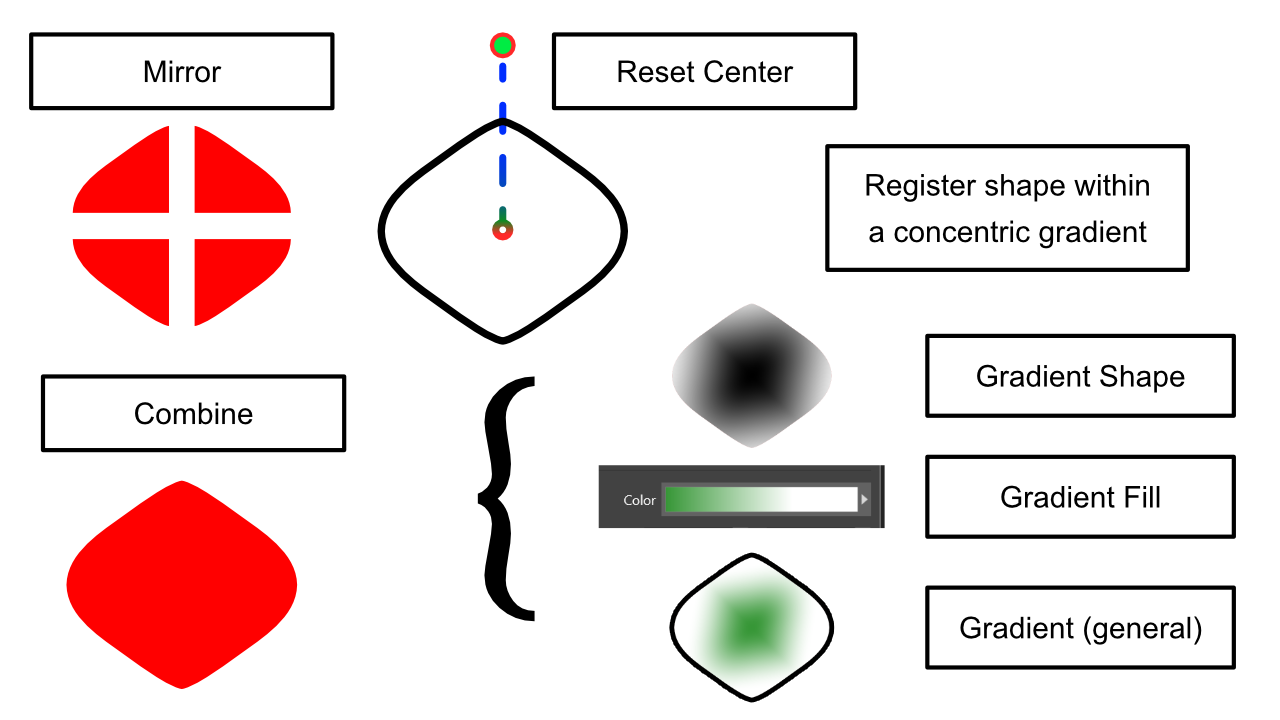
This tutorial explains how to create a Concentric Shape Gradient in VectorStyler.
The gradient is built from a mirrored shape, which can cause an issue: when merging the shape, the pivot point (center) may shift away from the geometric center. This creates alignment problems during registration.
I discussed this issue on the VectorStyler Discord community, and Csaba provided the solution: simply reset the center using the Transform panel. That fixed the problem.
The example shown is generic and may not look impressive at first glance. However, I have created specific gradients for each shape, meaning that each registered shape has the exact gradient it needs—this is what I enjoy about using registered shapes.
This tutorial focuses mainly on how to correctly register a gradient and how to understand the different uses.
I use these techniques for my custom material setups in Clip Studio Paint, and it makes a significant difference for brush feel, blending effects, and subtle gradient variations. For my work, even small differences in gradients matter, because they can affect the final result.
I don’t have a tutorial for brushes yet, as I wanted to prepare this gradient tutorial first. Timing is important to plan these exercises properly.
I would also like to create .abr brushes, but since it’s an Adobe format, it’s not possible outside of Photoshop. Most programs support .abr brushes via reverse engineering, but each has its own brush system. When exporting a brush, I cannot always choose the .abr format, which can be limiting.
It would be great to have a GitHub repository or a more universal brush format, because relying on Adobe for compatibility is a shame. A standardized format would simplify cross-software workflows for brushes.
I also want to add that, in this case, I may have made a mistake in choosing a name, because the edges cannot be interpreted properly within VectorStyler, and the result ends up mathematically very harsh.
It would be useful to have an extra adjustment option when registering presets that allows you to control how the edges are interpreted. Usually, the result looks like this:
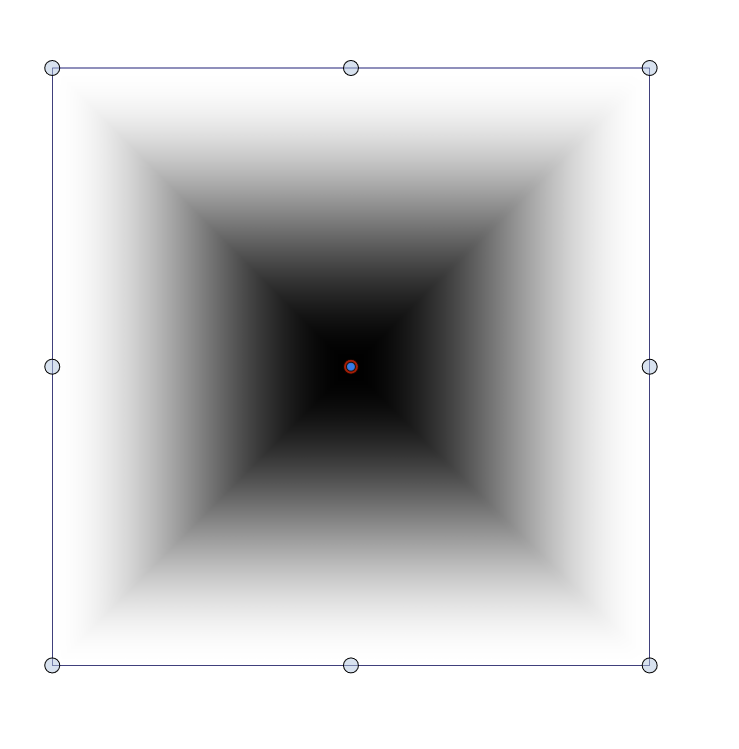
It’s not entirely bad—you can try to modify it manually a bit. You could make the edges of a gradient smoother, but these sharp points appear in many other types of gradients as well. And in many cases, you don’t actually want this; you might be aiming for something closer to this effect:

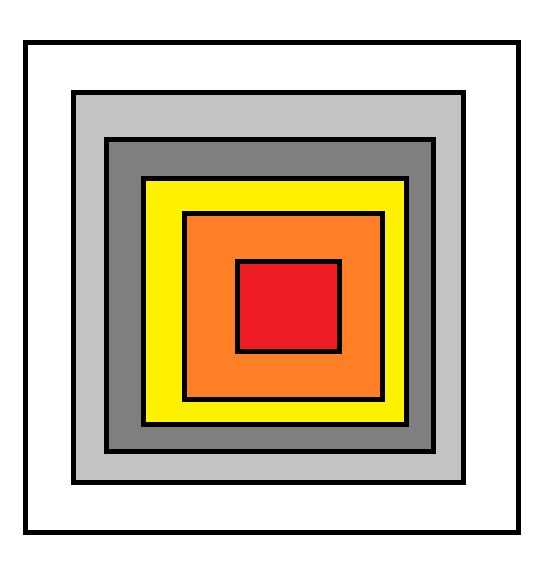
I know you can achieve this manually, but sometimes you just want a square with sharp corners that fades outward smoothly. Currently, there’s no way to do this directly in the program.
It would be useful to have an option to choose between gradient modes when registering presets: one for the normal gradient, and another “homogeneous” mode that calculates the steps following a consistent pattern, while respecting sharp edges, producing a result like this:
And that’s my blog for today. I’m preparing more YouTube tutorials, and I hope you enjoy them.
