Gradient along a path
-
Is possible to have a gradient follow a stroke? Typically, you'd have to create a small sphere, apply a gradient to it, assign it to a path, and apply an object blend mode (smooth or steps), to get this effect. The problem with this approach, besides it involving extra steps, is that the end result would be uniform thickness.
The effect I was hoping to accomplish is possible inside Illustrator.
See Reference B: https://helpx.adobe.com/illustrator/desktop/paint-and-fill/create-and-edit-gradients/apply-gradients-on-stroke.html
-
@rodbot When selecting a gradient for the stroke in the Gradient panel, you can select the stroke mode in the Stroke field
-
@VectorStyler I'm not sure about what the OP was asking but I'd like to apply the gradient where one end is the start of the stroke and the other end is at the end of the stroke. I can't seem to get this when using a gradient in stroke mode. It only allows me a number of choices (linear, radial, spiral, etc.) none along the stroke itself.
-
@Comet Is this what you need ? https://share.cleanshot.com/5gCFrKGg
Also the file: gradientonstroke1.vstyler
-
@VectorStyler Thank you, that's exactly what I was looking for. I had thought it would appear in the first box here, didn't realize you could one stope further:
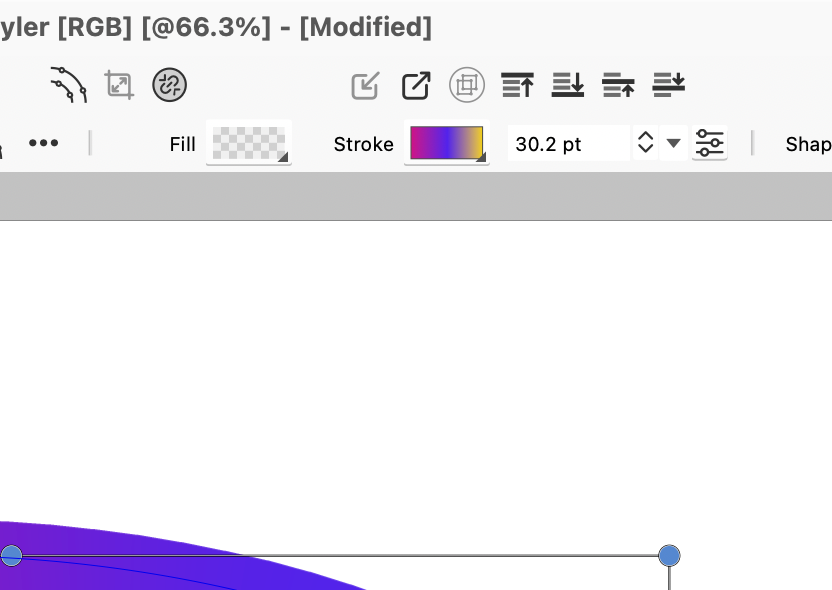
-
This is absurdly cool



