VectorStyler
    • Categories
    • Unread
    • Recent
    • Tags
    • Popular
    • Register
    • Login

    Access guideline rotate tool at any point on guideline with modifier key

    Scheduled Pinned Locked Moved Features and Ideas
    4 Posts 3 Posters 203 Views 2 Watching
    Loading More Posts
    • Oldest to Newest
    • Newest to Oldest
    • Most Votes
    Reply
    • Reply as topic
    Log in to reply
    This topic has been deleted. Only users with topic management privileges can see it.
    • BoldlineB Offline
      Boldline
      last edited by

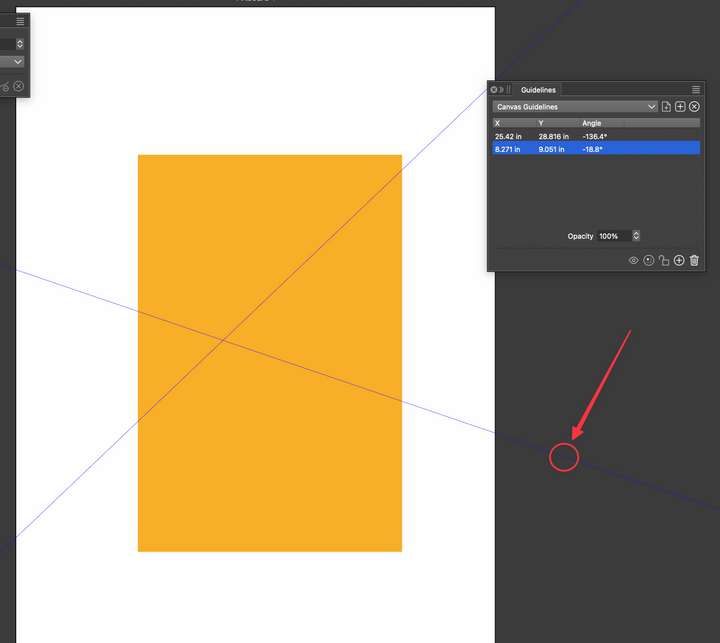
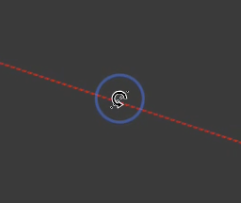
      I love the ability to use the rotation tool icon that pops up when you hover over a guide at its extremity. Sometimes its not the easiest place to access the rotation tool when panels are open. Other times it's harder to make multiple adjustments to the line angle when not close to the canvas. I was wondering if we could add a keyboard modifier to allow the rotation to occur anywhere on the guide where the mouse cursor is located?
      For example, using the option or control or command key while click-holding on an active guide would prompt the same rotation tool. As long as the modifier was held down and the guide was being dragged, the rotation tool would be active
      0_1768595617585_a7247eb4-171c-41a7-a4cf-56e31b93cd3c-CleanShot 2026-01-16 at 15.33.15.png
      0_1768595185583_96701b93-215f-48ef-81c5-2d08843f1f02-CleanShot 2026-01-16 at 15.24.02.png

      🍎 macOS Tahoe 26.2, Mac mini (M1, 2020), Chip Apple M1, Memory 16 GB
      Cintiq 27QHD Display and LG Ultra HD Display

      1 Reply Last reply Reply Quote 1
      • S Offline
        Subpath
        last edited by

        @Boldline , @VectorStyler

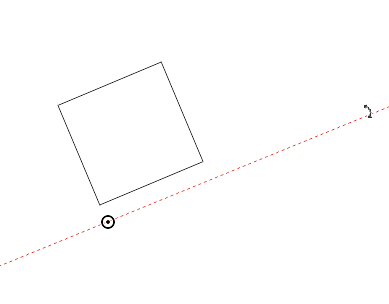
        Why don't give the user a pivot point on a guide line.
        It would make aligning a guide line much easier, in my eyes.

        Here a Example from Corel Draw. One click select the guide line
        another click activate the rotation mode and shows a freely moveable pivot point.
        0_1768599376143_guideline pivot point.png

        Win 11
        CPU: AMD Ryzen 5 9600X, 6-core.
        GPU: Nvidia Geforce RTX 5070.

        BoldlineB 1 Reply Last reply Reply Quote 3
        • BoldlineB Offline
          Boldline @Subpath
          last edited by

          @Subpath @VectorStyler Or an option to drag out a guide and while hovering it over top a path, still holding down the cursor and pressing a modifier key, it will angle itself right to that path?

          🍎 macOS Tahoe 26.2, Mac mini (M1, 2020), Chip Apple M1, Memory 16 GB
          Cintiq 27QHD Display and LG Ultra HD Display

          1 Reply Last reply Reply Quote 3
          • VectorStylerV Offline
            VectorStyler
            last edited by

            @Boldline @Subpath I added this sto the backlog opf features for 1.4

            1 Reply Last reply Reply Quote 2
            • First post
              Last post