Angle 360 degree dial instead of a Slider?
-
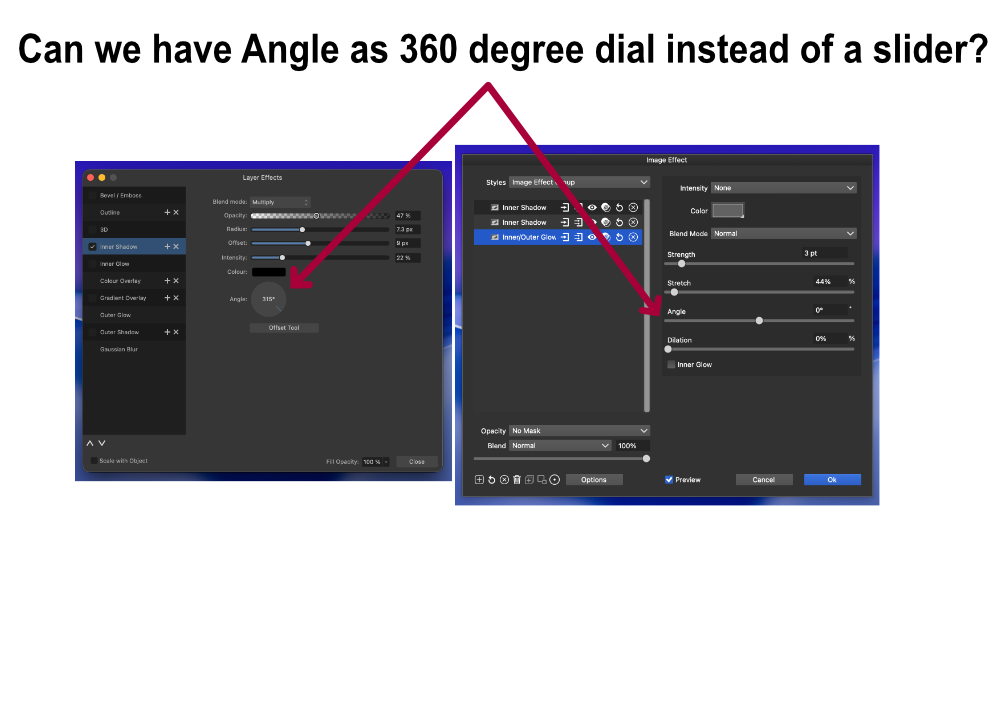
I don’t know if it’s just me, but I always get confused by angle sliders in FX. For instance, if I’m adding two effects and one is set to 45 degrees, what should the degree be if I want the second one to be the exact opposite? It would be so much easier if there was a 360-degree dial instead of a slider. What do you guys think about this?
-
@Jayanta-Das Would be possible to do (the widget exists), but I'm not sure it is easier to use. Can you edit the angle number in the first image?
-
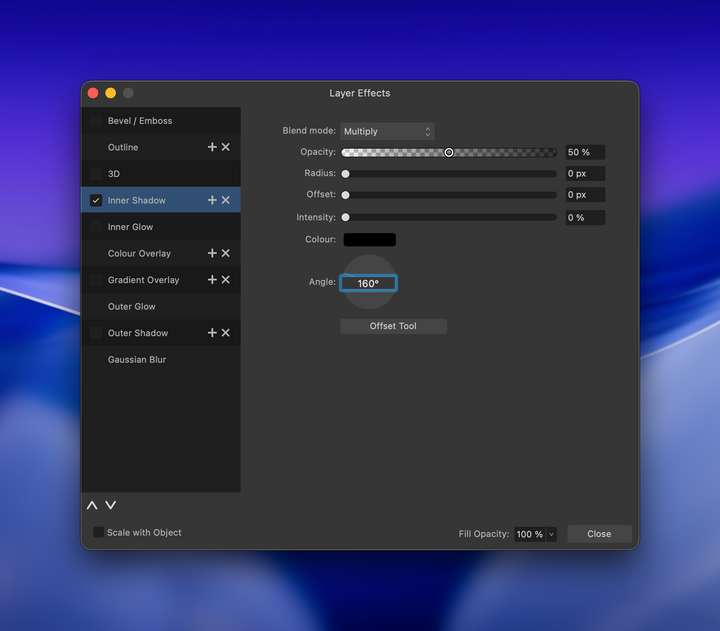
@VectorStyler You mean like this in this? Yes the number is editable. I put put any number.
-
@Jayanta-Das I will add this to the features backlog. Clearly it looks better, but I'm not sure if it is more useful
-
@VectorStyler It helps me in applying fx easily without looking at the object in scenario mentioned above
-
It depends on your type and professional background. I have never used degrees in anything other than graphics programs and have no cognitive model for mapping between numbers and degrees. I need to see things visually. I am a graphic designer, not an engineer. A slider is an old-fashioned method of feeding numerical values from a dialogue box to an algorithm; it is not a humanly intuitive way of informing the algorithm of the angle you have in mind or have used in a sketch. It's pretty much a 1990s thing, uncomfortably GIMP-like.
The issue is that a slider does not provide me with mental mapping between the number and reality. I also quickly forget all number logic when I work visually. It's like sliders in programs with interval ranges of -1000 to 1000 with decimals. Who wants that? We're not putting a probe on Mars. Programs that reduce it to reasonable intervals, e.g. -100 to 100, allow people to actually remember their favourite values. Reduce complexty, speed up workflow and satisfaction.
I would turn that around and say that the slider is almost useless in intensive work. By 2025, I will probably have used the Affinity degree circle a total of 1 million times in my life for FX. If it had been a slider, I would never have used Affinity for what I do at all. One click on it and I am often quite satisfied.
The Affinity model is quite useful. A little too small. Depending on the features, however, it is even more timely that you can adjust the effect directly on the canvas.
Merry Christmas


🍏 macOS Sequoia Apple Silicon
-
@Ingolf said in Angle 360 degree dial instead of a Slider?:
Merry Christmas
Thank you, and Merry Christmas to you too!
-

