VectorStyler
    • Categories
    • Unread
    • Recent
    • Tags
    • Popular
    • Register
    • Login

    VectorStyler 1.3.001

    Scheduled Pinned Locked Moved Announcements and News
    34 Posts 12 Posters 12.9k Views 9 Watching
    Loading More Posts
    • Oldest to Newest
    • Newest to Oldest
    • Most Votes
    Reply
    • Reply as topic
    Log in to reply
    This topic has been deleted. Only users with topic management privileges can see it.
    • E Offline
      EricP @VectorStyler
      last edited by

      @VectorStyler yes, that's what I tried. It paints a thin red line but does nothing else. I can't record a video right now to show you

      VectorStylerV 1 Reply Last reply Reply Quote 0
      • VectorStylerV Offline
        VectorStyler @EricP
        last edited by

        @EricP I will open a bug and will try to replicate the issue. If you have a file where that you can send me it can help.

        1 Reply Last reply Reply Quote 0
        • E Offline
          EricP
          last edited by

          @VectorStyler here is a file : 0_1764166229302_extract path sections.vstyler

          1 Reply Last reply Reply Quote 1
          • BoldlineB Online
            Boldline @VectorStyler
            last edited by

            @VectorStyler said in VectorStyler 1.3.001:

            @lilith said in VectorStyler 1.3.001:

            I can't find the roadmap, please send me a link

            I have taken it down because it is mostly not valid anymore. A lot have been done in 1.2 and 1.3 and I need to update it.

            You have indeed covered large sections of the initial roadmap in the 1.2 and 1.3 releases. there's still a lot on there for 1.4 and even 1.5. I look forward to the updated version being posted again when you are able. its been fun to see the direction VS is taking and see the list shrink as they get added

            🍎 macOS Tahoe 26.2, Mac mini (M1, 2020), Chip Apple M1, Memory 16 GB
            Cintiq 27QHD Display and LG Ultra HD Display

            1 Reply Last reply Reply Quote 1
            • L Offline
              lilith
              last edited by lilith

              In fact, I still recommend that you list your software on Steam or Epic Games Store. They are not only game platforms, but also software publishing platforms. Although they may take a cut, there are two benefits: 1. Increase exposure and become known to more people; 2. In some countries or regions, it is indeed impossible to purchase the software, such as mainland China, where you cannot purchase it using your current payment methods. However, listing it on Steam or Epic Games Store will allow you to purchase it.
              https://store.steampowered.com/software
              https://store.epicgames.com/

              VectorStylerV S 2 Replies Last reply Reply Quote 1
              • VectorStylerV Offline
                VectorStyler @lilith
                last edited by

                @lilith said in VectorStyler 1.3.001:

                I still recommend that you list your software on Steam or Epic Games Store.

                I will do this in the near future

                1 Reply Last reply Reply Quote 1
                • S Offline
                  Subpath @lilith
                  last edited by

                  @lilith

                  One should consider that you always have to launch the Steam client
                  before starting a program.

                  This doesn't bother me too much, but I do prefer launching programs
                  directly. Incidentally, I've bought several programs through Steam myself,
                  including heavily discounted versions of Xara and Substance Designer,
                  which you can purchase through Steam without a subscription.

                  But, for some circumstances it may a good alternative.

                  Win 11
                  CPU: AMD Ryzen 5 9600X, 6-core.
                  GPU: Nvidia Geforce RTX 5070.

                  1 Reply Last reply Reply Quote 0
                  • E Offline
                    EricP
                    last edited by

                    @VectorStyler where can we find the toolbox icons for new feature editors (halftone, drop shadow, repeater, intertwine ...) ?

                    I restored my previous 1.2 workspace to get my customized UI back and wanted to add the new tools, but I can't find them in the customize toolbox window. I can find create halftone .... but not the interactive editor
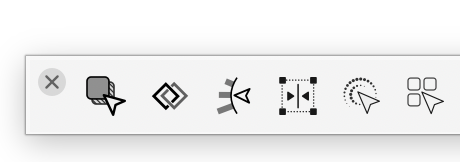
                    0_1764231582019_915b5e64-dbd1-4b9f-b9b0-5e324e8c5e81-image.png

                    VectorStylerV 1 Reply Last reply Reply Quote 0
                    • VectorStylerV Offline
                      VectorStyler @EricP
                      last edited by

                      @EricP Seems to be missing from the list, I will add these in the next build.

                      1 Reply Last reply Reply Quote 1
                      • E Offline
                        EricP
                        last edited by

                        @VectorStyler very nice job with the website update, the new little feature gifs and the comparator. That's another huge piece of work, on top of releasing new code. Impressive !

                        VectorStylerV 1 Reply Last reply Reply Quote 4
                        • VectorStylerV Offline
                          VectorStyler @EricP
                          last edited by

                          @EricP said in VectorStyler 1.3.001:

                          very nice job with the website update, the new little feature gifs and the comparator

                          I had some excellent help there.

                          1 Reply Last reply Reply Quote 5
                          • First post
                            Last post