Exporting artboards
-
How to export many artboards (to one PDF file) in the order they appear on the screen and not in the order they were created in?
Solution I've found: in Export panel, choose the source to "Selected Artboards", then in Artboards type the order of artboards to be exported.
But having a 100-page book with swapped artboards makes this process tedious.
-
@Harry Not possible to use the artboard position as an order for now. Are these artboards on a single Canvas?
What would then order be? First horizontally and then vertically? And do these artboards have a name, is is the name the automatic "Artboard *"
-
@VectorStyler Sorry for the late reply.
@VectorStyler said in Exporting artboards:
Not possible to use the artboard position as an order for now.

@VectorStyler said in Exporting artboards:
Are these artboards on a single Canvas?
Yes, they are. I'd like to export a book with page spreads:
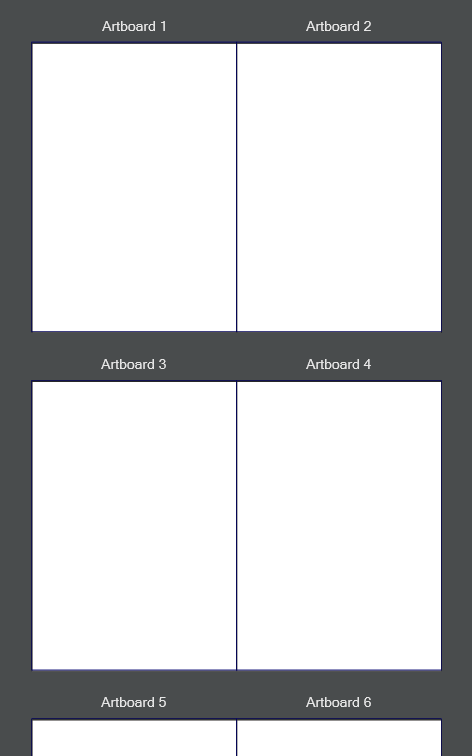
@VectorStyler said in Exporting artboards:
What would then order be? First horizontally and then vertically?
Ideally, the order should be as seen on the canvas (or it could be an option), but first horizontally and then vertically would be ok for book exporting.
@VectorStyler said in Exporting artboards:
And do these artboards have a name, is is the name the automatic "Artboard *"
Artboards have automatic names "Artboard *".
Moreover, I noticed inconsistency in the artboard's arrangement.
In my opinion, the most useful settings are in "New Document Setup":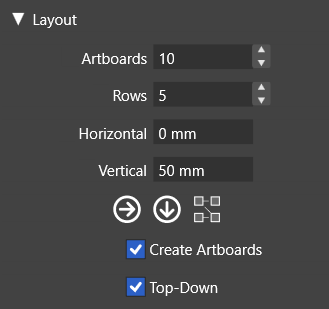
Canvas / Arrange Artboards command doesn't have separate settings for vertical and horizontal space and for rows and columns:
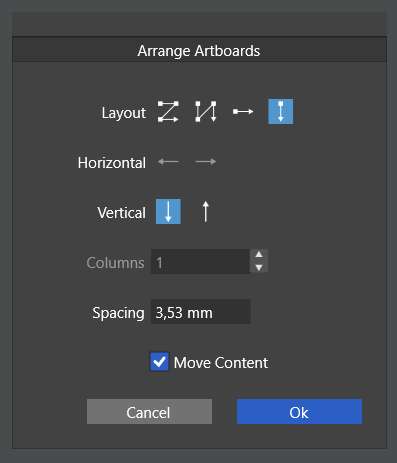
Could the "Arrange Artboards" command have the same settings and layout as "New Document Setup" to ensure consistency and functionality?
Another problem is with the "Canvas & Artboard" panel:
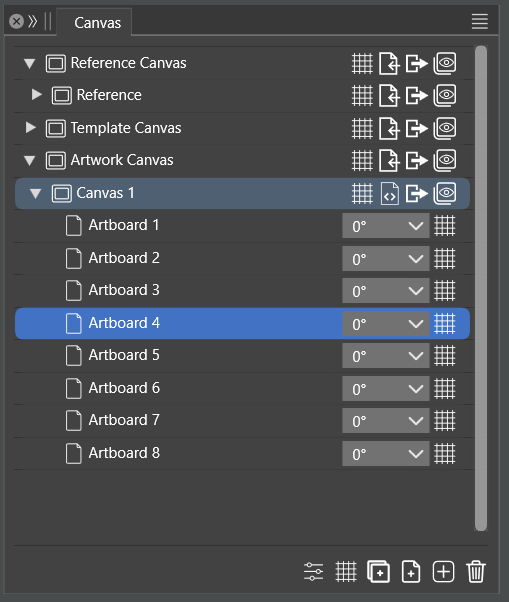
I hoped that in this panel I could set the artboards' order to export, but the list of dragged and dropped artboards is always numbered in order from 1 to, for example, 10. It causes even more confusion, as the content and name of the artboard don't match after drag and dropping.
-
@Harry said in Exporting artboards:
but the list of dragged and dropped artboards is always numbered in order from 1 to, for example, 10
This is because those artboards are not named. The "Artboard 1" name is automatically generated if the name is empty.
