VectorStyler
    • Categories
    • Unread
    • Recent
    • Tags
    • Popular
    • Register
    • Login

    Align the dimensions
    Scheduled Pinned Locked Moved Questions and Support
    2 Posts 2 Posters 2.2k Views 2 Watching
    Loading More Posts
    • Oldest to Newest
    • Newest to Oldest
    • Most Votes
    Reply
    • Reply as topic
    Log in to reply
    This topic has been deleted. Only users with topic management privileges can see it.
    • M Online
      monsterfox
      last edited by

      0_1746974440778_mmexport1746974335434.png

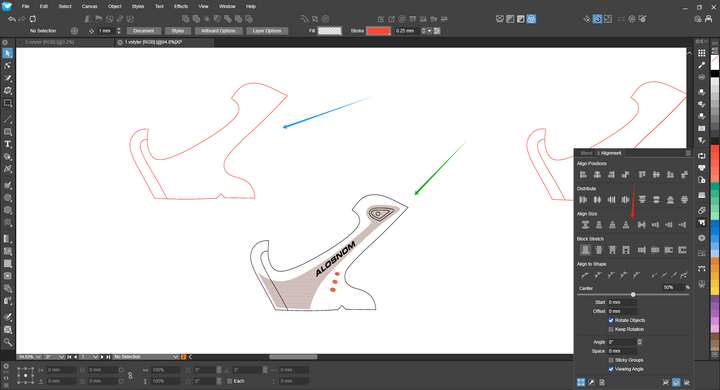
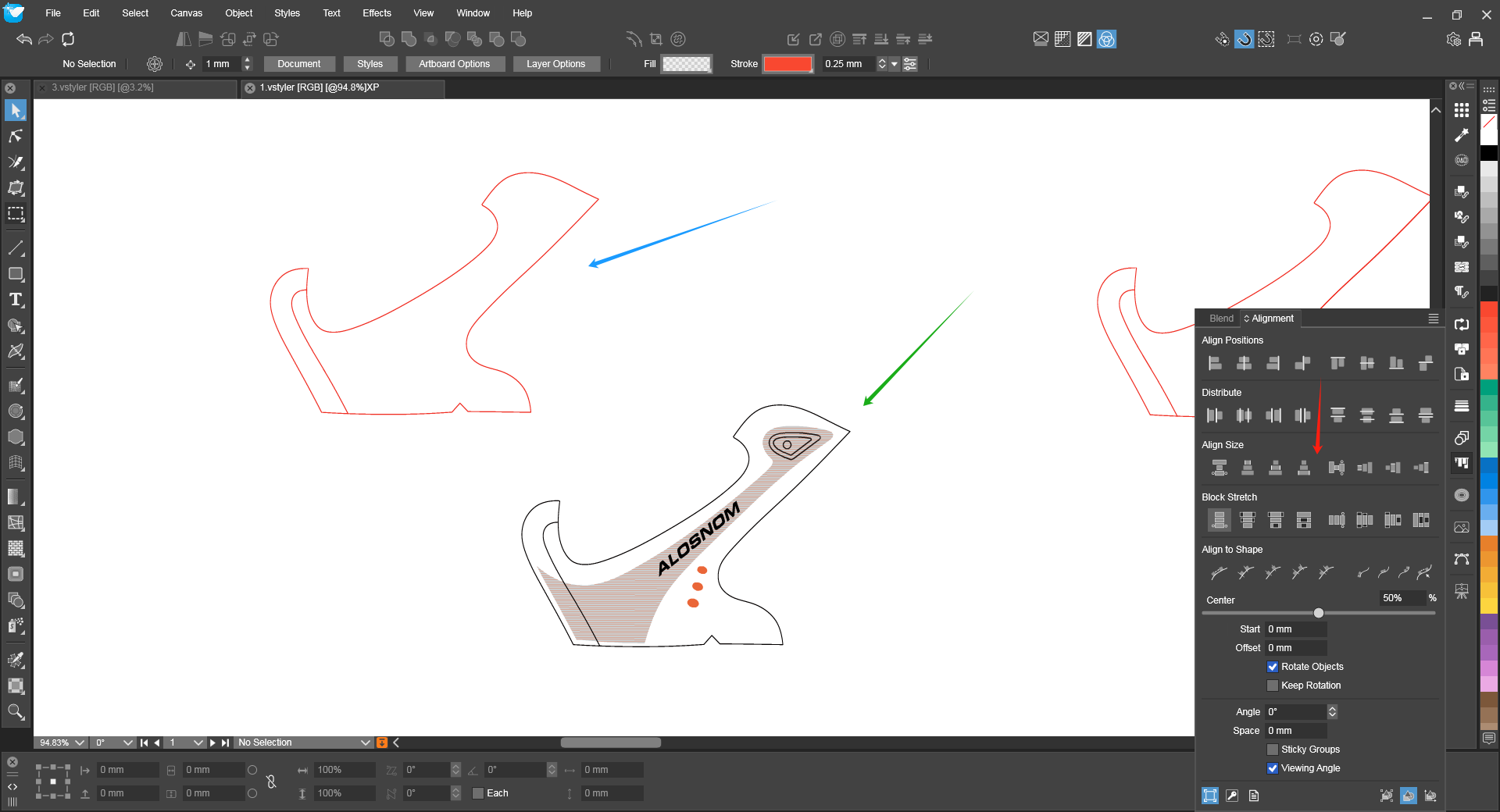
      Currently, VS still lacks the function of dimension matching: The blue arrow represents the reference object, and the green arrow represents the example object. Is it possible to add a global dimension matching function at the position of the red arrow in the alignment panel to make the operation more convenient and quicker? The operation steps are: First, click on the reference object, then press the Shift key and click on the example object. Finally, click on the global dimension matching option.

      VectorStylerV 1 Reply Last reply Reply Quote 1
      • VectorStylerV Offline
        VectorStyler @monsterfox
        last edited by

        @monsterfox I added this to the backlog.

        1 Reply Last reply Reply Quote 0
        • First post
          Last post