Selection and transformation in VectorStyler confuses me
-
Hello,
And first of all thank you for developing such a wonderful and complex app.
I am trying to wrap my head around why selection has so many options in VectorStyler and why some of the defaults are so unintuitive. I've seen many previous posts about the issue, but I've seen no solutions to revert to some sensible defaults.
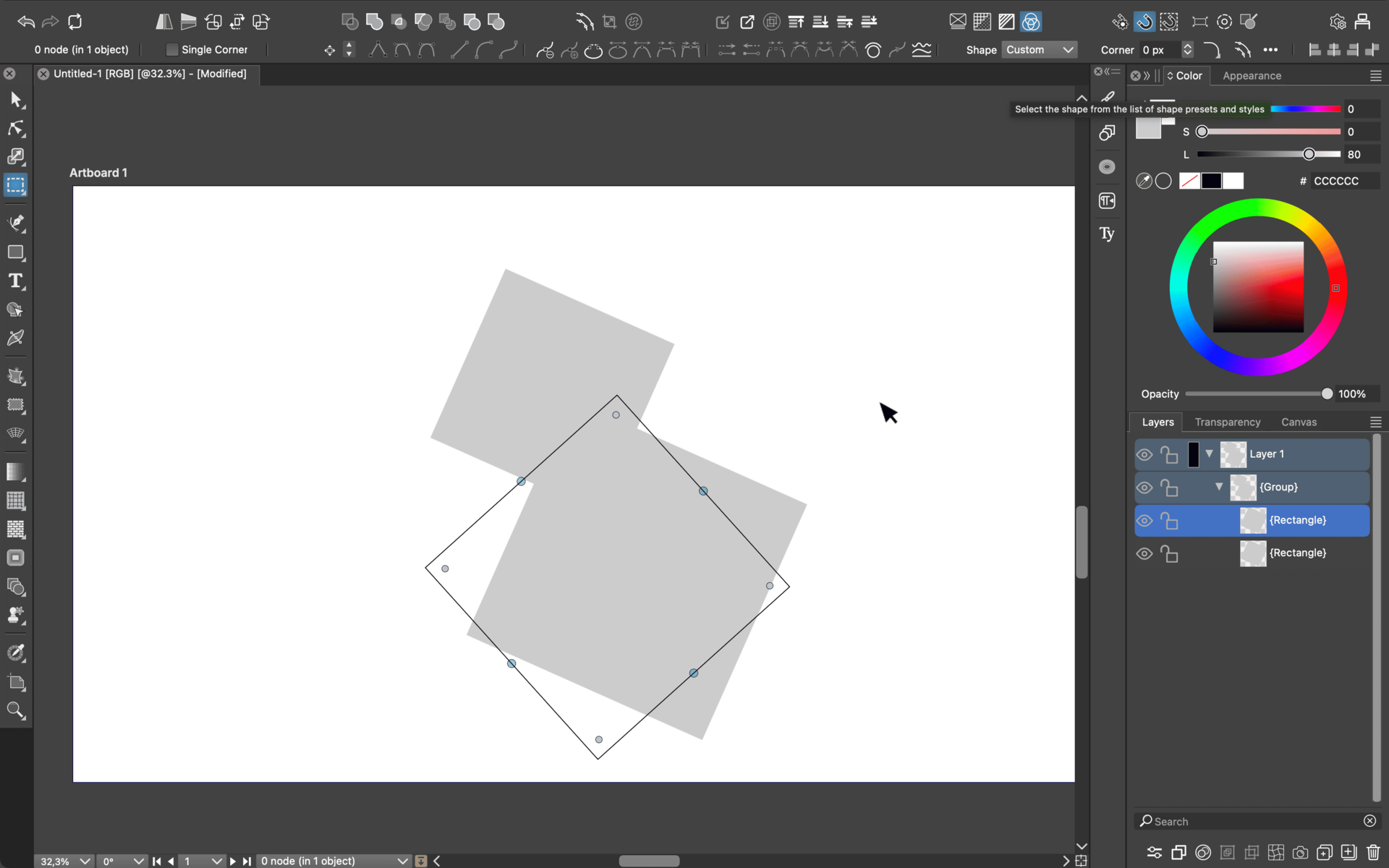
I've seen the argument that the reason transform only selects the group and not its children by default is that it's non-destructive. But what would be a common use case deserving of making this behaviour default? Who would need to have the visible shape over here while its outline and nodes are all the way over there.
I've also seen that there's a selection option to select the children of the group. But that option needs to be constantly rechecked. Is there any way to make it default? So that it never reverts? If I select a group, I want the children to be selected and transformed with it. Always, no exceptions. Actually there is one exception, but it doesn't look like this.
Sometimes you want to only transform a parent element while locking the children (mostly for shape clippings). But not transforming the children means leaving them as they are, not transform their visible parts in one way while their paths unpredictably goes in another place.
Please please please provide a fix, at least an optional one to change the default behaiour. I am in love with your software but this is simply too unintuitive for me to get over it.
-
@tudorcelstan Hello, thanks for the feedback!
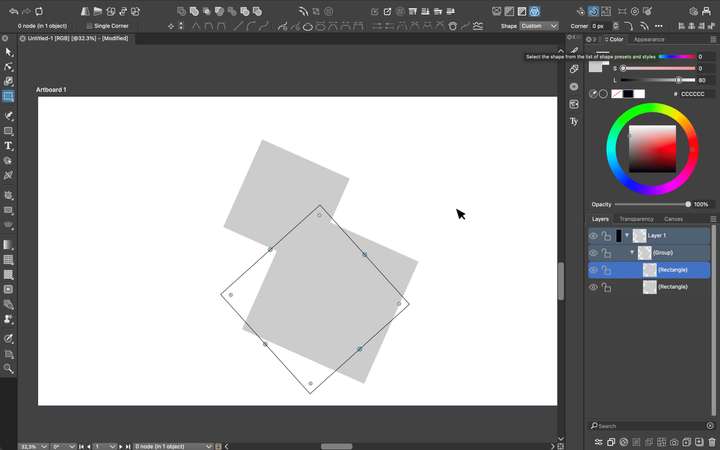
From the image, it is not clear what tool is active. Can you send me the file with those objects, I want to test why that rotated frame was shown.
I've seen the argument that the reason transform only selects the group and not its children by default is that it's non-destructive. But what would be a common use case deserving of making this behaviour default? Who would need to have the visible shape over here while its outline and nodes are all the way over there.
In general, transforms or shape effects are applied to a group as a whole (clipping shape, members etc). I think this is a default behavior in all drawing apps. But maybe I did not understand the question.
I've also seen that there's a selection option to select the children of the group. But that option needs to be constantly rechecked. Is there any way to make it default? So that it never reverts? If I select a group, I want the children to be selected and transformed with it. Always, no exceptions. Actually there is one exception, but it doesn't look like this.
The "deep" select tool should stay active after selected, but only for that document. Each opened document has its own active tool.

Sometimes you want to only transform a parent element while locking the children (mostly for shape clippings). But not transforming the children means leaving them as they are, not transform their visible parts in one way while their paths unpredictably goes in another place.
I need the example file for this.
-
Hello again,
The problem isn't that the deep selection tool doesn't stay active. The problem is that when I have the transform tool active and I click on a group, default behaviour is that only the group is selected, without the objects in it. Every single editor software I've ever used the experience is: Press V -> Selection Tool is Active -> Select Group -> All Child Objects are Selected with the Group -> Rotate or Scale -> The Group is Rotated or Scaled Along with the Child Objects.
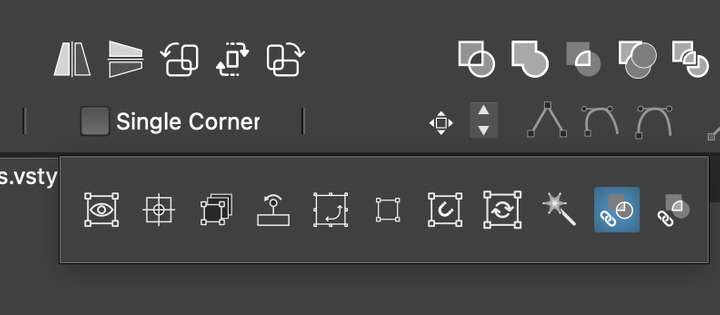
This particular step: Select Group -> All Child Objects are Selected with the Group, is skipped in VectorStyler. There's already a toggle for it as I've shown in the screenshot below. But I would reaaally like to make this default behaviour somehow, since I use groups to organise all of my vector files.
I've also attached the file below for clarity.
-
@tudorcelstan I think there is a regression bug regarding this. I will try to fix this and have a release this week.
-
@VectorStyler Oh thanks! That's amazing. Guess that's why it was confusing reading all of the other reports and the people saying that this is fixed. It might help to know that I also altered my workspace pretty heavily. I have new panels as defaults, minimised panels, and a changed toolbox. I can also give you my workspace and settings files if that helps in testing for this fix!
-
@tudorcelstan For now, I will focus on the rotated frame issue, so no workspace is needed.
-
@tudorcelstan The selection frame bug should be fixed in build 1.2.061.
About the other reports: child objects of a group are always selected with the group. There was an issue with editing in isolated mode, but that is now fixed.
The highlighted icon in the earlier screenshot is an other feature: use areas of shapes to create new selections.