VectorStyler
    • Categories
    • Unread
    • Recent
    • Tags
    • Popular
    • Register
    • Login

    Allow for more immediate custom color choice in colorize panel?
    Scheduled Pinned Locked Moved Questions and Support
    2 Posts 2 Posters 2.1k Views 1 Watching
    Loading More Posts
    • Oldest to Newest
    • Newest to Oldest
    • Most Votes
    Reply
    • Reply as topic
    Log in to reply
    This topic has been deleted. Only users with topic management privileges can see it.
    • BoldlineB Offline
      Boldline
      last edited by

      If I wanted to choose certain specific colors from a source palette, but not use the entire palette to let VS pick from, would it make sense to add that option to the colorize panel?

      It seems I would need to create a new palette with only the specific colors I wanted and then load that in and select it to get that to work in the colorize panel.

      I was envisioning an option where I could select multiple colors quickly from the mode chosen, such as a palette I use.
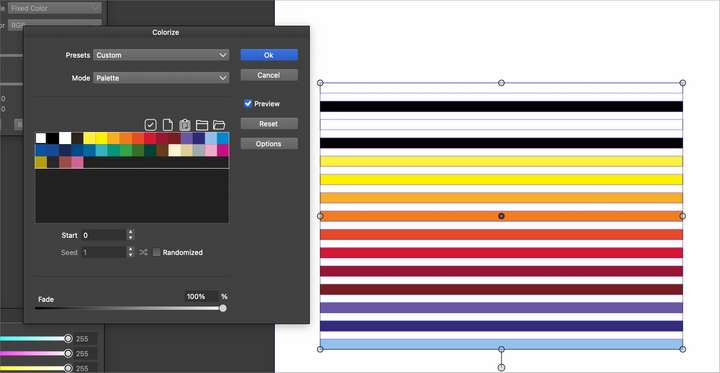
      0_1738558082971_e1e284d8-79c3-4584-b749-676f7fc60e02-BLD 2025-02-02 at 23.47.07.png

      Or is the feature I'm envisioning found in another section of the "Replace Colors" menu? For example the "replace colors>replace color submenu panel?
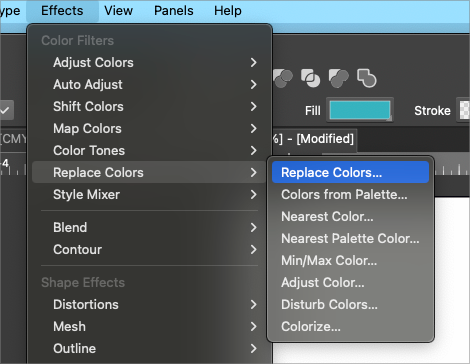
      0_1738558338772_4002729a-1f81-4a71-aa13-b980f49104c8-BLD 2025-02-02 at 23.52.10.png

      🍎 macOS Tahoe 26.2, Mac mini (M1, 2020), Chip Apple M1, Memory 16 GB
      Cintiq 27QHD Display and LG Ultra HD Display

      VectorStylerV 1 Reply Last reply Reply Quote 1
      • VectorStylerV Offline
        VectorStyler @Boldline
        last edited by

        @Boldline I will try to add this to the colorizer as it would be a much simpler solution than the replace color.


        1 Reply Last reply Reply Quote 1
        • First post
          Last post