update 1.2.031 Organizing layers
-
@VectorStyler said in update 1.2.031:
This is visible only when an object with fill is selected.
About organizing layers: there are two features (one already existed with a minor bug).
The first (new) feature is the "Place Before/After/Inside" commands from the Layers panel menu.assuming that the on canvas and Layers panel selection are not synchronized (here is the advantage)
select some objects on the canvas (with the regular selection tools).
scroll to and highlight an object in the Layers panel (this will have the strong blue highlight).
then the "Place Before/After/Inside" commands of the Layers panel menu will place the selection on the canvas before/after/inside the highlighted object.The other (existing) feature is using multiple Layers panels. In the Layers panel menu use the "Open New Panel" command to open another layers panel. Now you can position each list differently and use drag & drop to move or copy objects between the panels.
There are also the "Open with..." layer panel opening modes that will fix the opened panel content to the current document (or location) and can be used to copy objects into (or from) an other document.Sidetrack this topic
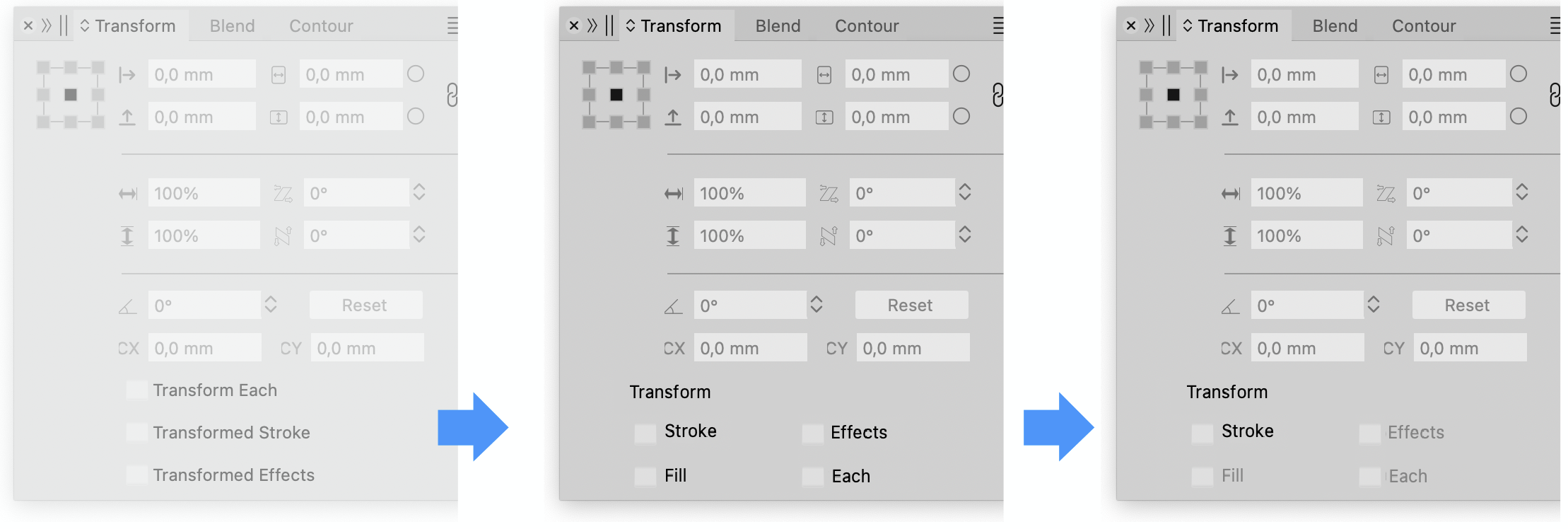
Transformed Fill, found it!
Organizing layers
Without making it more difficult with multi layer panels, my point in the aforementioned post was moving objects with layers in closed state. The mentioned functionalities do not solved this. Or am I not seeing that correctly? -
@Ayo said in update 1.2.031 Organizing layers:
The mentioned functionalities do not solved this.
No they do not.
-
@Ayo The reason for this solution is that it was a low risk (easy to implement) addition and mostly it was already there. For 1.3 we can have a more advanced approach.
-
@VectorStyler
That clears up my confusion. Thanks!I'm left with the question why Transformed Fills cannot live with its friends Transformed Each -Line, -Effects in the panel itself.
-
@Ayo said in update 1.2.031 Organizing layers:
in the panel itself.
The panel is already too crowded.
-
@VectorStyler said in update 1.2.031 Organizing layers:
The panel is already too crowded.
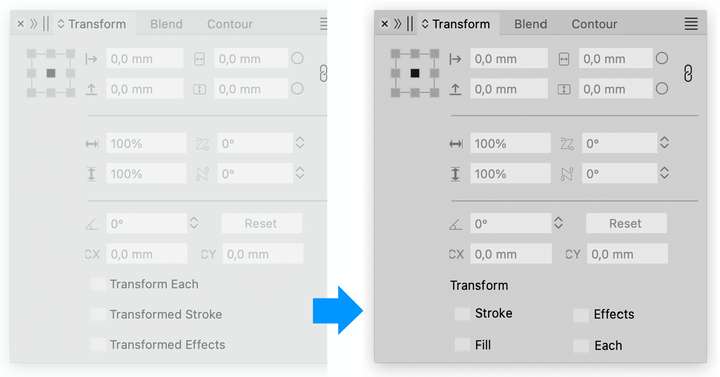
Suggestion...
-
-
@VectorStyler Additionally the extended luxury version
Possibly with a grayed-out signaling to indicate if not applicable...