VectorStyler
    • Categories
    • Unread
    • Recent
    • Tags
    • Popular
    • Register
    • Login

    WIP - Testing Blending: not yet a tutorial but soon for beginners


    Scheduled Pinned Locked Moved Tutorials
    123 Posts 7 Posters 474.5k Views 7 Watching
    Loading More Posts
    • Oldest to Newest
    • Newest to Oldest
    • Most Votes
    Reply
    • Reply as topic
    Log in to reply
    This topic has been deleted. Only users with topic management privileges can see it.
    • B Offline
      B-Vs-V
      last edited by B-Vs-V

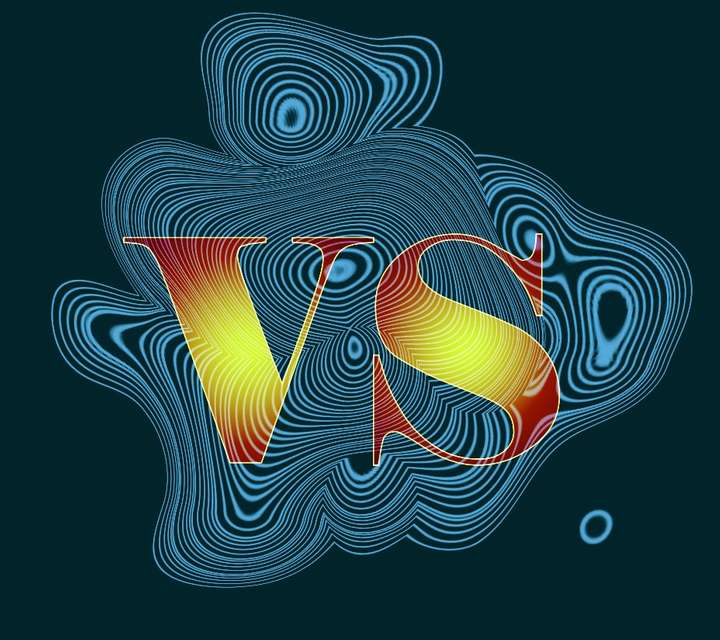
      I wanted to replicate a scheme done with another app (did not succeed yet) & I did come with this that I like for a poster let say, entirely done in VS with the transform feature, blending, shape effect & all editable:

      0_1687800886745_Test.jpg
      0_1687801348100_Test1.jpg

      W11 Pro 25H2 - 12th Gen Intel(R) i7-12700K 3.61 GHz - RAM 64 Go - NVIDIA GF GTX 4070 Ti - Intuos - Dell UP3216Q / Eizo ColorEdge
      W11 Pro 25H2 - 12th Gen Intel(R) i7-12700KF 3.60 GHz -RAM 64 Go - NVIDIA GF GTX 3080 - IntuosPro- ProArt PA329C

      1 Reply Last reply Reply Quote 2
      • B Offline
        B-Vs-V
        last edited by B-Vs-V

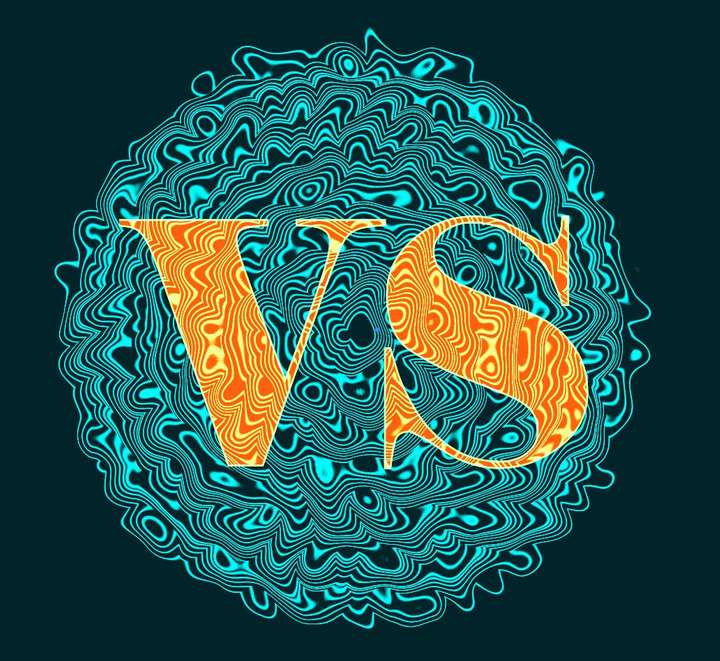
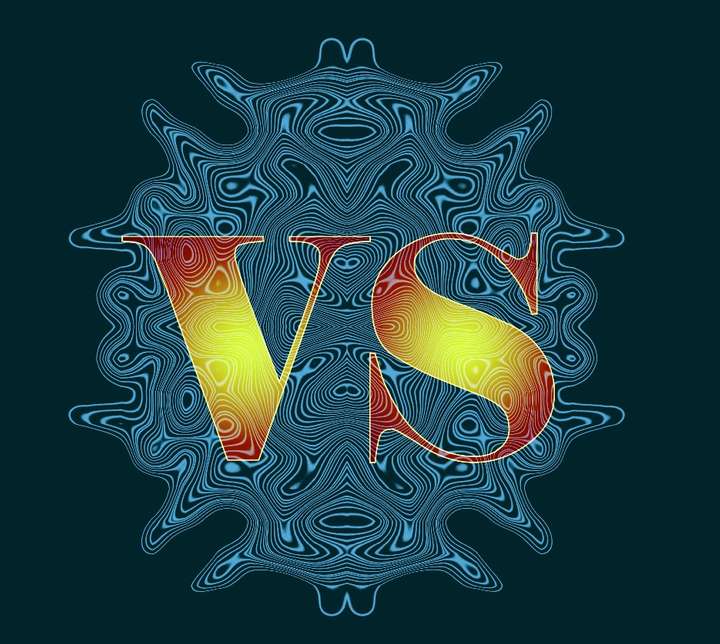
        One can really play with many features & we can't (always) predict what we're going to get:
        0_1687803466726_Test3.jpg

        0_1687803914774_Test4.jpg

        W11 Pro 25H2 - 12th Gen Intel(R) i7-12700K 3.61 GHz - RAM 64 Go - NVIDIA GF GTX 4070 Ti - Intuos - Dell UP3216Q / Eizo ColorEdge
        W11 Pro 25H2 - 12th Gen Intel(R) i7-12700KF 3.60 GHz -RAM 64 Go - NVIDIA GF GTX 3080 - IntuosPro- ProArt PA329C

        S 1 Reply Last reply Reply Quote 3
        • S Offline
          Subpath @B-Vs-V
          last edited by Subpath

          @Pat

          Great texture
          I like the third image because of the color gradient

          would love to see the texture clipped into the Letters
          (third and fourth picture)
          it would probably look good too
          well done

          what transformation tools did you use
          or is it all just done with blends?

          Win 11
          CPU: AMD Ryzen 5 9600X, 6-core.
          GPU: Nvidia Geforce RTX 5070.

          B 1 Reply Last reply Reply Quote 2
          • B Offline
            B-Vs-V @Subpath
            last edited by B-Vs-V

            @Subpath I did try to clip the texture within the letters/shapes but I've got some issues at the border:

            0_1687843297990_Gl.jpg

            I also get some issues with the union boolean:
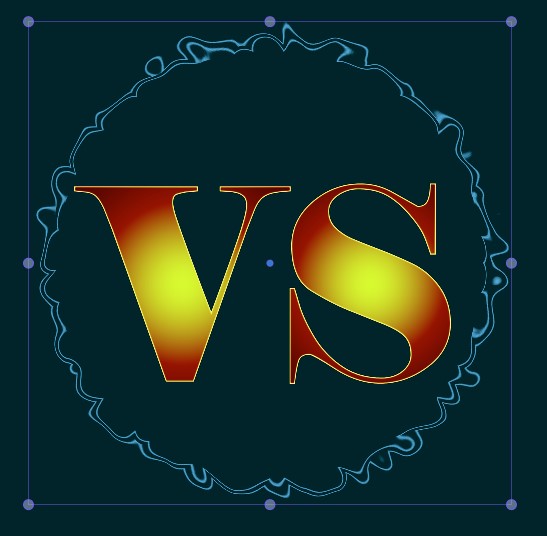
            0_1687843410432_Un.jpg

            The shape effects are 'distortions'.

            W11 Pro 25H2 - 12th Gen Intel(R) i7-12700K 3.61 GHz - RAM 64 Go - NVIDIA GF GTX 4070 Ti - Intuos - Dell UP3216Q / Eizo ColorEdge
            W11 Pro 25H2 - 12th Gen Intel(R) i7-12700KF 3.60 GHz -RAM 64 Go - NVIDIA GF GTX 3080 - IntuosPro- ProArt PA329C

            S 1 Reply Last reply Reply Quote 2
            • S Offline
              Subpath @B-Vs-V
              last edited by

              @Pat

              curious, probably some heavy stuff for VS
              but it also looks good as a frame 🙂
              the second one

              Win 11
              CPU: AMD Ryzen 5 9600X, 6-core.
              GPU: Nvidia Geforce RTX 5070.

              B 1 Reply Last reply Reply Quote 2
              • B Offline
                B-Vs-V @Subpath
                last edited by

                @Subpath Could be... but I assume more a bug. I can send the file to @VectorStyler if needed.

                Anyway, several possibilities. I still have to read your tuto on brushes to start using them ☺

                0_1687860263591_Un.jpg

                W11 Pro 25H2 - 12th Gen Intel(R) i7-12700K 3.61 GHz - RAM 64 Go - NVIDIA GF GTX 4070 Ti - Intuos - Dell UP3216Q / Eizo ColorEdge
                W11 Pro 25H2 - 12th Gen Intel(R) i7-12700KF 3.60 GHz -RAM 64 Go - NVIDIA GF GTX 3080 - IntuosPro- ProArt PA329C

                VectorStylerV S 2 Replies Last reply Reply Quote 2
                • VectorStylerV Offline
                  VectorStyler @B-Vs-V
                  last edited by

                  @Pat Send me the file.

                  B 1 Reply Last reply Reply Quote 0
                  • B Offline
                    B-Vs-V @VectorStyler
                    last edited by

                    @VectorStyler I've sent the file.

                    W11 Pro 25H2 - 12th Gen Intel(R) i7-12700K 3.61 GHz - RAM 64 Go - NVIDIA GF GTX 4070 Ti - Intuos - Dell UP3216Q / Eizo ColorEdge
                    W11 Pro 25H2 - 12th Gen Intel(R) i7-12700KF 3.60 GHz -RAM 64 Go - NVIDIA GF GTX 3080 - IntuosPro- ProArt PA329C

                    1 Reply Last reply Reply Quote 1
                    • S Offline
                      Subpath @B-Vs-V
                      last edited by

                      @Pat

                      i love the wave like look 🙂

                      Win 11
                      CPU: AMD Ryzen 5 9600X, 6-core.
                      GPU: Nvidia Geforce RTX 5070.

                      1 Reply Last reply Reply Quote 1
                      • B Offline
                        B-Vs-V
                        last edited by

                        It's been a long time since I've been back in this thread...
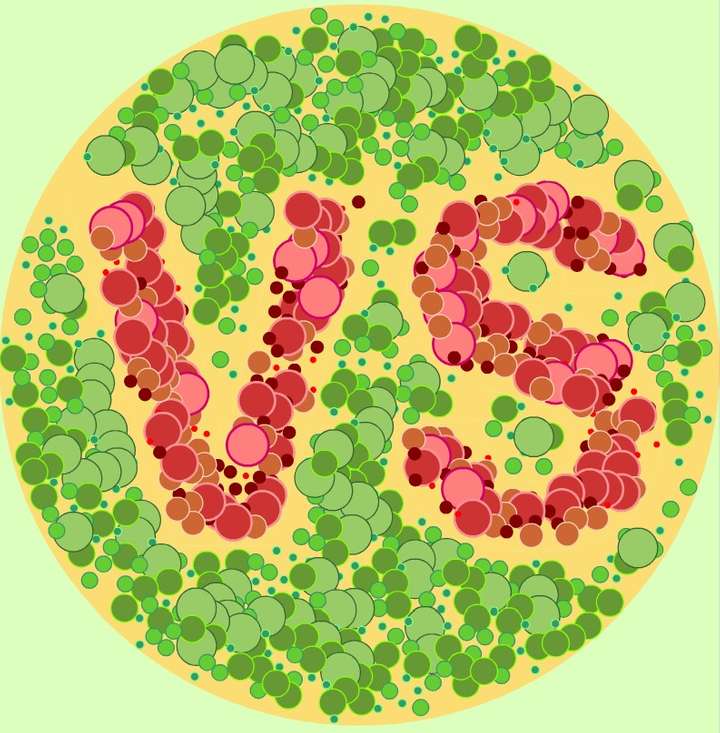
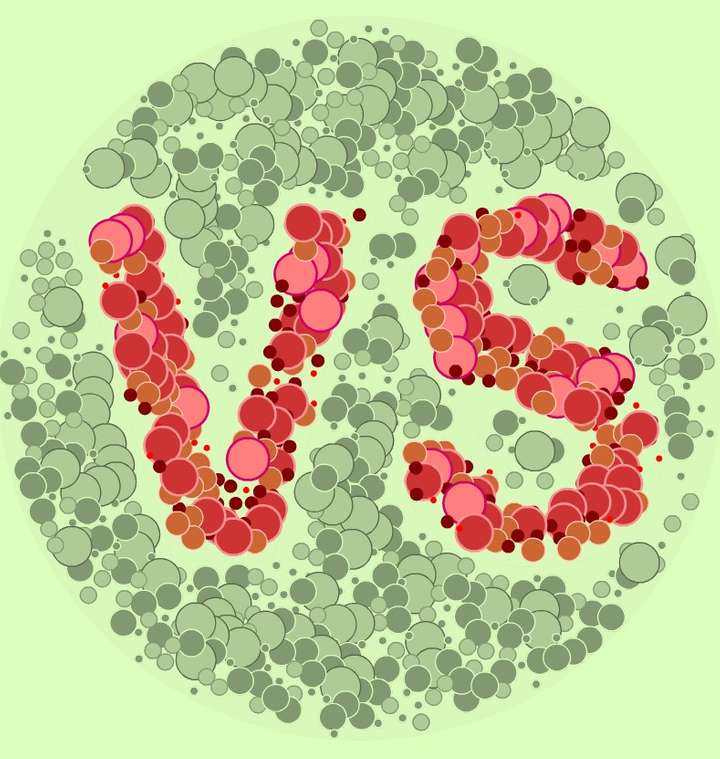
                        Very easy to get even if not what I wanted, but I found this interesting.
                        Using the “Repeater” function in two different objects and various renderings by changing the coloured background and transparency of the “containers”, etc.
                        0_1716911391046_T.jpg

                        0_1716911488834_t2.jpg

                        W11 Pro 25H2 - 12th Gen Intel(R) i7-12700K 3.61 GHz - RAM 64 Go - NVIDIA GF GTX 4070 Ti - Intuos - Dell UP3216Q / Eizo ColorEdge
                        W11 Pro 25H2 - 12th Gen Intel(R) i7-12700KF 3.60 GHz -RAM 64 Go - NVIDIA GF GTX 3080 - IntuosPro- ProArt PA329C

                        S 1 Reply Last reply Reply Quote 4
                        • S Offline
                          Subpath @B-Vs-V
                          last edited by

                          @Pat

                          and the ideas are still bubbling up
                          I know it will never stop, like the water geysers
                          in Yellowstone 🙂

                          Win 11
                          CPU: AMD Ryzen 5 9600X, 6-core.
                          GPU: Nvidia Geforce RTX 5070.

                          B 1 Reply Last reply Reply Quote 1
                          • B Offline
                            B-Vs-V @Subpath
                            last edited by B-Vs-V

                            @Subpath Thanks ☺. Well, I wish I had more ideas and more time to experiment and implement VS in my work(flow).

                            W11 Pro 25H2 - 12th Gen Intel(R) i7-12700K 3.61 GHz - RAM 64 Go - NVIDIA GF GTX 4070 Ti - Intuos - Dell UP3216Q / Eizo ColorEdge
                            W11 Pro 25H2 - 12th Gen Intel(R) i7-12700KF 3.60 GHz -RAM 64 Go - NVIDIA GF GTX 3080 - IntuosPro- ProArt PA329C

                            1 Reply Last reply Reply Quote 1
                            • B Offline
                              B-Vs-V
                              last edited by

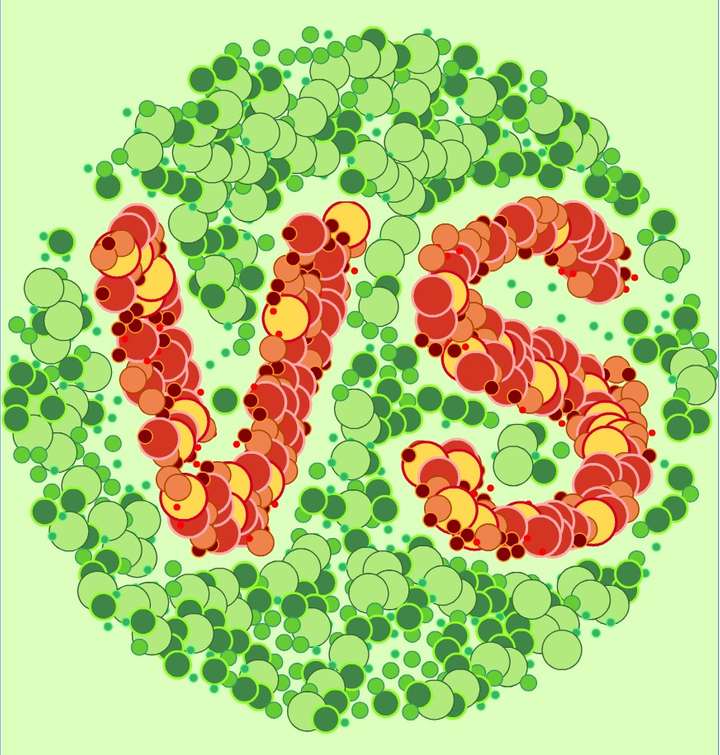
                              @VectorStyler VS 1.2.027 & no issue anymore with my file. I could change any symbol without affecting the arrangement of others... the use of the Repeater feature (VS acronym of course) ☺
                              0_1716979684642_t3.jpg

                              W11 Pro 25H2 - 12th Gen Intel(R) i7-12700K 3.61 GHz - RAM 64 Go - NVIDIA GF GTX 4070 Ti - Intuos - Dell UP3216Q / Eizo ColorEdge
                              W11 Pro 25H2 - 12th Gen Intel(R) i7-12700KF 3.60 GHz -RAM 64 Go - NVIDIA GF GTX 3080 - IntuosPro- ProArt PA329C

                              1 Reply Last reply Reply Quote 2
                              • B Offline
                                B-Vs-V
                                last edited by

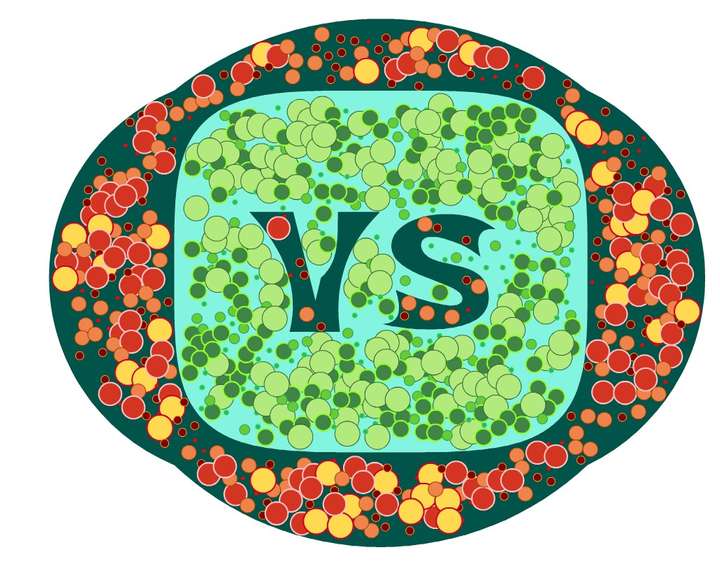
                                Well, I've tried to get a fully editable design for the Repeater features (two here) made with symbols and for the text, but I can't find a way to do it 🤔
                                I have to confess that I got a bit lost in all the testing I did. I was convinced that text remained editable after a Boolean operation like in AD but didn't succeed in VS...

                                I'll stop here, even though there's still room for improvement, just for the fun to use the Repeater feature with symbols:
                                0_1718460509877_r.jpg

                                W11 Pro 25H2 - 12th Gen Intel(R) i7-12700K 3.61 GHz - RAM 64 Go - NVIDIA GF GTX 4070 Ti - Intuos - Dell UP3216Q / Eizo ColorEdge
                                W11 Pro 25H2 - 12th Gen Intel(R) i7-12700KF 3.60 GHz -RAM 64 Go - NVIDIA GF GTX 3080 - IntuosPro- ProArt PA329C

                                S 1 Reply Last reply Reply Quote 3
                                • S Offline
                                  Subpath @B-Vs-V
                                  last edited by

                                  @Pat

                                  Nice,
                                  looks like a title for the great upcoming VectorStyler TV show
                                  I'm looking forward to it 🙂

                                  Win 11
                                  CPU: AMD Ryzen 5 9600X, 6-core.
                                  GPU: Nvidia Geforce RTX 5070.

                                  B 1 Reply Last reply Reply Quote 1
                                  • B Offline
                                    B-Vs-V @Subpath
                                    last edited by B-Vs-V

                                    WIP ! I'd like to make an axonometric "3D" project and I'm in the process of testing the possibilities of VS. It would be a bit long to explain the steps but in itself nothing very complicated.
                                    The software does slow down a bit but I think that's due to the calculation time for rendering (several artboards, some image and shape effects, blending, different colours to strokes and fills...). Infinite possibilities by changing a single parameter.

                                    0_1721756886779_f1.jpg

                                    W11 Pro 25H2 - 12th Gen Intel(R) i7-12700K 3.61 GHz - RAM 64 Go - NVIDIA GF GTX 4070 Ti - Intuos - Dell UP3216Q / Eizo ColorEdge
                                    W11 Pro 25H2 - 12th Gen Intel(R) i7-12700KF 3.60 GHz -RAM 64 Go - NVIDIA GF GTX 3080 - IntuosPro- ProArt PA329C

                                    S 1 Reply Last reply Reply Quote 1
                                    • S Offline
                                      Subpath @B-Vs-V
                                      last edited by

                                      @Pat

                                      nice,
                                      i like the transparent, glass-like effect in the middle

                                      Win 11
                                      CPU: AMD Ryzen 5 9600X, 6-core.
                                      GPU: Nvidia Geforce RTX 5070.

                                      B 1 Reply Last reply Reply Quote 0
                                      • B Offline
                                        B-Vs-V @Subpath
                                        last edited by

                                        @Subpath Thanks. I'll come back on this one later.

                                        W11 Pro 25H2 - 12th Gen Intel(R) i7-12700K 3.61 GHz - RAM 64 Go - NVIDIA GF GTX 4070 Ti - Intuos - Dell UP3216Q / Eizo ColorEdge
                                        W11 Pro 25H2 - 12th Gen Intel(R) i7-12700KF 3.60 GHz -RAM 64 Go - NVIDIA GF GTX 3080 - IntuosPro- ProArt PA329C

                                        1 Reply Last reply Reply Quote 0
                                        • B Offline
                                          B-Vs-V
                                          last edited by

                                          I wanted to achieve a realistic neon effect (not just a blur effect applied to a coloured line), for editable text. I achieved this effect by copy-pasting the text outlines (no fill), applying brushes and transparency to the shapes on a dark background (gradient). It's not too successful but I like the overall effect with the Repeater function on each of the shapes (of course, the text in this case is not editable):

                                          0_1726420805738_neon2.jpg

                                          W11 Pro 25H2 - 12th Gen Intel(R) i7-12700K 3.61 GHz - RAM 64 Go - NVIDIA GF GTX 4070 Ti - Intuos - Dell UP3216Q / Eizo ColorEdge
                                          W11 Pro 25H2 - 12th Gen Intel(R) i7-12700KF 3.60 GHz -RAM 64 Go - NVIDIA GF GTX 3080 - IntuosPro- ProArt PA329C

                                          S 1 Reply Last reply Reply Quote 3
                                          • S Offline
                                            Subpath @B-Vs-V
                                            last edited by Subpath

                                            @Pat

                                            looks not that bad too me
                                            how about a make the reflection Light
                                            on the wall more soft/blurry
                                            (only the letter contour)

                                            Win 11
                                            CPU: AMD Ryzen 5 9600X, 6-core.
                                            GPU: Nvidia Geforce RTX 5070.

                                            B 1 Reply Last reply Reply Quote 1
                                            • First post
                                              Last post