VectorStyler
    • Categories
    • Unread
    • Recent
    • Tags
    • Popular
    • Register
    • Login

    How do I expand distortion results?

    Scheduled Pinned Locked Moved Questions and Support
    4 Posts 2 Posters 4.3k Views 1 Watching
    Loading More Posts
    • Oldest to Newest
    • Newest to Oldest
    • Most Votes
    Reply
    • Reply as topic
    Log in to reply
    This topic has been deleted. Only users with topic management privileges can see it.
    • BoldlineB Offline
      Boldline
      last edited by

      How do I expand distortion results? Or is it converting it onto a raster? It's confusing.
      I was using the effects>distortion>circular bump
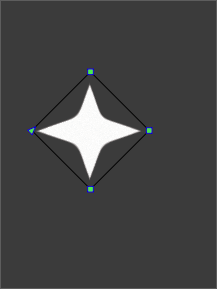
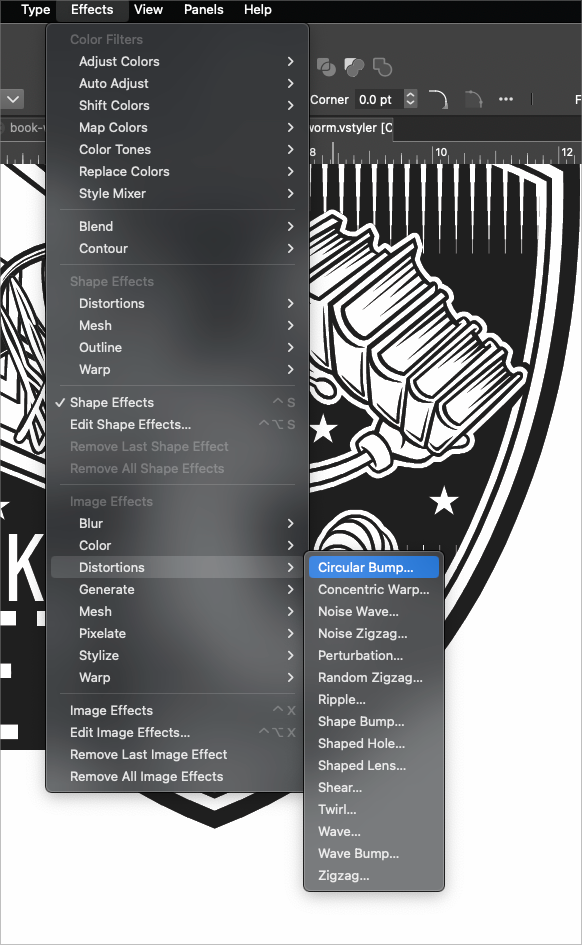
      0_1713823140707_abb8620b-0be1-4dac-af41-21b668fa9b5c-BLD 2024-04-22 at 17.57.41.png

      0_1713823167151_1a636349-a2a2-4f16-8f47-3c8cad1f7c3b-BLD 2024-04-22 at 17.59.19.png

      🍎 macOS Sequoia 15.3, Mac mini (M1, 2020), Chip Apple M1, Memory 16 GB
      Cintiq 27QHD Display and LG Ultra HD Display

      L 2 Replies Last reply Reply Quote 0
      • L Offline
        Li Xiao @Boldline
        last edited by

        @Boldline Convert to Curves

        BoldlineB 1 Reply Last reply Reply Quote 0
        • BoldlineB Offline
          Boldline @Li Xiao
          last edited by Boldline

          @Li-Xiao said in How do I expand distortion results?:

          @Boldline Convert to Curves

          I was thinking that also, but it's grayed out when I go to try to use it.

          Here is a link to a new file with the same result: 0_1713837815156_distortion test.vstyler
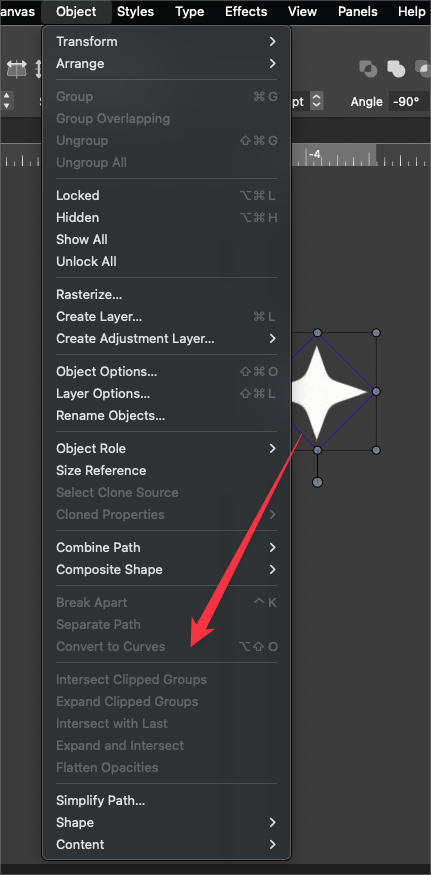
          0_1713837038566_1afbf021-980b-4e5c-ba97-0322489f0872-BLD 2024-04-22 at 21.50.00.png

          🍎 macOS Sequoia 15.3, Mac mini (M1, 2020), Chip Apple M1, Memory 16 GB
          Cintiq 27QHD Display and LG Ultra HD Display

          1 Reply Last reply Reply Quote 0
          • L Offline
            Li Xiao @Boldline
            last edited by

            @Boldline I didn't notice that you were using the Circular Bump in the Image Effects instead of the Shape Effects. Why not use the Circular Bump in the Shape Effects? In the Image Effects, you can use Rasterize

            1 Reply Last reply Reply Quote 1
            • First post
              Last post