Axonometric Transform Actions
-
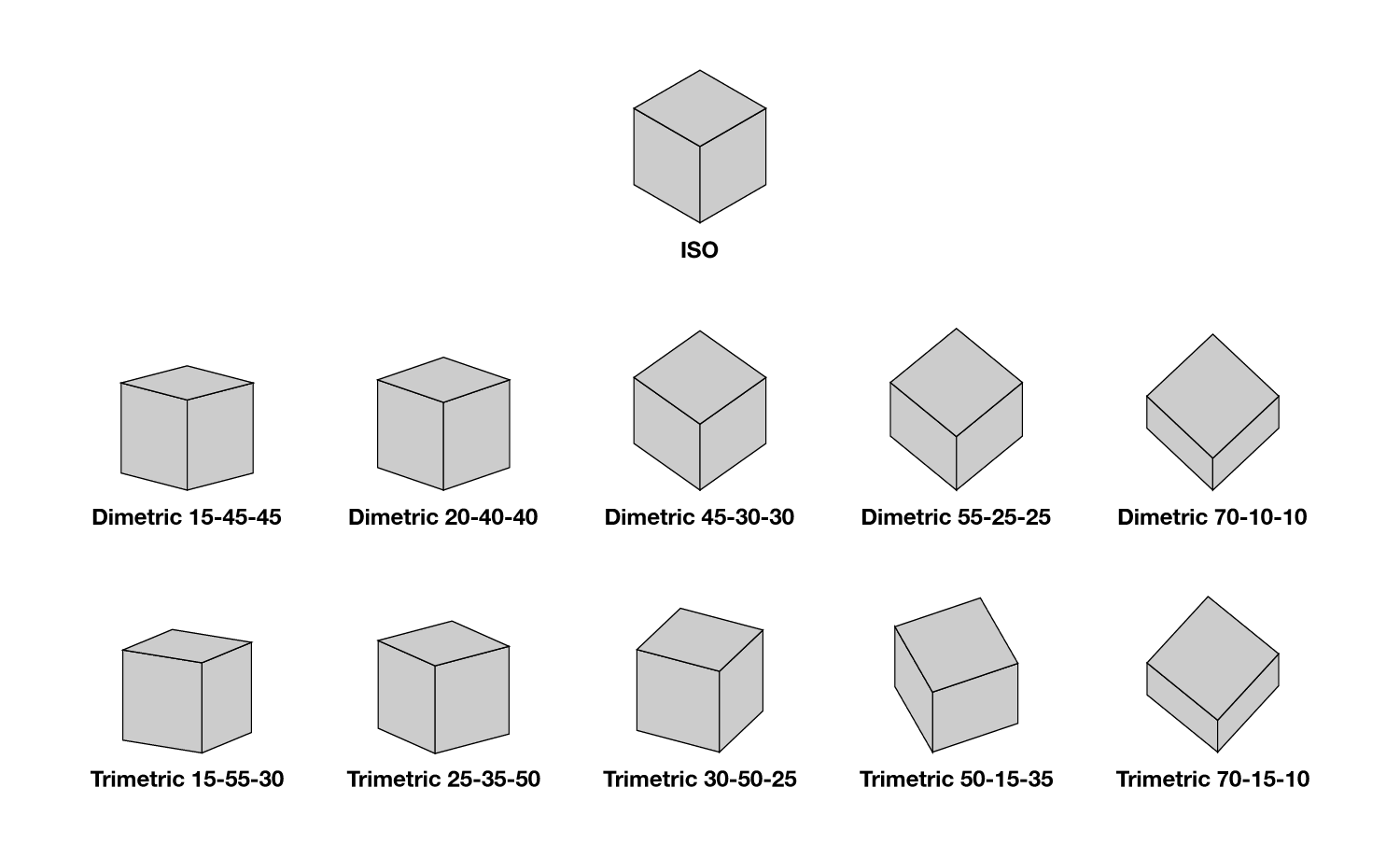
I've created a couple of axonometric transform actions that can help creating designs in 3D. You prolly know about isometric, which is the most basic. And there are various dimetric and trimetric projections as well.
So to get started...
- Download the actions from my dropbox thingy
- In VS, go to Panels > Presets > Actions
- In the Actions panel's menu, at the bottom, select "Open from file..." and load these actions.
- Create squares, ovals, triangles, whatever shapes, and select the actions for whatever axonometric projection you want to transform the shape to. For each transform, there's action for left, right, and top view.
So if you want, say, a Trimetric 30-50-25 transform, just open that up in the "Trimetric > Trimetric 30-50-25" actions folder, select the shape, and click the left/right/top action. Done.
To make it more fun, you can create grids for each and save the grids as presets. That'll be your homework

Enjoy!
Link to actions:
https://www.dropbox.com/scl/fi/7e6x30ys9g4yj8s8p3uay/VectorStyler-Axonometric-Transformations.preset?rlkey=gyr0hsqaz3lsoi19kgsupamqv&st=56t70ggh&dl=0The various transforms you can create:

-
Finally, if you are into tech illustration (or wanna get into it) this is an exceptional book. It was released quite a few years back, hard cover, expensive, but insanely good and detailed.
The Complete Technical Illustrator
https://www.amazon.com/Complete-Technical-Illustrator-Subscription-Card/dp/007292229XI think they released it not long ago in PDF format too (which is cheaper).
https://www.gregmaxson.com/store/the-complete-technical-illustrator-pdf -
Thank you, very impressive work !
It might already be in your pipeline ? It would be nice if you could
record a video showing how it works. May be helpful for users who
are not that familiar with actions. -
Here are some videos about the process for those who interested. We are going to create some fun 3D letters, like the ones below. Based on the examples, you can create various other objects, eg houses, 3D map, tools, etc.

First video with instructions (letter g)
https://www.youtube.com/watch?v=siA3Tw2R8WASecond video (letter A) - no instructions
https://www.youtube.com/watch?v=AvBVSw67VjAThird video (letter p) - no instructions
https://www.youtube.com/watch?v=Q4I9-NrrPco -
@pentool Really great
 I'm working on an axonometric project. Any tips and workflows like these are extremely welcome (as are those from @Devil-Dinosaur) The videos are no longer available, however.
It would be particularly useful to have a 3d tool in VS. I think I saw it in the roadmap. -
S Subpath referenced this topic on