VectorStyler
    • Categories
    • Unread
    • Recent
    • Tags
    • Popular
    • Register
    • Login

    Blending & alignment of objects
    Scheduled Pinned Locked Moved Questions and Support
    3 Posts 2 Posters 3.2k Views 2 Watching
    Loading More Posts
    • Oldest to Newest
    • Newest to Oldest
    • Most Votes
    Reply
    • Reply as topic
    Log in to reply
    This topic has been deleted. Only users with topic management privileges can see it.
    • B Offline
      B-Vs-V
      last edited by B-Vs-V

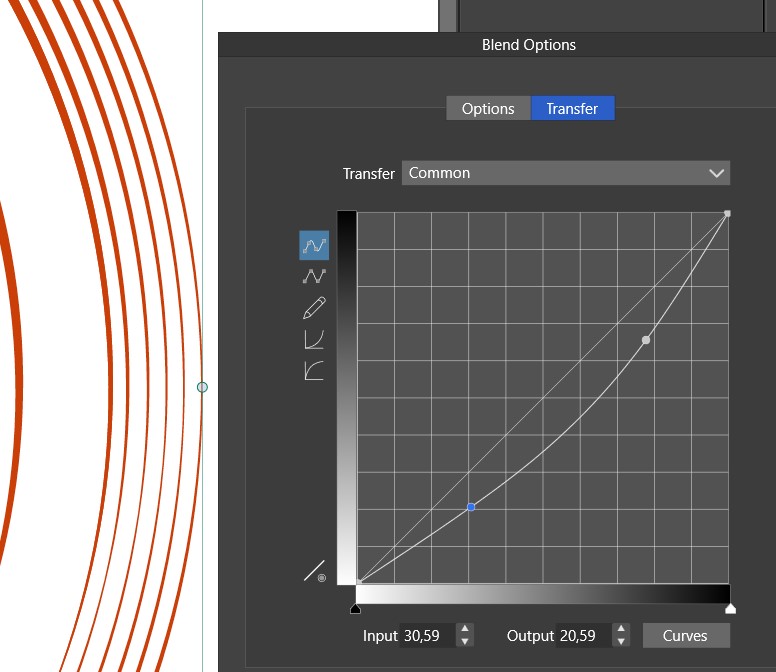
      I made a blend between 2 circles and it seems the blended objects are not equidistant (why? probably because the stroke is not uniforme?):
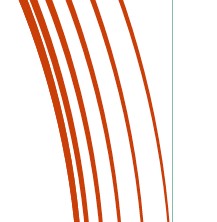
      0_1687768345957_B1.jpg

      using the Blend options can help but no way to know whether they are equidistant...
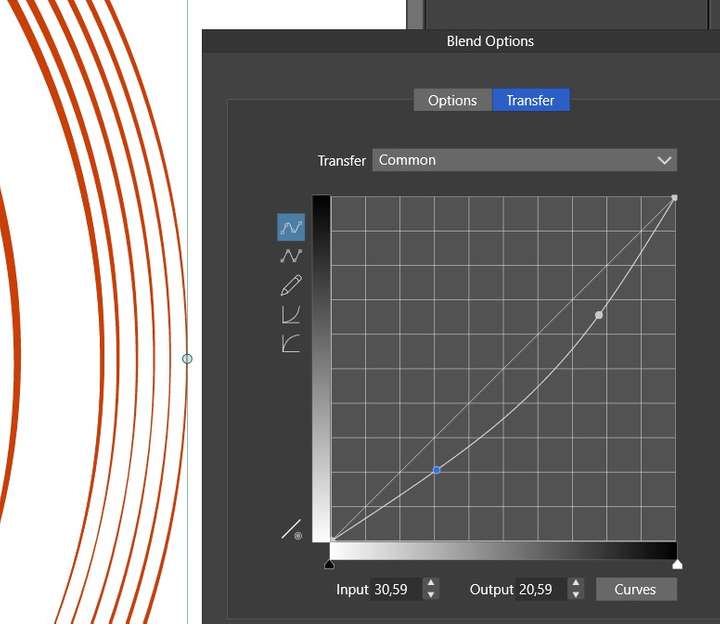
      0_1687768366816_B2.jpg

      If this is considered as fine, is there a way to save the blend options transfert somehow to always use the sames parameters without writing the values somewhere? I don't see a way... Thanks

      PS: I can't manage with the alignment panel either

      W11 Pro 25H2 - 12th Gen Intel(R) i7-12700K 3.61 GHz - RAM 64 Go - NVIDIA GF GTX 4070 Ti - Intuos - Dell UP3216Q / Eizo ColorEdge
      W11 Pro 25H2 - 12th Gen Intel(R) i7-12700KF 3.60 GHz -RAM 64 Go - NVIDIA GF GTX 3080 - IntuosPro- ProArt PA329C

      VectorStylerV 1 Reply Last reply Reply Quote 0
      • VectorStylerV Offline
        VectorStyler @B-Vs-V
        last edited by

        @Pat Blend option presets and styles are missing from 1.1 (probably by mistake).
        These will be included in 1.2, and I will also add a separate transfer function preset for reuse.

        About the blend gaps: individual object curves should be equidistant, but these are the spines of the stroke.
        I see here that the strokes are of variable width, in which case the gap between the stroke margins cannot be equidistant.

        B 1 Reply Last reply Reply Quote 1
        • B Offline
          B-Vs-V @VectorStyler
          last edited by

          @VectorStyler Nice to know, looking forward to v1.2 ☺

          W11 Pro 25H2 - 12th Gen Intel(R) i7-12700K 3.61 GHz - RAM 64 Go - NVIDIA GF GTX 4070 Ti - Intuos - Dell UP3216Q / Eizo ColorEdge
          W11 Pro 25H2 - 12th Gen Intel(R) i7-12700KF 3.60 GHz -RAM 64 Go - NVIDIA GF GTX 3080 - IntuosPro- ProArt PA329C

          1 Reply Last reply Reply Quote 0
          • First post
            Last post
