Sometimes double-tapping the "L" key to convert a node to cusp gives me the path sketch tool instead
-
It could be user error on my part, but I noticed as I am cleaning up a path or fill, selecting nodes and using the double-tap of the "L" key to convert to a cusp node sometimes switches me to the path sketch tool instead. Other times it works perfectly to make the cusp nodes.
Other times when I have nothing selected and tap the "L" key to get the path sketch tool, nothing happens.
This video shows all three things happening - first the double click cusp node shortcut working normally. At the 29 sec mark, I've tapped away from the shape and I'm pressing the L key to get it to switch to path sketch but it's not cooperating. If I saw it correctly, the shortcut does not work when the node editor tool is active - I'm guessing this is to avoid the issue mentioned as the post title.
I jumped to another document where I had a fill already and at the 57 sec mark, I select a node and press the double "L" and I get the path sketch tool. Granted, that node might already have been a cusp and maybe that was why?🍎 macOS Tahoe 26.2, Mac mini (M1, 2020), Chip Apple M1, Memory 16 GB
Cintiq 27QHD Display and LG Ultra HD Display -
Updating - so it seems it happens when the node is technically already a cusp when you go to convert it.
I was continuing work on this project and it kept happening - especially with nodes you glance at and want to be sure are converted like this one:
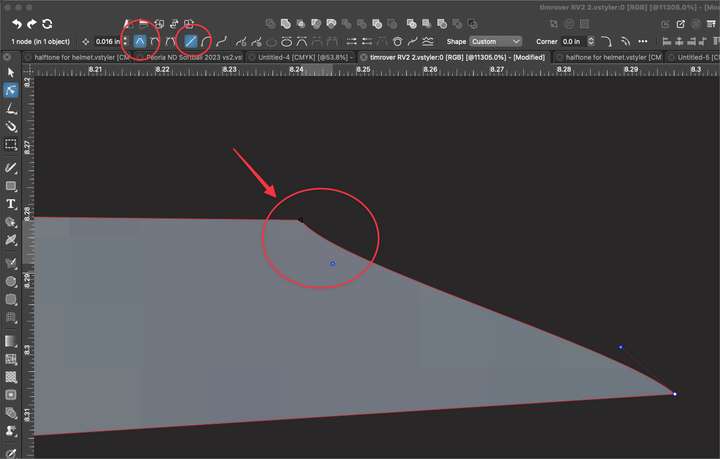
At quick glance, unless I'm checking the contextual menu, I don't know if this is already a cusp (I could alter the node symbol to help with this) but pressing the double tap L only converts my cursor from the node editing tool to the path sketch... grabbing the node on the far right end and pressing "1" to change the segment to a line segment was the real answer.
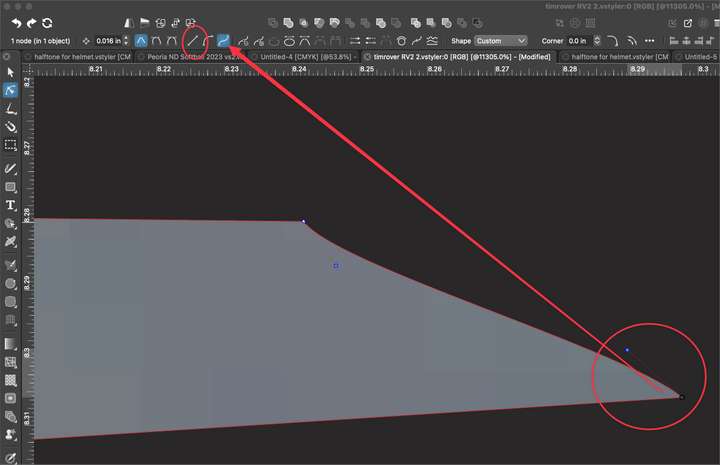
I'm not saying something is necessarily "wrong", but more that I'm trying to figure out a solution that works for me -
@Boldline Added this to the backlog. Looks like that if the command fails (already cusp), it falls back to default.
-
@VectorStyler said in Sometimes double-tapping the "L" key to convert a node to cusp gives me the path sketch tool instead:
Looks like that if the command fails (already cusp), it falls back to default.
Yes! You put that so succinctly! That would be great fix. Thanks

