How to Froce Device CMYK in EPS Export
-
Hi,
Regardless of my document palette, colour settings or colour profile in VS, i.e.,
Palette - Default, Default CMYK or Global CMYK
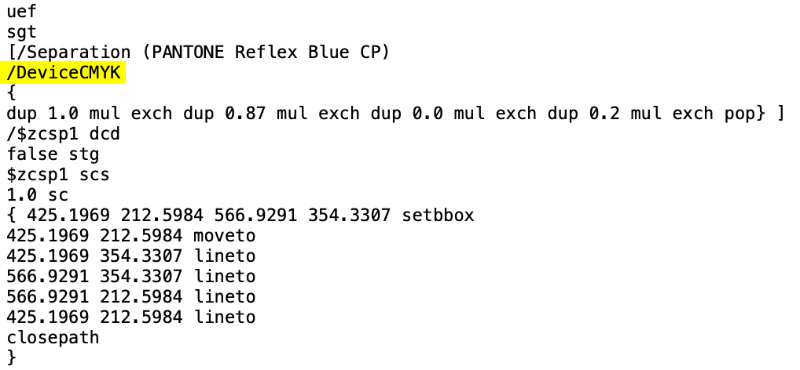
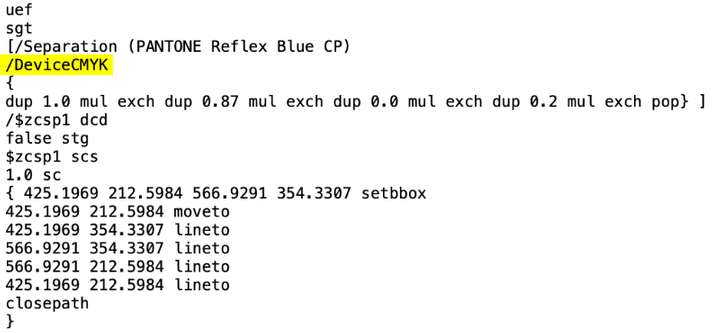
Colour - Default CMYK or CMYKWhen exporting to a .eps file the Separation Method is always shown as DeviceRGB...
How do I force a .eps file to use DeviceCMYK, as per the attached image?
-
@VectorByName The when you double click on the spot color in the main palette, what is the primary color mode?
-
@VectorStyler I've tried using RGB, CMYK and LAB so far and all appear to result in DeviceRGB in the exported eps file though I'll test some more to confirm that is indeed the case...
Edit: I've just changed it back to CMYK and that seems to have fixed the issue...
Many thanks
-
@VectorByName So, it turns out there are numerous other issues with regard to colour.
-
Changing the colour palette to show CMYK sliders show spot colours using CMYK values and you can't disable this to show a selected colour as a spot colour again unless you quit VS and reopen it.
-
Sometimes the colour selected on the artboard or canvas is shown incorrectly in the colour palette, please see this video...
- A CMYK document using a mix of CMYK Defined Colour and Spot Colour shows a mix of DeviceRGB and DeviceCMYK when exported to an EPS file, even when Spot Colours are from the same swatch library, note in particular, how Pantone Orange 021 CP is defined as DeviceCMYK yet Pantone 341 CP is defined as DeviceRGB despite both coming from the same Pantone library please see this video...
It should be noted that when the EPS file is opened in other Vector based software, the colours shown as DeviceRGB are still defined using CMYK colour values however, incorrectly the colour itself is incorrectly displayed.
I've attached both the source Vectorstyler file and the exported EPS file which will hopefully help in figuring out whether this is a bug or if there is something else going on here...
I look forward to hearing your thoughts and feedback.
Many thanks
-
-
@VectorByName Added this to the backlog, and will get back with a solution soon.
