Tying the font size to the transform scaling of live text
-
I know this has been mentioned on the forum a while back but it's recently affected some of my work process so I wanted to revive it and see if a solution could be found (maybe it's in the works for the upcoming 1.2?) This is an important fix in my book, lol.
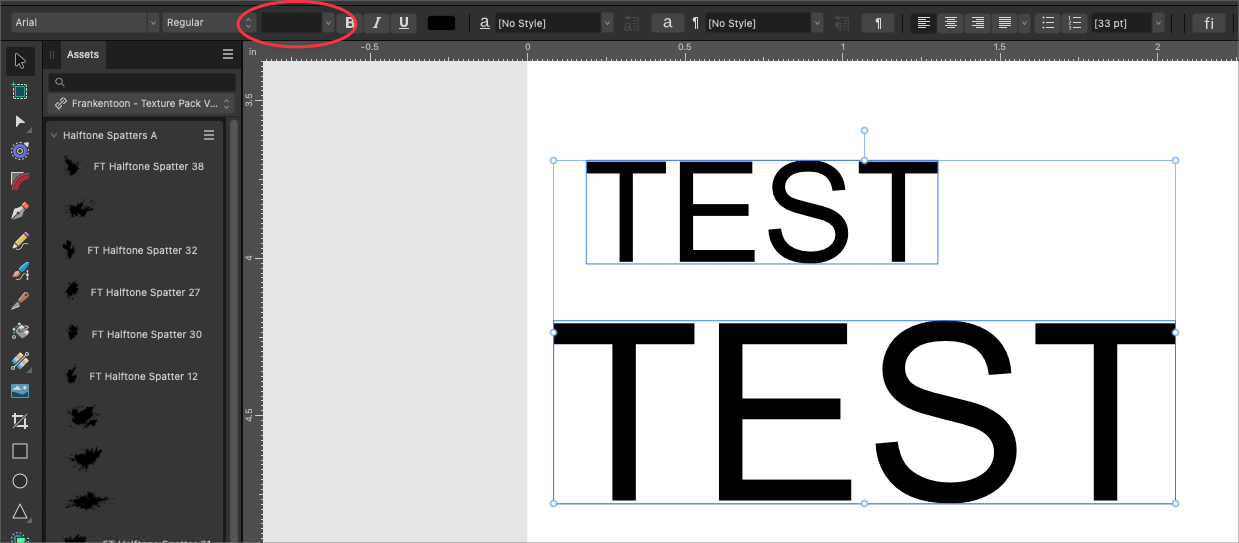
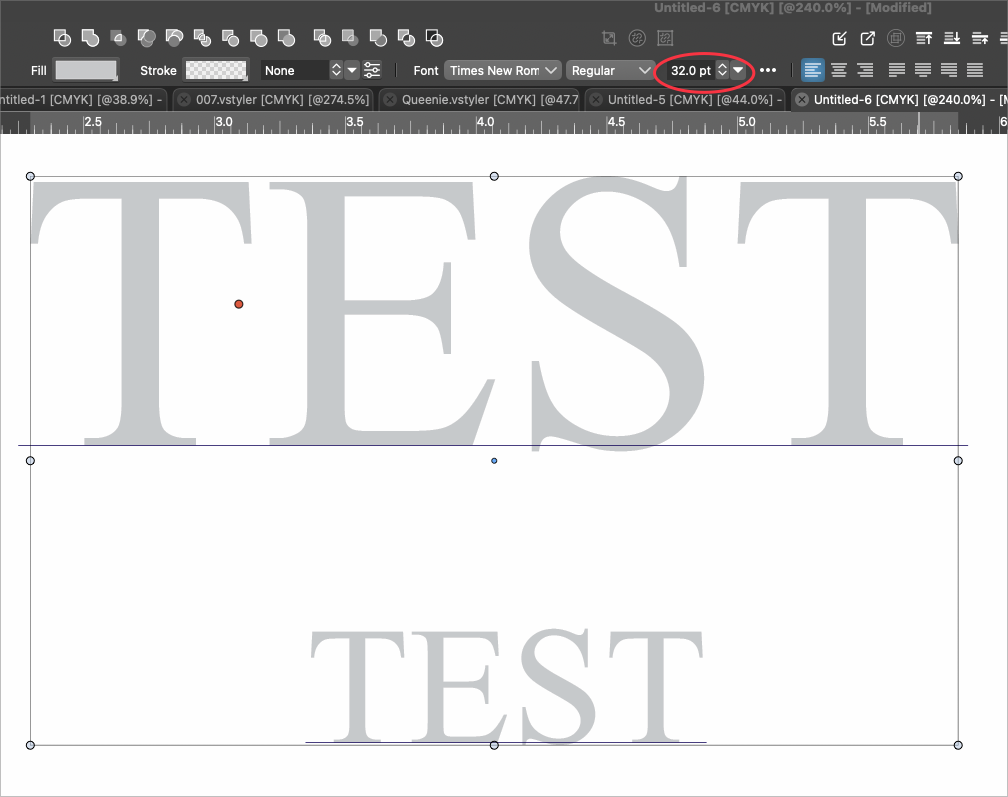
Right now when you scale live text in VS, the font size does not change to correspond with the scaling edit. So in the image below, both live texts highlighted are the same "size" in terms of pts, but obviously not in terms of scale. Click on either individually and they both say the same size. Highlighting them together also shows the same size. This is misleading because the common understanding is that the font size display box would only display a number if all selections are the same size. This same mode of thinking applies with spot colors as well. If a selection contains more than one spot color, nothing will be indicated on the color palette panel, etc.
Comparing that to the way Affinity Designer2 handles this (Illustrator as well), the font size changes proportionately with the scaling of the live text object. Also, if you select multiple sized live text objects, the size indicator shows empty because more than one size is selected.

-
@Boldline Is the "Direct Shape Transform" option on?
-
@VectorStyler Yes, the "direct shape transformation" is checked on. I also restarted VS fresh and had the same issue.


