VectorStyler
    • Categories
    • Unread
    • Recent
    • Tags
    • Popular
    • Register
    • Login

    Colour Palette Sliders are Missing

    Scheduled Pinned Locked Moved Questions and Support
    7 Posts 2 Posters 5.5k Views 2 Watching
    Loading More Posts
    • Oldest to Newest
    • Newest to Oldest
    • Most Votes
    Reply
    • Reply as topic
    Log in to reply
    This topic has been deleted. Only users with topic management privileges can see it.
    • V Offline
      VectorByName
      last edited by

      Hi,

      Regardless of which sliders I select in the colour palette on macOS Monterey, no sliders are shown, I see the Wheel or Spectrum chosen but zero sliders.

      Is this a bug or am I missing something?

      VectorStylerV 1 Reply Last reply Reply Quote 0
      • VectorStylerV Offline
        VectorStyler @VectorByName
        last edited by

        @VectorByName Can you upload a screenshot of the Color panel?

        1 Reply Last reply Reply Quote 0
        • V Offline
          VectorByName
          last edited by

          Apologies for the delay, I didn't have email notifications switched on...

          No problem, this is what I see with the colour palette (or rather don't see, i.e., no sliders)...
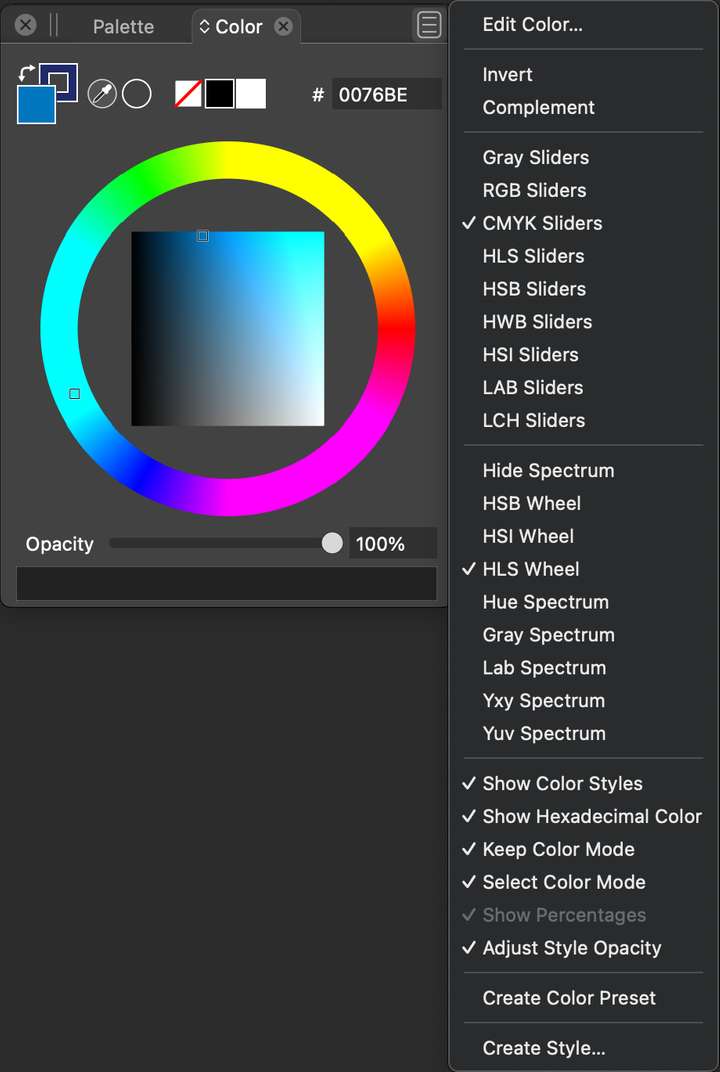
          0_1685355235370_Colour Palette.jpg

          I also don't have any search bar in the palette panel which I've seen others use in the Windows version unless it's hiding somewhere...
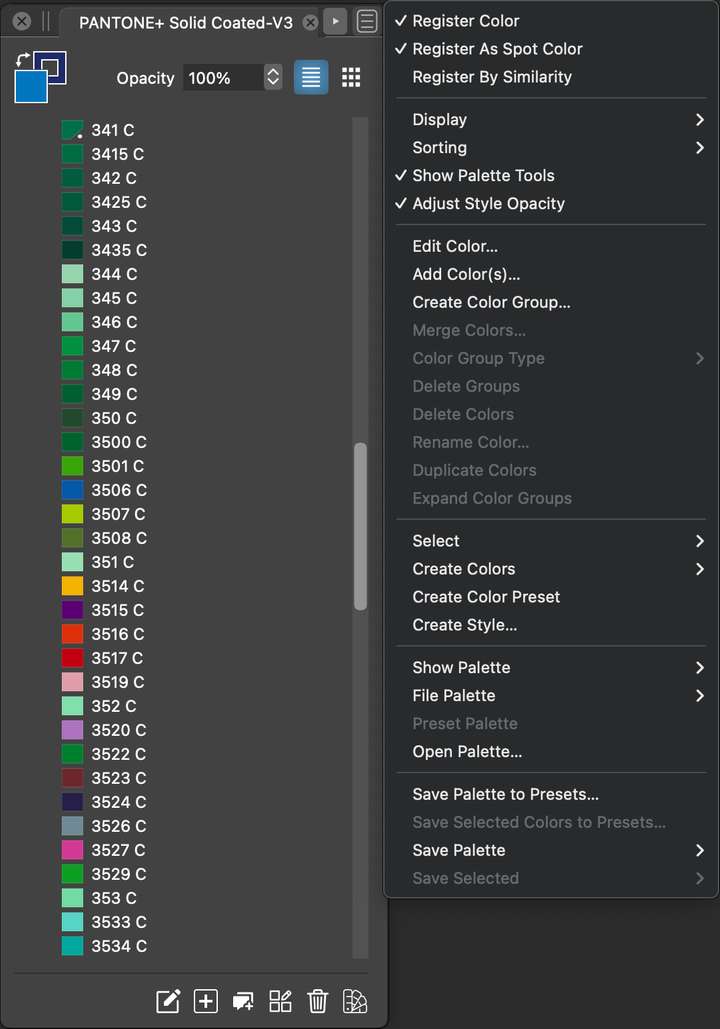
          0_1685355330537_Searchbar.jpg

          VectorStylerV 1 Reply Last reply Reply Quote 0
          • VectorStylerV Offline
            VectorStyler @VectorByName
            last edited by

            @VectorByName There could be some problems with the VS workspace or settings files.
            Try reset by holding shift+option+command when starting VS.

            1 Reply Last reply Reply Quote 0
            • V Offline
              VectorByName
              last edited by

              Perfect, that has certainly fixed the slider issue, thank you...

              Should there be a search option in the palette window, I'm still not seeing one after resetting the workspace.

              VectorStylerV 1 Reply Last reply Reply Quote 0
              • VectorStylerV Offline
                VectorStyler @VectorByName
                last edited by

                @VectorByName In the Sorting submenu, there the last one should enable searching.

                1 Reply Last reply Reply Quote 0
                • V Offline
                  VectorByName
                  last edited by

                  Perfect, no idea how I completely missed that despite looking for it several times (must be menu blindness), many thanks... 😀 😀

                  1 Reply Last reply Reply Quote 1
                  • First post
                    Last post
