VectorStyler
    • Categories
    • Unread
    • Recent
    • Tags
    • Popular
    • Register
    • Login

    Easily split a line into two differently configurable parts
    Scheduled Pinned Locked Moved Questions and Support
    7 Posts 2 Posters 5.9k Views 2 Watching
    Loading More Posts
    • Oldest to Newest
    • Newest to Oldest
    • Most Votes
    Reply
    • Reply as topic
    Log in to reply
    This topic has been deleted. Only users with topic management privileges can see it.
    • B Offline
      B-Vs-V
      last edited by

      I have to have a continuous line with a solid and a dotted part. I figure the best way is to draw a line, add a node point, separate and change the properties of one of these parts.
      When I do this, both parts become dashed as if it were still one line.
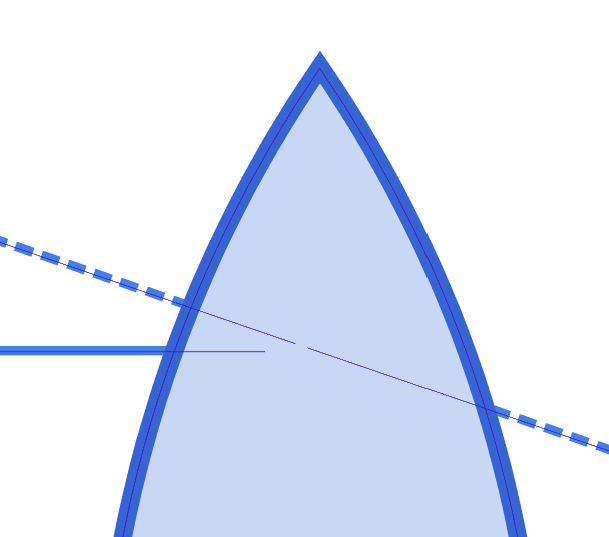
      0_1668175323803_976bf490-46c1-48c4-92e1-442ee7b0ce3d-image.png

      Ok, I then decided to copy/paste the curve and I've got this, a displacement of the line out of the artboard:
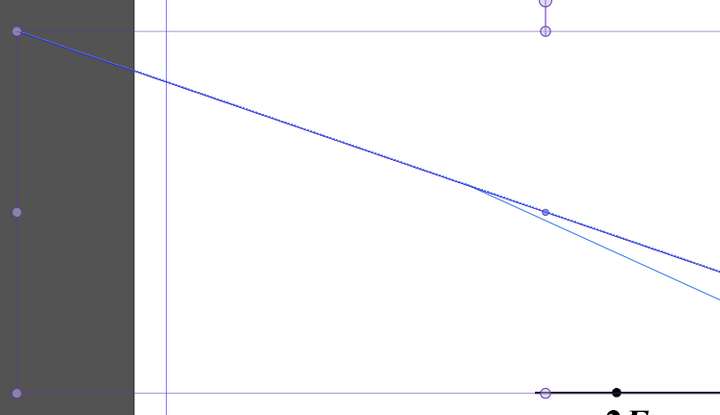
      0_1668176281488_b5172e60-af95-4ec4-a275-fd4921d8fa82-image.png

      I then wanted to adjust the length but:
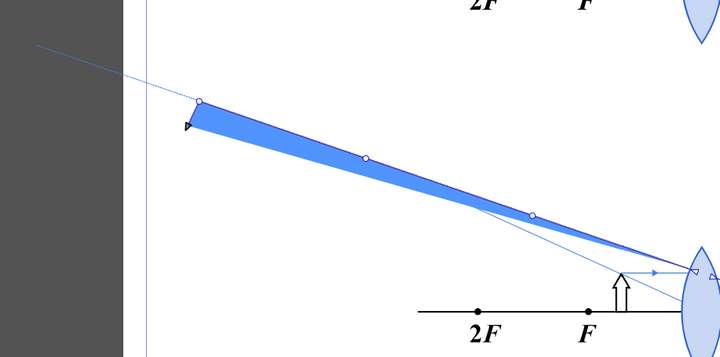
      0_1668176318407_f7b297fa-9b50-4c09-b827-dfe99c7c6c48-image.png

      What do I have to do to separate them as two lines (without converting them into shapes) ?
      Thanks

      W11 Pro 25H2 - 12th Gen Intel(R) i7-12700K 3.61 GHz - RAM 64 Go - NVIDIA GF GTX 4070 Ti - Intuos - Dell UP3216Q / Eizo ColorEdge
      W11 Pro 25H2 - 12th Gen Intel(R) i7-12700KF 3.60 GHz -RAM 64 Go - NVIDIA GF GTX 3080 - IntuosPro- ProArt PA329C

      B 1 Reply Last reply Reply Quote 0
      • B Offline
        B-Vs-V @B-Vs-V
        last edited by

        I don't understand why by simply Ctrl-C & Ctrl-V, the copy is not superimposed to the original shape.
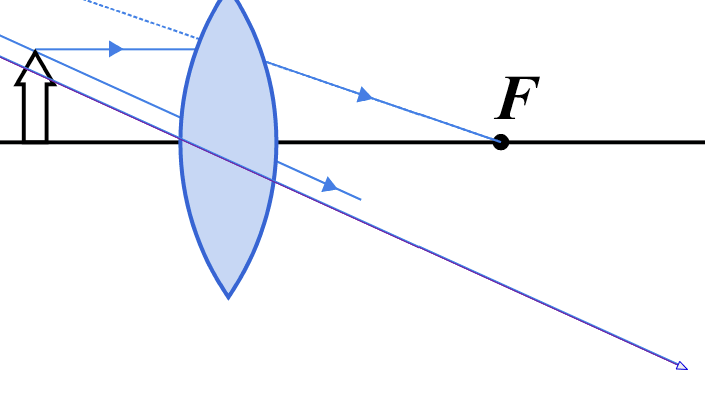
        0_1668176706550_45b74666-7a50-47fe-9cb2-93a0009e8a0b-image.png

        W11 Pro 25H2 - 12th Gen Intel(R) i7-12700K 3.61 GHz - RAM 64 Go - NVIDIA GF GTX 4070 Ti - Intuos - Dell UP3216Q / Eizo ColorEdge
        W11 Pro 25H2 - 12th Gen Intel(R) i7-12700KF 3.60 GHz -RAM 64 Go - NVIDIA GF GTX 3080 - IntuosPro- ProArt PA329C

        1 Reply Last reply Reply Quote 0
        • B Offline
          B-Vs-V
          last edited by

          I superimposed the line copy and I want to adjust its size to get the plain line:
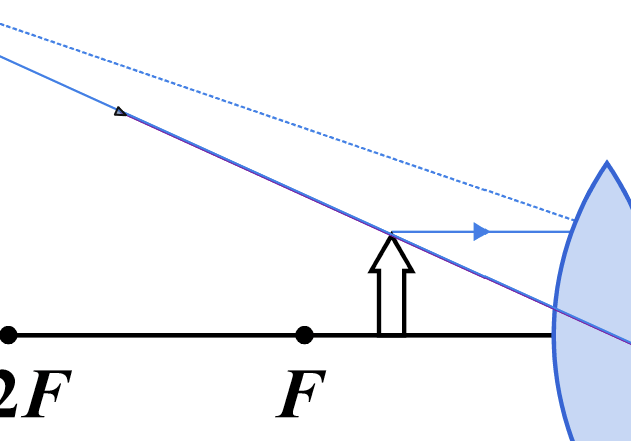
          0_1668176953592_669a1620-c602-4bc6-8fde-5240ff036f39-image.png

          fine until suddenly the line end shift and impossible to get it at the right position:
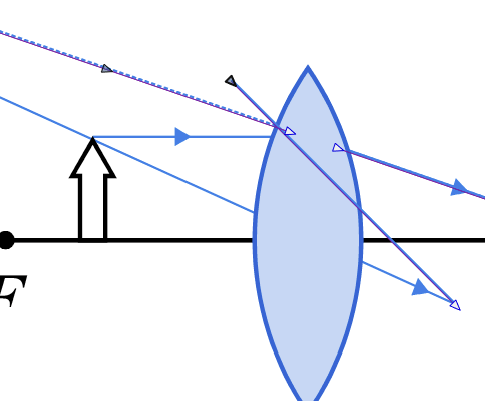
          0_1668177082531_9dac6719-2e11-4062-a4de-3bf7de1c9b0b-image.png

          W11 Pro 25H2 - 12th Gen Intel(R) i7-12700K 3.61 GHz - RAM 64 Go - NVIDIA GF GTX 4070 Ti - Intuos - Dell UP3216Q / Eizo ColorEdge
          W11 Pro 25H2 - 12th Gen Intel(R) i7-12700KF 3.60 GHz -RAM 64 Go - NVIDIA GF GTX 3080 - IntuosPro- ProArt PA329C

          VectorStylerV 1 Reply Last reply Reply Quote 0
          • VectorStylerV Offline
            VectorStyler @B-Vs-V
            last edited by

            @PatrickM Copy-pasting will move the pasted object by some offset (depending on the last movement).

            To have different line attributes, we need separate objects. Just having a break in the line (two lines in one object) is not sufficient.

            B 1 Reply Last reply Reply Quote 0
            • B Offline
              B-Vs-V @VectorStyler
              last edited by

              @VectorStyler yes thanks for this confirmation. I had indeed to duplicate the line but it would be nice to be able to cut and give different features to the cutted part of a line/shape.

              W11 Pro 25H2 - 12th Gen Intel(R) i7-12700K 3.61 GHz - RAM 64 Go - NVIDIA GF GTX 4070 Ti - Intuos - Dell UP3216Q / Eizo ColorEdge
              W11 Pro 25H2 - 12th Gen Intel(R) i7-12700KF 3.60 GHz -RAM 64 Go - NVIDIA GF GTX 3080 - IntuosPro- ProArt PA329C

              VectorStylerV 1 Reply Last reply Reply Quote 0
              • VectorStylerV Offline
                VectorStyler @B-Vs-V
                last edited by

                @PatrickM After cutting, use Object -> Break Apart to have separate objects, then different attributes will work.

                B 1 Reply Last reply Reply Quote 1
                • B Offline
                  B-Vs-V @VectorStyler
                  last edited by

                  @VectorStyler Thanks, works perfectly well 👍

                  W11 Pro 25H2 - 12th Gen Intel(R) i7-12700K 3.61 GHz - RAM 64 Go - NVIDIA GF GTX 4070 Ti - Intuos - Dell UP3216Q / Eizo ColorEdge
                  W11 Pro 25H2 - 12th Gen Intel(R) i7-12700KF 3.60 GHz -RAM 64 Go - NVIDIA GF GTX 3080 - IntuosPro- ProArt PA329C

                  1 Reply Last reply Reply Quote 0
                  • First post
                    Last post
