VectorStyler
    • Categories
    • Unread
    • Recent
    • Tags
    • Popular
    • Register
    • Login

    Feature request for a Clip to Art option in VectorStyler's Vector Halftone panel

    Scheduled Pinned Locked Moved Features and Ideas
    7 Posts 3 Posters 26 Views 2 Watching
    Loading More Posts
    • Oldest to Newest
    • Newest to Oldest
    • Most Votes
    Reply
    • Reply as topic
    Log in to reply
    This topic has been deleted. Only users with topic management privileges can see it.
    • BoldlineB Online
      Boldline
      last edited by

      I wanted to follow up on my earlier request about partial halftone dots at object edges. VectorCraft has a Clip to Art checkbox in its Vector Halftone panel that shows how this could work in VectorStyler.
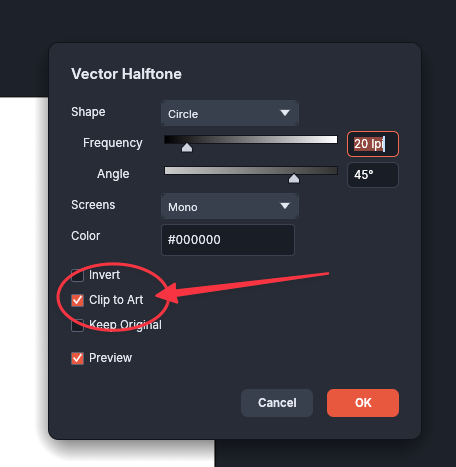
      VectorCraft’s Vector Halftone panel with Clip to Art enabled

      Could VectorStyler add a similar checkbox to its Halftone panel? With it enabled, the dot pattern could extend past the object boundary and be clipped to the shape. Any dot that crosses the edge would show only the portion inside the shape, even if its center falls outside.

      For screen-print artwork, this would let the pattern run right up to the edge without having to create an oversized halftone and clip it manually. I prefer VectorStyler’s halftone controls overall and would like to be able to do this directly while keeping the effect live and editable.

      Here is a video showing how it is done in the halftone panel in Vectorcraft
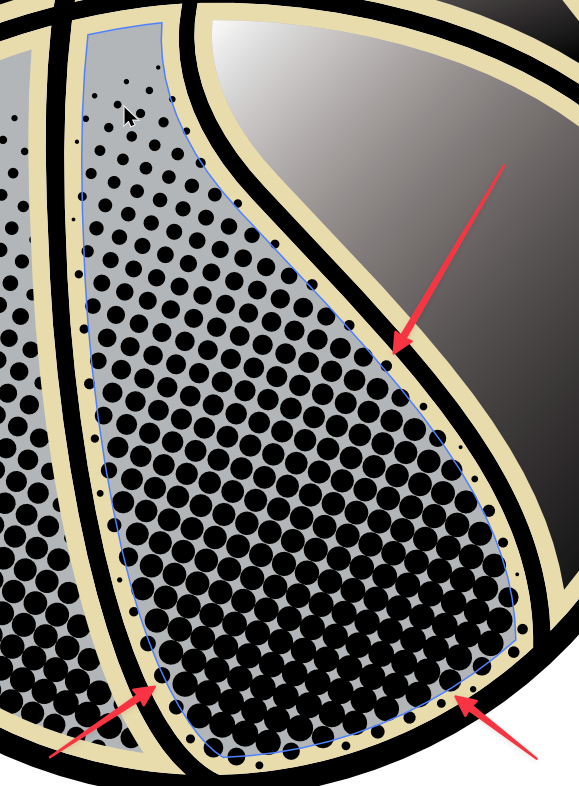
      87922203-b650-494a-a8a0-9d2826e8d2e5-CleanShot 2026-11-09 at 9.08.29 PM.png
      (For the record, I prefer the Halftone features in VS over Vectorcraft)
      994f1938-4466-41db-adbc-aeec6bf2a167-CleanShot 2026-11-09 at 9.28.19 PM.png

      🍎 macOS Tahoe 26.2, Mac mini (M1, 2020), Chip Apple M1, Memory 16 GB
      Cintiq 27QHD Display and LG Ultra HD Display

      VectorStylerV 1 Reply Last reply Reply Quote 1
      • VectorStylerV Offline
        VectorStyler @Boldline
        last edited by

        @Boldline In the Halftone panel menu there is a "Clipped Halftone", it is on by default.
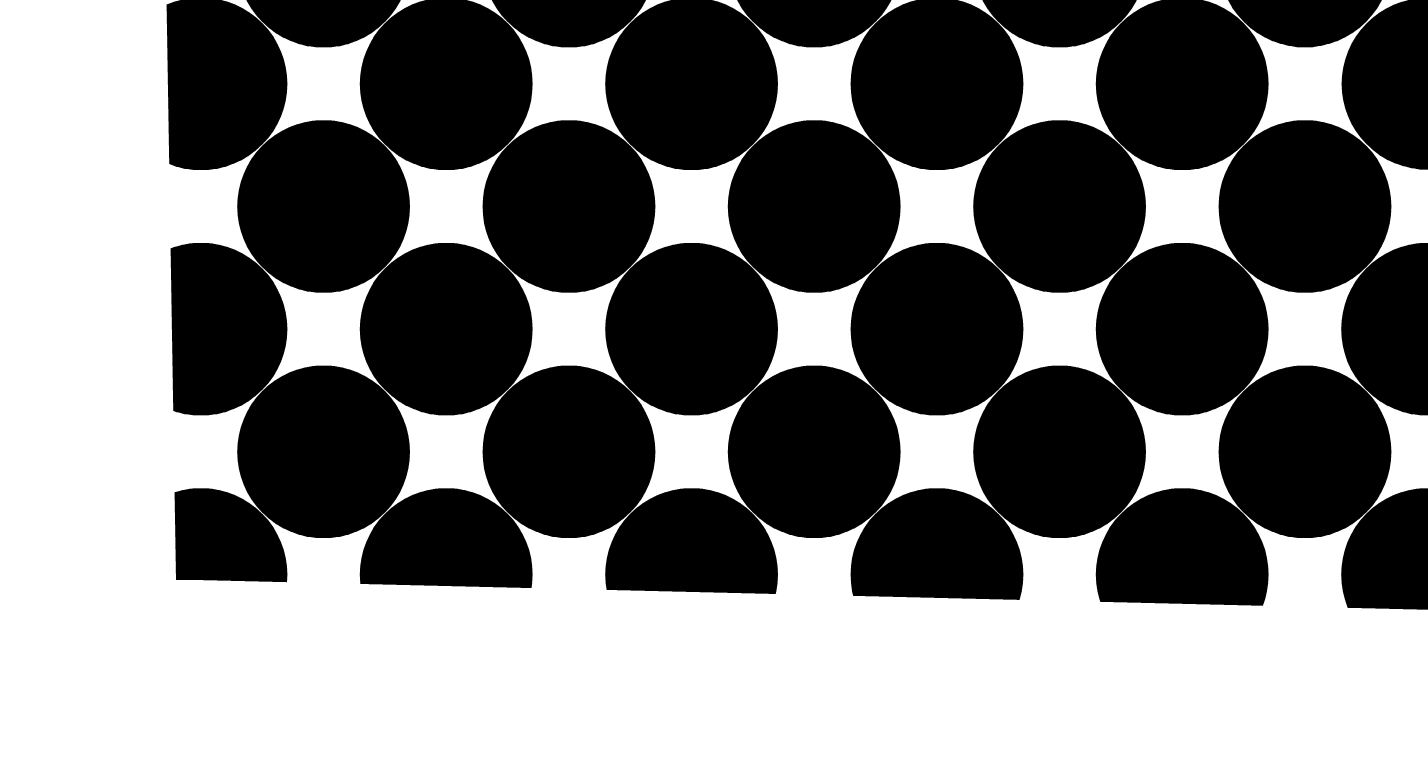
        halftone.png

        BoldlineB 1 Reply Last reply Reply Quote 1
        • BoldlineB Online
          Boldline @VectorStyler
          last edited by Boldline

          @VectorStyler Thanks for pointing out the clip option in VS's halftone panel. It does not seem to chnage anything whether it's selected or not. Is there another step I'm missing?
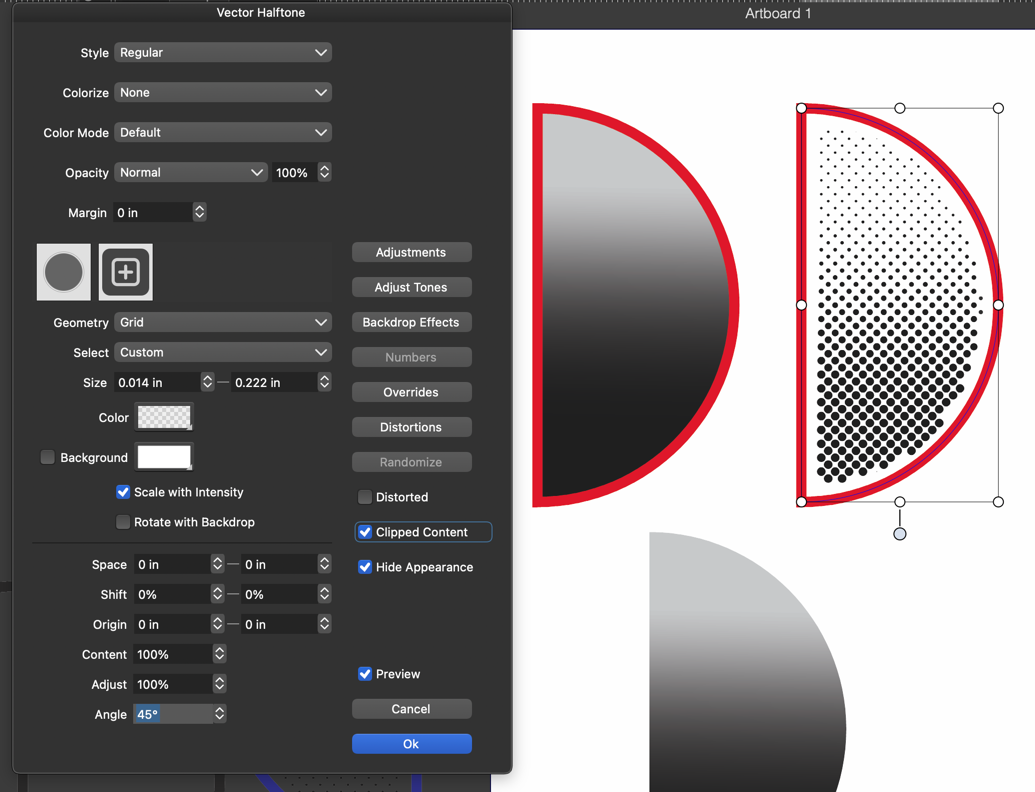
          In the example below (made in VS) the two top shapes are the same - the right side copy just has a halftone applied to it. How would I adjust the halftone so that it's not got the automatic buffer around it? Engaging the "clipped content" does not have a visual change.
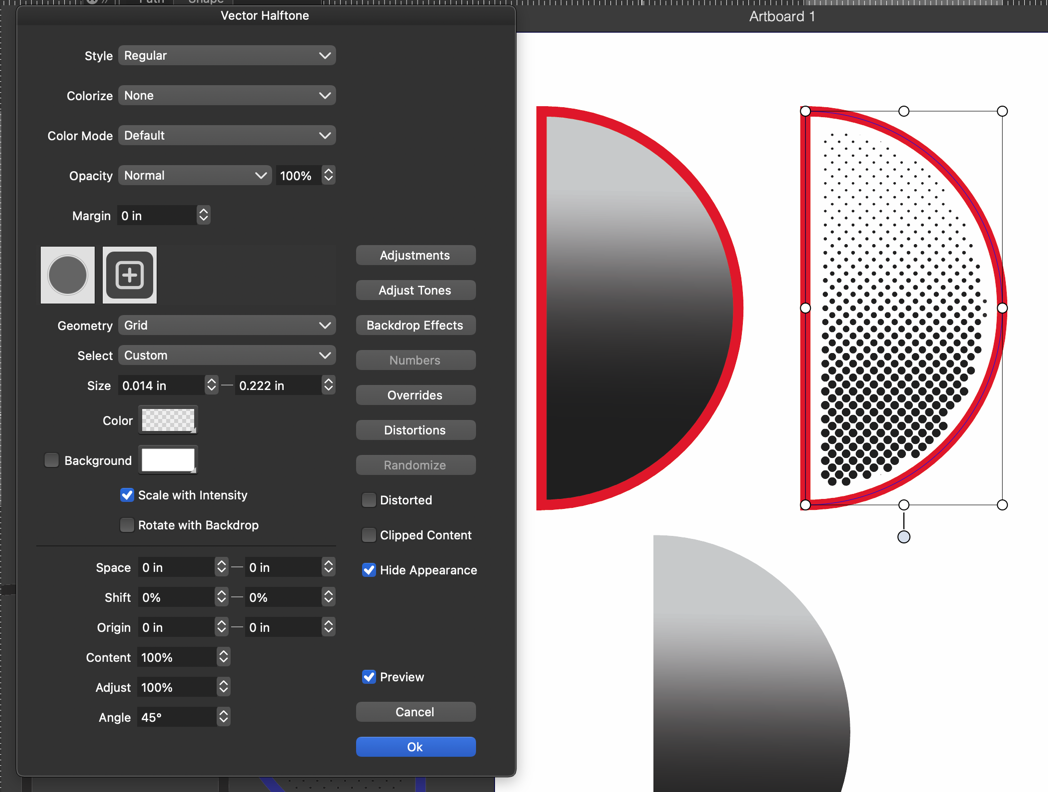
          5107a250-02b2-4003-8ff9-6dc388ab032e-CleanShot 2026-11-10 at 6.05.32 AM.png

          with the clipped content on - same look. (unless there's another setting to change)
          b5d40723-a255-4237-9d4d-d0cd2d1b5309-CleanShot 2026-11-10 at 6.14.29 AM.png

          🍎 macOS Tahoe 26.2, Mac mini (M1, 2020), Chip Apple M1, Memory 16 GB
          Cintiq 27QHD Display and LG Ultra HD Display

          BoldlineB 1 Reply Last reply Reply Quote 0
          • BoldlineB Online
            Boldline @Boldline
            last edited by

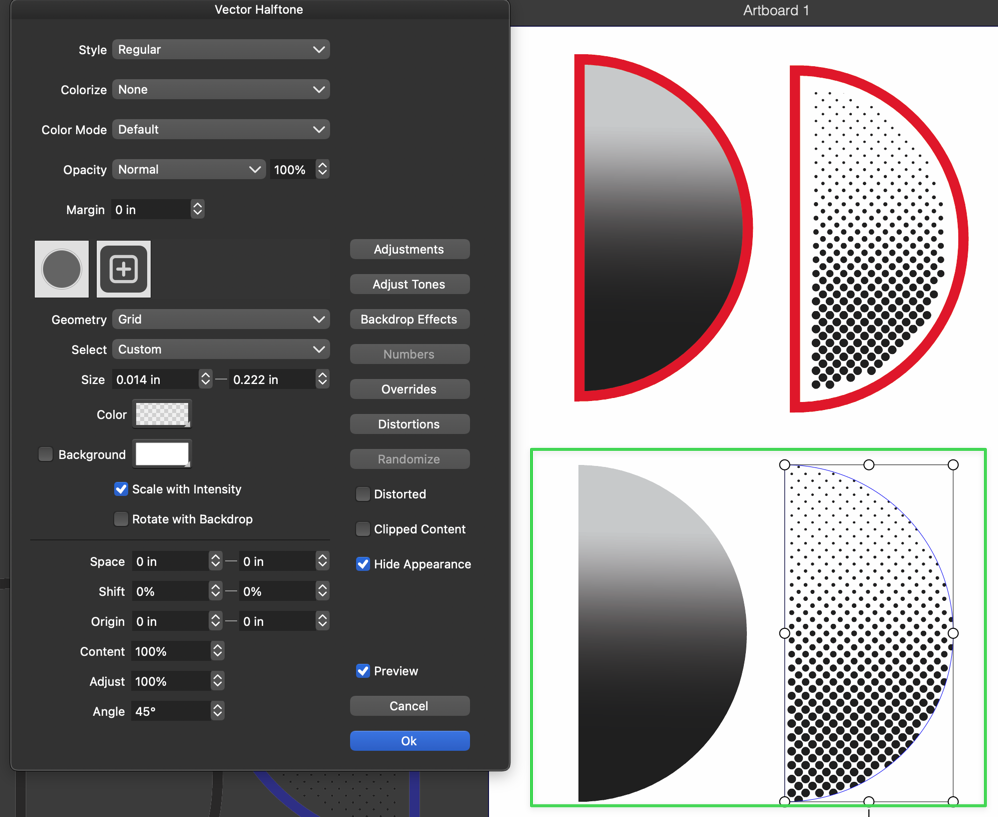
            UPDATE: The buffer is related to the stroke on the object. If I remove the stroke, the halftone goes right to the edge. However the clipping option still does not allow the halftone to extend beyond the selection
            3e535790-cba5-4ea9-b982-810aac9f0b25-CleanShot 2026-11-10 at 6.25.14 AM.png

            🍎 macOS Tahoe 26.2, Mac mini (M1, 2020), Chip Apple M1, Memory 16 GB
            Cintiq 27QHD Display and LG Ultra HD Display

            VectorStylerV 2 Replies Last reply Reply Quote 1
            • VectorStylerV Offline
              VectorStyler @Boldline
              last edited by

              @Boldline Send me the file used in those screenshots.

              1 Reply Last reply Reply Quote 1
              • VectorStylerV Offline
                VectorStyler @Boldline
                last edited by

                @Boldline This is a bug, will be fixed in the next build

                L 1 Reply Last reply Reply Quote 1
                • L Offline
                  Li Xiao @VectorStyler
                  last edited by

                  @VectorStyler
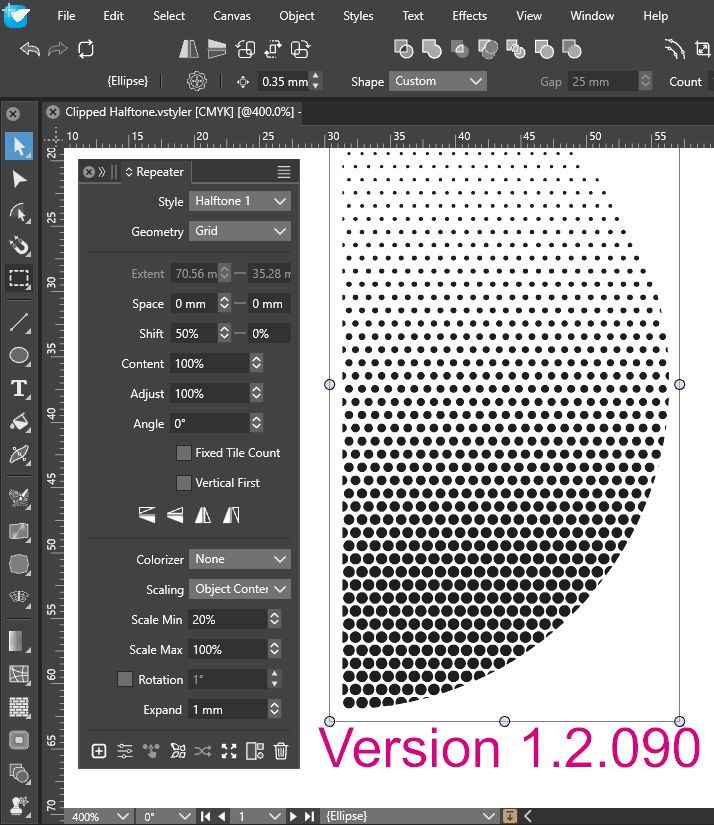
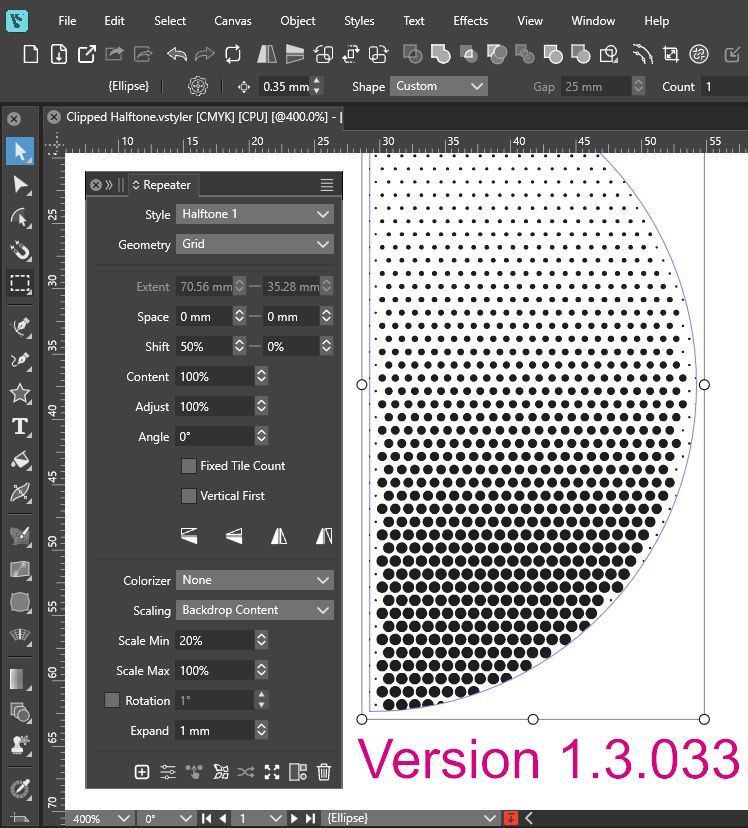
                  The Repeater has the exact same issue as well. Please see the difference between version 1.2.090 and 1.3.033
                  Clipped Halftone 1.2.090.jpg
                  Clipped Halftone 1.3.033.jpg

                  Clipped Halftone.vstyler

                  It would be great if Vector Halftone could have an Expand feature, just like the one in Repeater.

                  1 Reply Last reply Reply Quote 2
                  • First post
                    Last post