VectorStyler
    • Categories
    • Unread
    • Recent
    • Tags
    • Popular
    • Register
    • Login

    Moving the bitmap after using it to color repeated objects in a repeater

    Scheduled Pinned Locked Moved Questions and Support
    13 Posts 3 Posters 50 Views 3 Watching
    Loading More Posts
    • Oldest to Newest
    • Newest to Oldest
    • Most Votes
    Reply
    • Reply as topic
    Log in to reply
    This topic has been deleted. Only users with topic management privileges can see it.
    • S Offline
      Subpath @Li Xiao
      last edited by

      @Li-Xiao

      Big thanks as always

      Win 11
      CPU: AMD Ryzen 5 9600X, 6-core.
      GPU: Nvidia Geforce RTX 5070.

      1 Reply Last reply Reply Quote 1
      • S Offline
        Subpath @Li Xiao
        last edited by

        @Li-Xiao

        The youtube video is still set as private so i cant see it
        Could you set it to public

        Win 11
        CPU: AMD Ryzen 5 9600X, 6-core.
        GPU: Nvidia Geforce RTX 5070.

        L 1 Reply Last reply Reply Quote 0
        • L Offline
          Li Xiao @Subpath
          last edited by

          @Subpath
          I changed the permissions to public, but I don't know why it won't let you view it without logging in. You can just download it directly

          https://drive.google.com/file/d/1ERwSPYi5IcxRtCytyMQ051rsJvPXd-qI/view?usp=drive_link

          S 1 Reply Last reply Reply Quote 1
          • S Offline
            Subpath @Li Xiao
            last edited by

            @Li-Xiao

            Thank you, got it.
            Its a pretty good Trick 👍

            I made you a video how this work in "Paragraphic" a pretty
            neat app from "Lost Minds", is pretty easy.

            "Praragraphic" is a good companion for Vectorstyler.

            Here the Video

            Win 11
            CPU: AMD Ryzen 5 9600X, 6-core.
            GPU: Nvidia Geforce RTX 5070.

            L 1 Reply Last reply Reply Quote 1
            • L Offline
              Li Xiao @Subpath
              last edited by

              @Subpath Paragraphic is a great app; I bought it back in 2024, thank you for the video. Lately, I've been trying to replicate 'Lines between paths' (https://paragraphic.design/sample/lines-between-paths/) using VectorStyler, but I haven't figured out a method yet.

              S 1 Reply Last reply Reply Quote 1
              • S Offline
                Subpath @Li Xiao
                last edited by Subpath

                @Li-Xiao

                I picked up Paragraphic quite a while ago, too. Before that, I experimented with "Nodebox 3,"
                which—like Paragraphic—is node-based; I’ve loved using Nodes ever since. Which are essentially
                small code snippets you can combine to create parametric vector graphics.

                I also occasionally try to recreate things from Paragraphic directly in VectorStyler. It doesn't always
                work, but it sparks interesting ideas and is a great learning experience.

                That’s actually how this post came about.
                I had a design I’d created in Nodebox 3 and was wondering how I could color it in a controlled way.
                Simply placing a bitmap with the desired color structure underneath seemed like the most promising approach.

                It looks like I’ll have to recreate it, though, so that the individual shapes can be colored separately.
                Because Vectorstyler and Paragraphic handel this only as a whole group not as single objects.

                The best bet by now using Vectorstyler Colorize Feature, which work with single objects.
                Maybe I will create a spezial Palette or something. But i still experimenting.

                Here the Design, i put a file ".SVG" too below if someone like to try it.
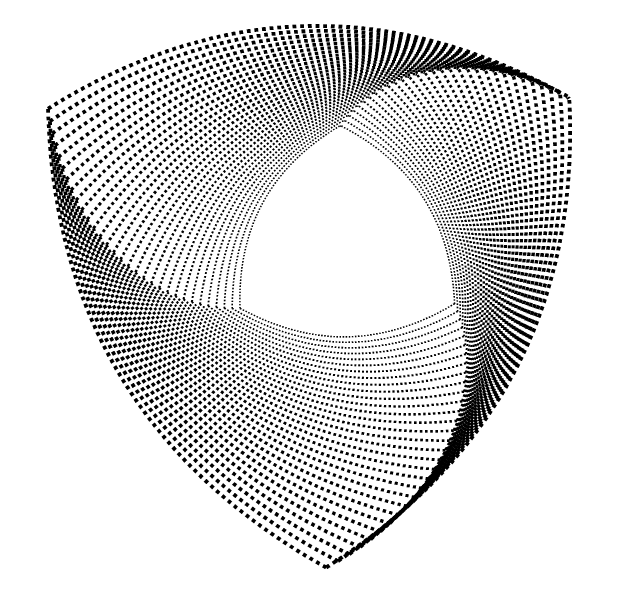
                Nodebox Design.png

                Nodebox Design-VS.svg
                This is the .SVG File, which could be downloaded

                Win 11
                CPU: AMD Ryzen 5 9600X, 6-core.
                GPU: Nvidia Geforce RTX 5070.

                L 2 Replies Last reply Reply Quote 1
                • L Offline
                  Li Xiao @Subpath
                  last edited by

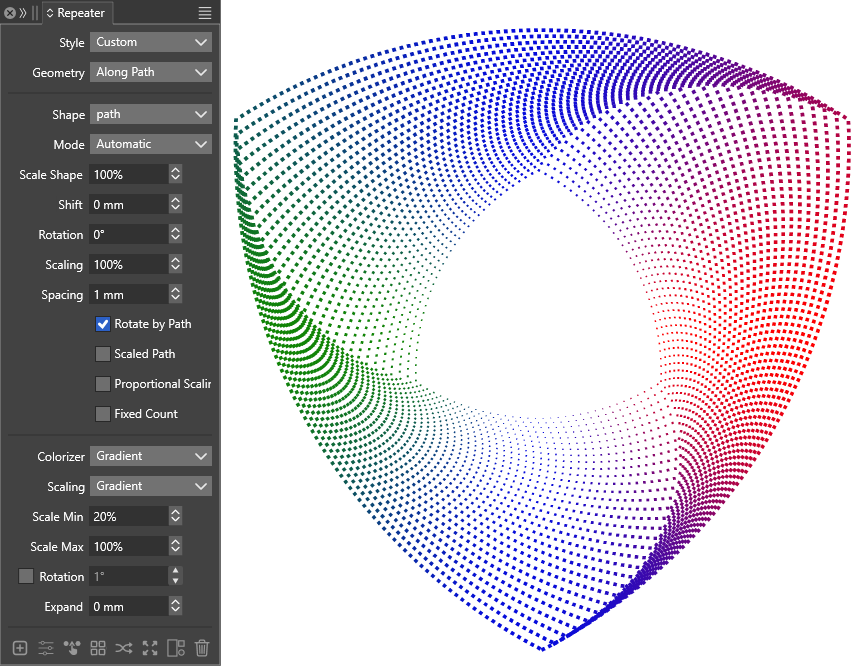
                  @Subpath How are you planning to color it? You can actually achieve a similar effect for this design using the Repeater. Take a look at how it turned out when I gave it a try
                  nodebox design vs.png

                  1 Reply Last reply Reply Quote 1
                  • L Offline
                    Li Xiao @Subpath
                    last edited by

                    @Subpath Reference file and video for your review

                    nodebox-design-vs.vstyler

                    https://drive.google.com/file/d/1mhV0KW36-LIZ0O5FnWLTseY0Dbv5DkUZ/view?usp=drive_link

                    S 1 Reply Last reply Reply Quote 1
                    • S Offline
                      Subpath @Li Xiao
                      last edited by Subpath

                      @Li-Xiao

                      I found it interesting how you recreated it in VectorStyler.
                      I’ve already experimented with the various coloring options in VectorStyler.

                      NodeBox 3 (free) allows you to export results as .SVG or PDF.
                      You can then import the .SVG file into VectorStyler and use the Colorizer
                      feature to apply color in a variety of ways.

                      I haven't quite decided how I want to color it yet. But the idea of ​​using a bitmap
                      that could be repositioned seemed like the most flexible approach.

                      For instance, I could export the design as a bitmap, paint a pattern over it,
                      and then use that pattern—in turn—as a bitmap for coloring.
                      .
                      .
                      .
                      It looks like I’ve found a way to do it in Paragraphic now.

                      Edited:
                      Okay, I need to correct myself a bit.
                      I previously thought that for an image to individually color objects arranged along a path,
                      those objects had to be on an open path. That isn't the case; it works just as well with
                      standard closed polygons (objects).

                      The only important thing is the order in which you connect and transform the objects.

                      The rectangle is repeated along a polygon using "Repeat Path." You can use a high number
                      of repetitions, as they will later be distributed across the repetitions of the polygon. Within
                      the Rect Path layer (node), you also create the layer that uses the bitmap to color the rectangles.

                      Then, within the Polygon Repeat layer (node), you place the "Repeat Transform" layer (node) to
                      repeat the polygon.

                      Here’s a New Video showing how it’s done.

                      Win 11
                      CPU: AMD Ryzen 5 9600X, 6-core.
                      GPU: Nvidia Geforce RTX 5070.

                      S 1 Reply Last reply Reply Quote 0
                      • S Offline
                        Subpath @Subpath
                        last edited by Subpath

                        @li-xiao

                        I’ve since figured out how it all works with closed paths/polygons in Paragraphic,
                        and I’ve replaced the video in my earlier post with a new, up-to-date one.
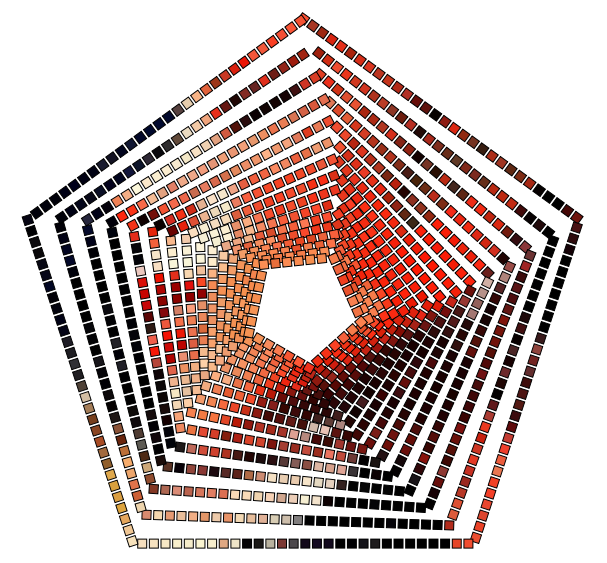
                        closed Polygon.png

                        Win 11
                        CPU: AMD Ryzen 5 9600X, 6-core.
                        GPU: Nvidia Geforce RTX 5070.

                        1 Reply Last reply Reply Quote 1
                        • First post
                          Last post