Detail Optimizations for Version 1.3
-


1.These two icons do not appear very prominent and look inconsistent compared with other icons. I hope the icons can be revised.
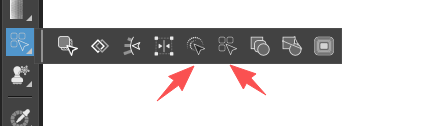
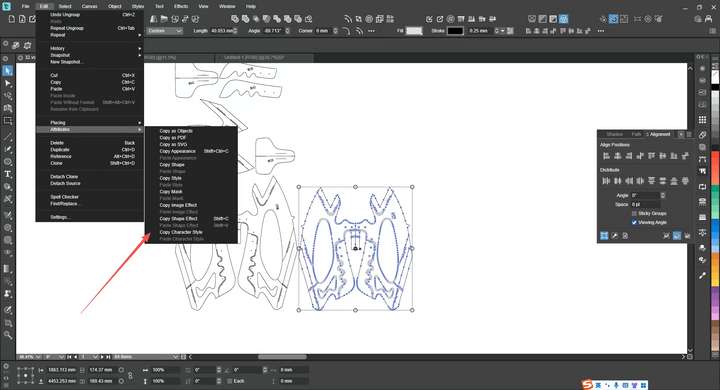
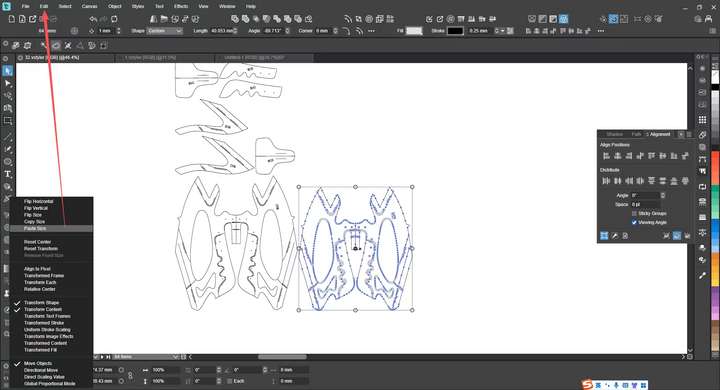
2. The "Copy Size" and "Paste Size" functions in the Transform panel are quite inconvenient to operate. As these functions are frequently used, I hope they can be moved to the edit properties list—this way, I can use keyboard shortcuts or add shortcut icons for them. Additionally, the current list is cluttered and not user-friendly. As I mentioned before, we can refer to Inkscape's menu: it allows copying all properties of an object with just one Ctrl+C operation. In other words, the current separate functions like "Copy Shape", "Copy Style", "Copy Effects", etc., can be eliminated. Only retaining options such as "Paste Shape", "Paste Size", and "Paste Style" will make the list much cleaner and more intuitive
-
@monsterfox I added this to the backlog
-
@VectorStyler Enable the Snap to Points function: when the cursor hovers over a node, there is a change, so we can notice the difference. However, if you select an object and move it to a node, the cursor shows no response at all. I use this operation frequently and always think the object has snapped to the point, but when zooming in, there is still a slight distance gap. Perhaps the Snap to Points function does not fully support this operation yet. Hope this issue can be resolved.
-
@VectorStyler The Actions panel does not yet support file export operations.
-
@monsterfox said in Detail Optimizations for Version 1.3:
The Actions panel does not yet support file export operations.
I will add this
-
@VectorStyler
https://youtu.be/mk1Jyl9ENVA?feature=shared
In VectorStyler, when drawing the first anchor point with the Pen Tool, it’s not possible to generate two control handles. This results in a sharp corner when closing the path at the end. However, FreeHand allows generating two control handles, enabling a smooth transition when closing the path. Additionally, in FreeHand, while dragging a control handle and the mouse is still in the control state, holding the Ctrl key lets you move the anchor point for more precise adjustments. Currently, this doesn’t seem to work in VectorStyler. These two aspects need optimization. -
@monsterfox said in Detail Optimizations for Version 1.3:
@VectorStyler
https://youtu.be/mk1Jyl9ENVA?feature=shared
In VectorStyler, when drawing the first anchor point with the Pen Tool, it’s not possible to generate two control handles. This results in a sharp corner when closing the path at the end. However, FreeHand allows generating two control handles, enabling a smooth transition when closing the path. Additionally, in FreeHand, while dragging a control handle and the mouse is still in the control state, holding the Ctrl key lets you move the anchor point for more precise adjustments. Currently, this doesn’t seem to work in VectorStyler. These two aspects need optimization.I will open a bug on this, for later.
-
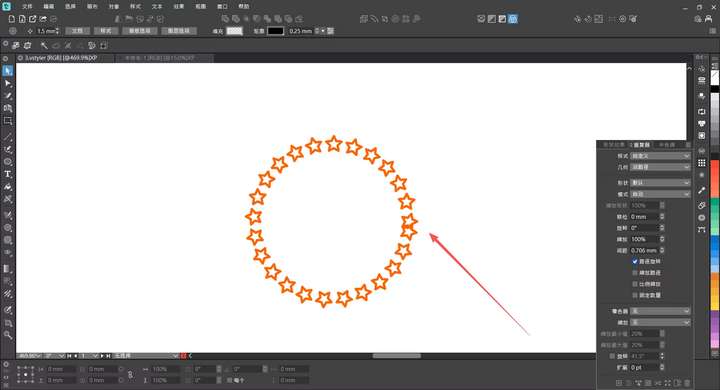
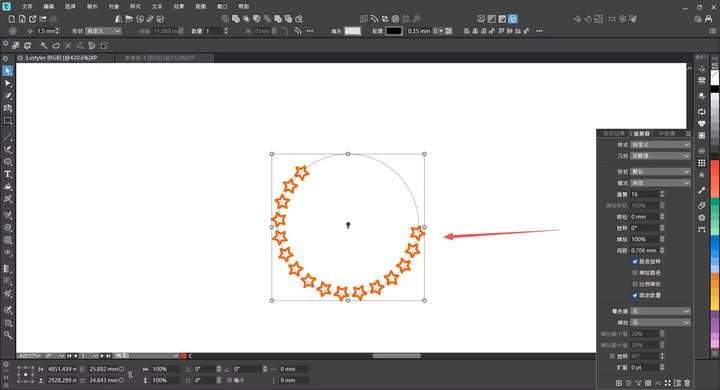
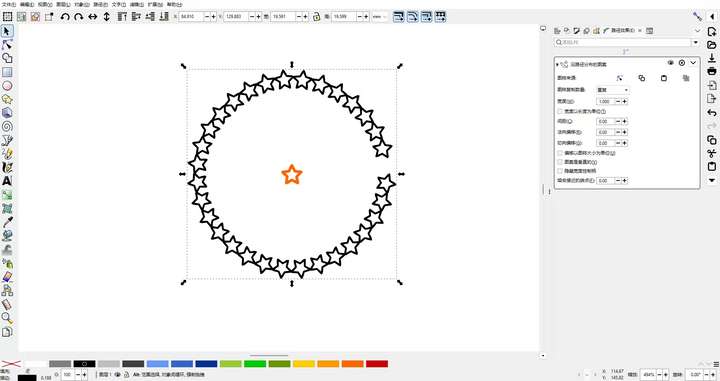
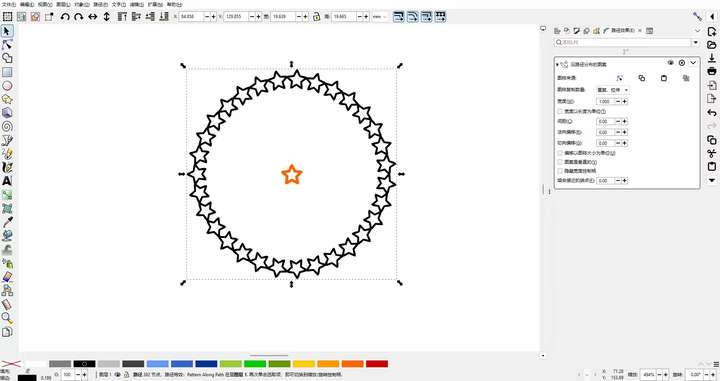
@VectorStyler For the Along Path option in the Repeater, two functions are needed: 1. Distribute evenly along the entire path. 2. Distribute evenly and stretch to fit the entire path. This feature can be referenced from Inkscape.
-
@VectorStyler Please add the Remove Halftone function from the halftone hidden menu to the panel as a button, just like the Repeater.
-
@monsterfox I will add these
-
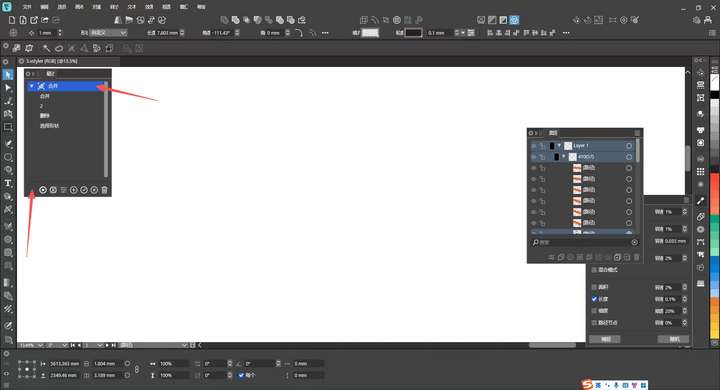
@VectorStyler I hope to add a lock function to the Recent Operations panel, which should have the following two features:
1. Locked operation records will not be overwritten or updated by subsequent operations and will be retained permanently.
2. Locked records cannot be deleted directly; they need to be manually unlocked before deletion.In my daily workflow, I often need to save a set of recent operations. However, if I don’t use them for a short period, they will be replaced by new operations. If I need to reuse the previous set of operations later, I have to perform all those steps again, which is rather cumbersome.
If this lock function is implemented, I can lock the required operation set to prevent it from being lost. When I need to use it, I can just delete all existing records—since the locked operation set won’t be deleted, I can use it directly, which will greatly improve my workflow efficiency. I sincerely hope this feature can be added.
-
@monsterfox I added this to the backlog
-
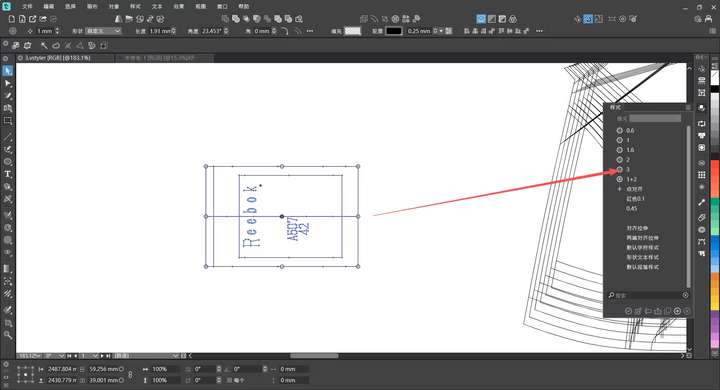
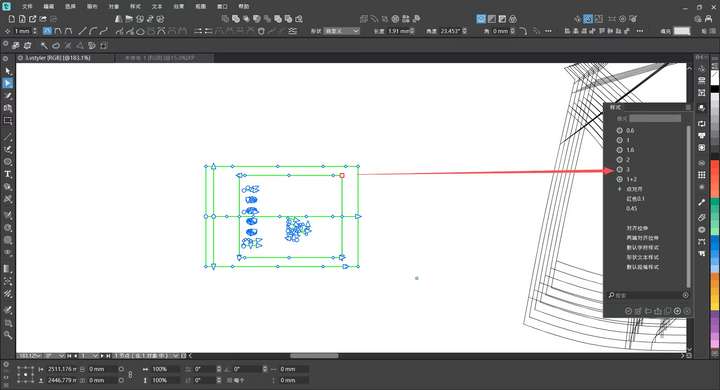
@VectorStyler I hope that when an object is selected first, and then a shape from my custom styles is chosen, the selected object can be replaced with the styled shape at its original coordinate position.
If a node is selected instead of an object, I also wish that the styled shape can replace the node at the node’s current coordinate position. This would enable much more precise shape replacement operations.
It would be absolutely perfect if this feature could be integrated into the shape selection tool, style panel, and the shape selection function in the menu bar.
-
@VectorStyler I would like to suggest an optimization for the Group Overlapping feature in VectorStyler. Currently, when this option is triggered, it identifies and groups all objects that overlap with the selected shape.
From my experience as a user (and based on common forum discussions), the primary use case for this function is resolving unintended overlaps from misoperations, where the end goal is to delete the redundant overlapping elements. The existing design forces users to manually separate one base object from the grouped overlaps before deletion, which adds unnecessary complexity.
My suggestion is to add a logic adjustment: when activating Group Overlapping, automatically retain one original overlapping object outside the grouped set (not selected by the grouping action). This would allow users to directly delete the grouped redundant parts in one go, significantly streamlining the workflow—especially useful for tasks like complex pattern design where accidental overlaps are frequent.
-
@monsterfox said in Detail Optimizations for Version 1.3:
My suggestion is to add a logic adjustment
Send me an example file with before / after grouping.
-
-
@VectorStyler
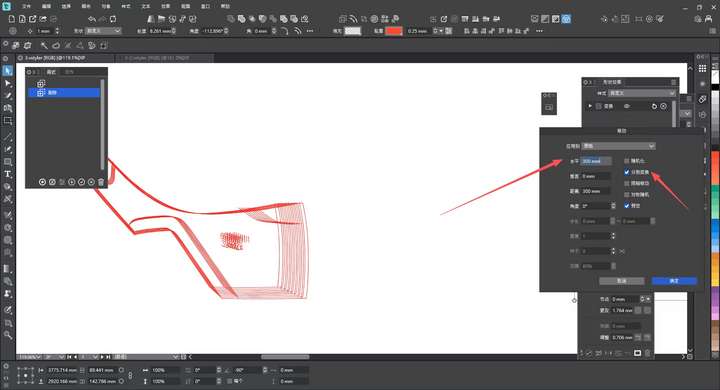
After using the move operation, all previous settings will revert to the default state in about one minute. Is there a way to make it remember the previous operation settings? -
@monsterfox said in Detail Optimizations for Version 1.3:
Is there a way to make it remember the previous operation settings?
It should keep the previous values, if not it is a bug. I will try to replicate this
-
@monsterfox said in Detail Optimizations for Version 1.3:
After using the move operation, all previous settings will revert to the default state in about one minute
Were there some other commands used after the Move?
-
@VectorStyler Yes, I edited other graphics after performing the move operation. When I executed the move operation again about one minute later, these parameters disappeared.
